Edara’s Mid-Year 2026 Review
4 Reading minutes
It was a period marked by meaningful improvements tailored to real user needs and aligned with the evolving demands of the market.
In this article, we’ll walk you through the most impactful features launched during the first six months of 2026.
Sharing Sales Order Details via WhatsApp
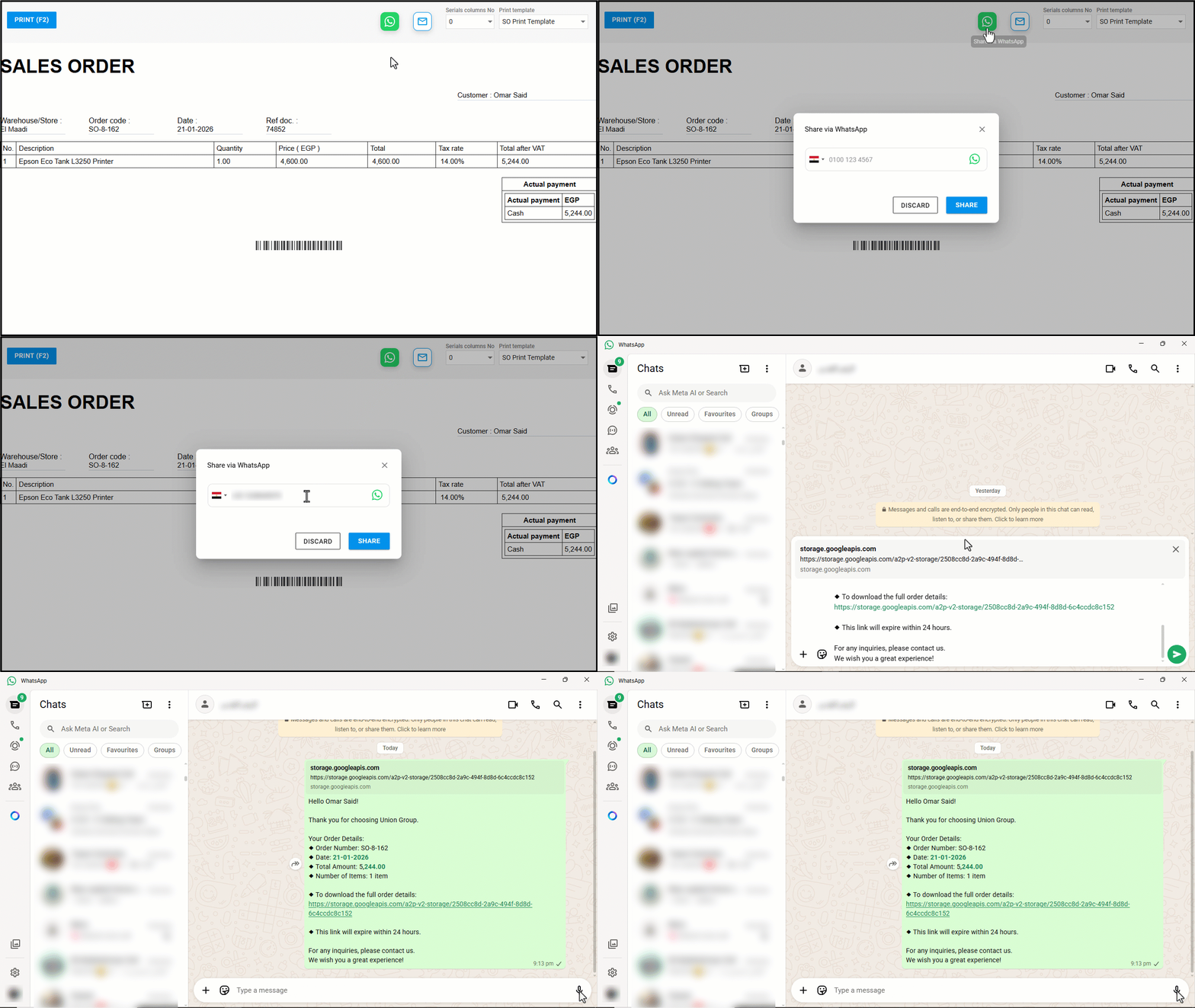
You can now share Sales Order details with the customer via WhatsApp, enabling them to retain a digital copy of the order document for future reference.
The system automatically generates a ready-to-send message that includes a clear summary of the order, such as the order date, total amount, and number of items, along with a secure link to download the full document as a PDF.
Controlling the Unpermitted Pages Visibility in Menus
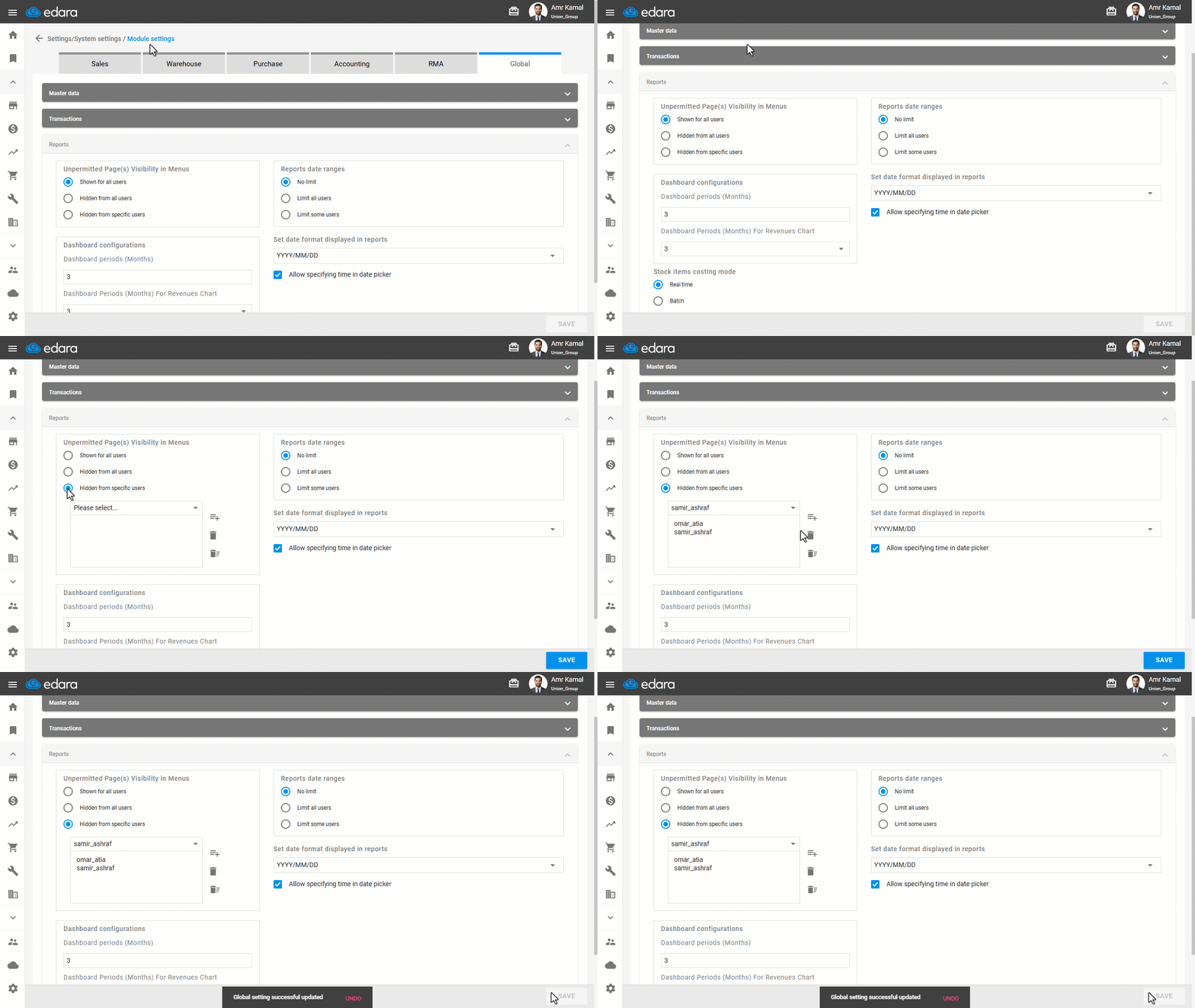
You can control how unpermitted pages appear in menus, either by hiding them from all users or specific users or showing them without allowing access to unpermitted users.
This helps you organize the interface, reduce distractions, and have control over what each user can see.
Automatically Applying Sales Document Cost Centers to Accounting Entries
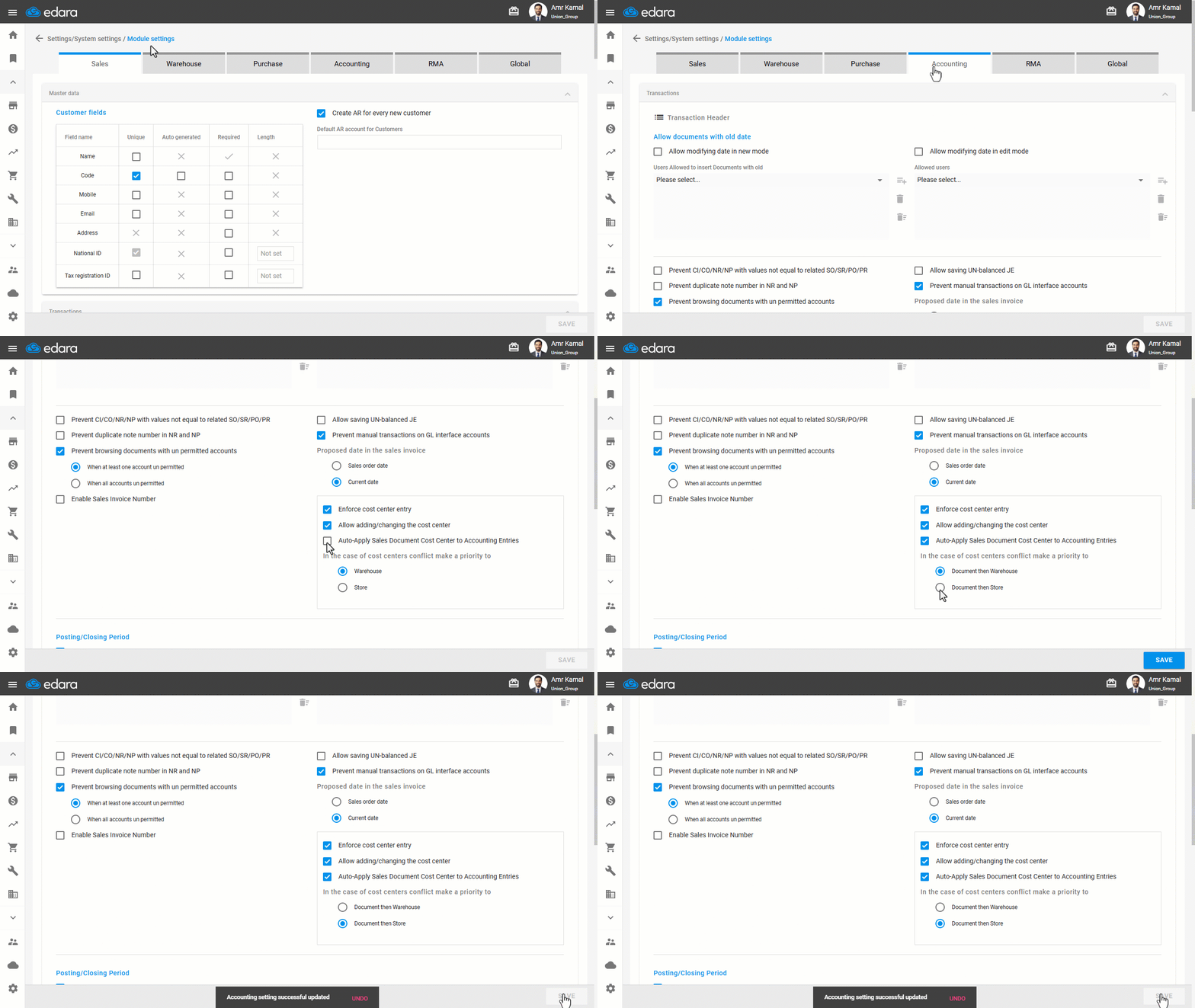
When a sales store or warehouse serves multiple business activities, projects, or operational areas, defining the cost center at the sales document level becomes more accurate than relying only on the default cost center.
Edara now allows you to automatically apply sales document cost centers to related accounting documents, such as Sales Invoices, Cost of Goods Sold entries, Credit Notes, and Journal Entries, ensuring that accounting processing remains aligned with the cost center specified in the document.
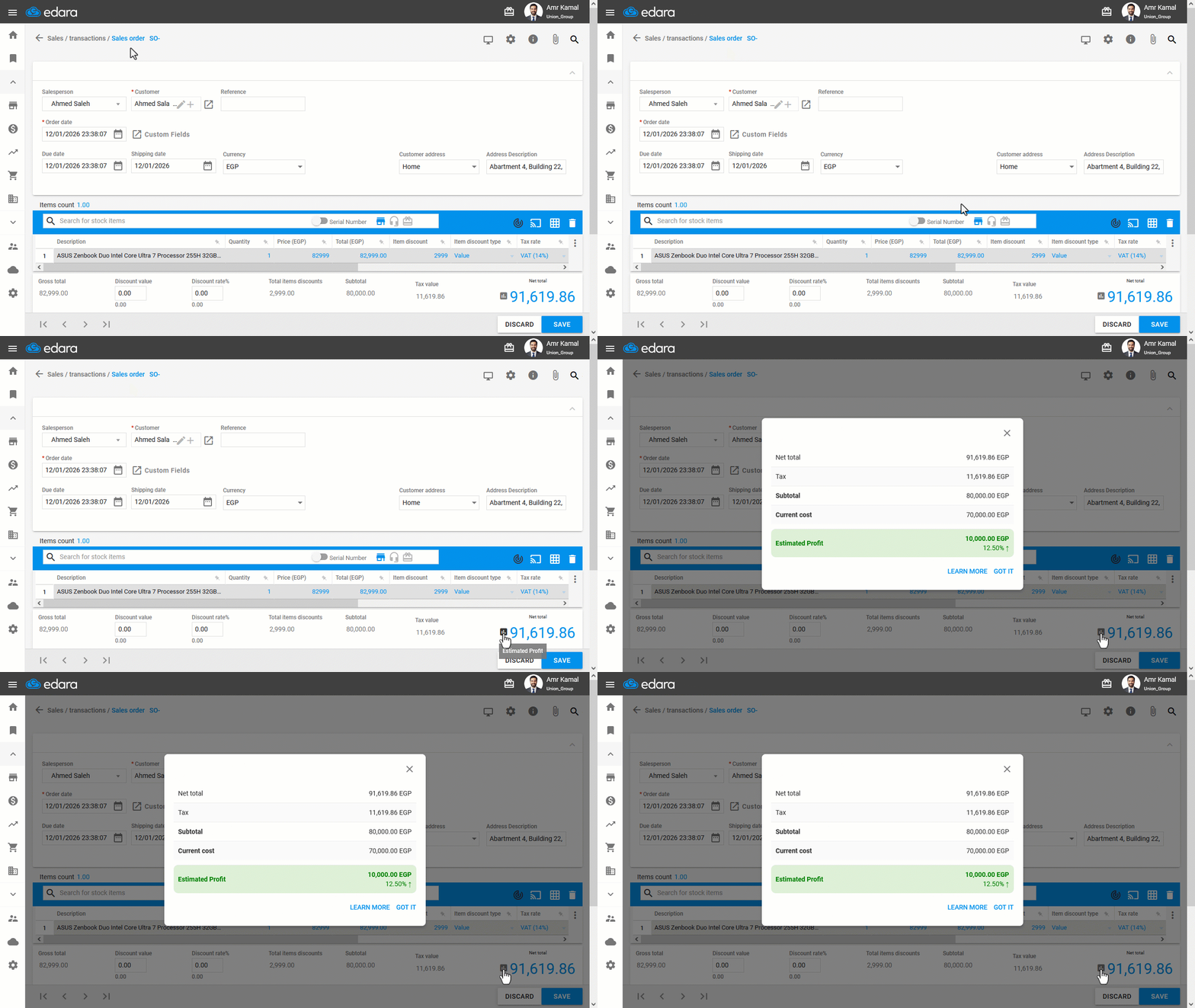
Displaying the Estimated Profit in the Sales Order
During customer negotiations, knowing the expected profit margin before issuing a sales order is essential for making informed decisions.
Edara allows you to view the estimated profit directly within the sales order, with full control over who can access this information, ensuring faster decision-making while maintaining financial data confidentiality.
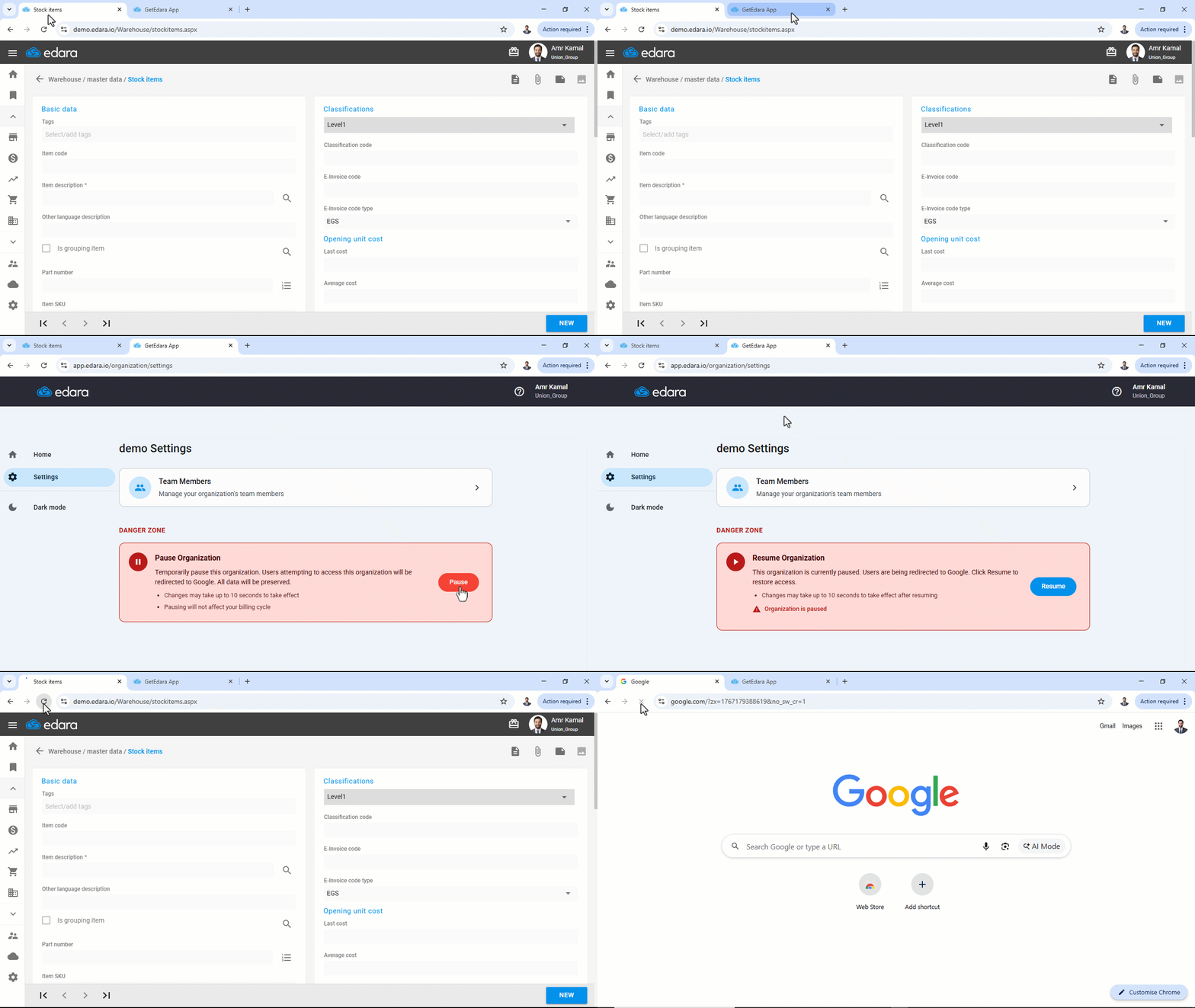
Pause / Resume Organization On Edara
In urgent situations that require stopping system access — such as manual counting during physical count or suspected unauthorized use — you can now temporarily pause your organization without deleting any data.
This feature allows you to disable system access for all users and branches within seconds, with the ability to easily reactivate the system at any time and resume work using the same data and settings.
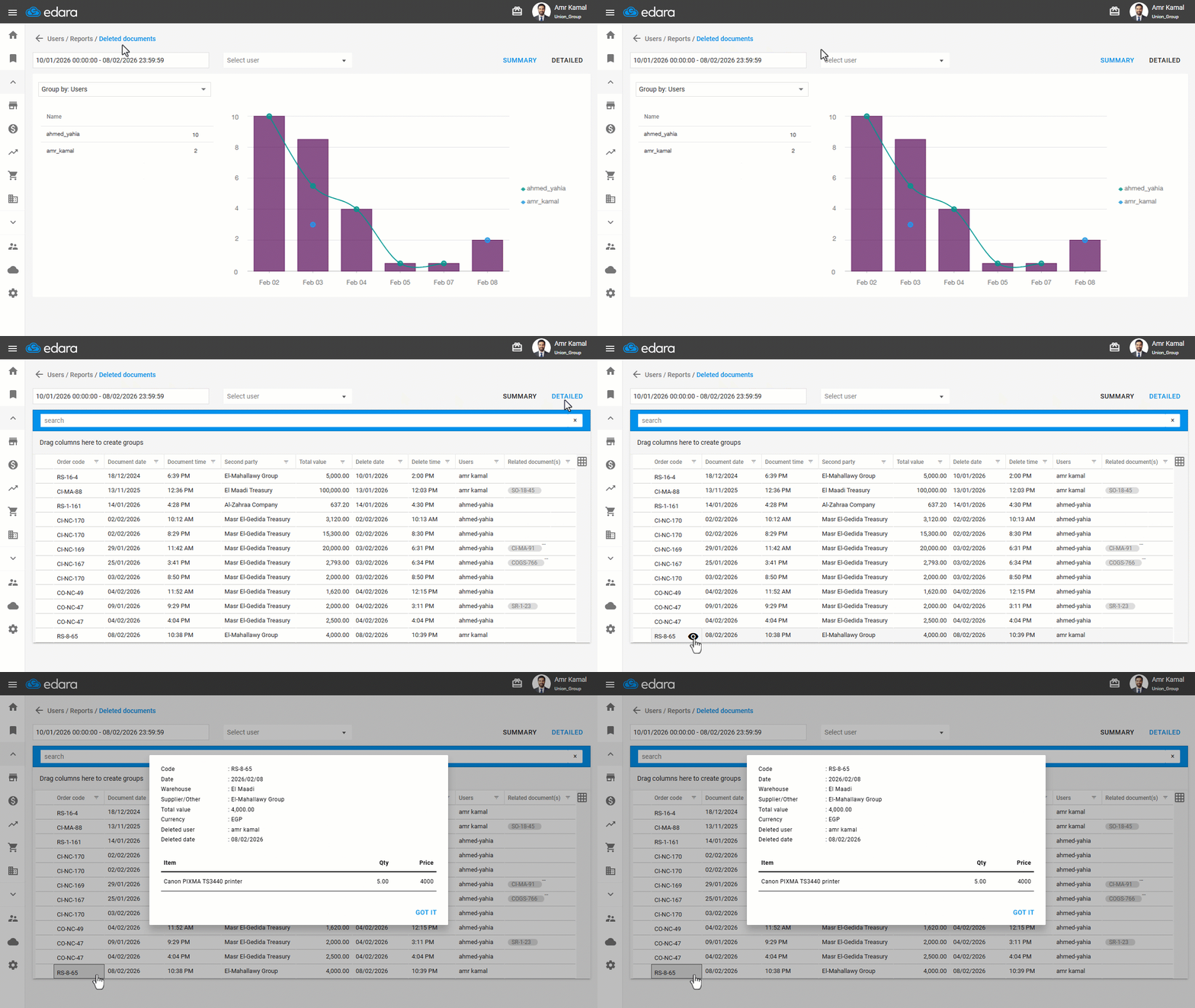
Viewing Deleted Document Details
There are situations where reviewing financial activities or tracking deleted documents becomes necessary to ensure procedural integrity.
Edara allows you to access deleted documents details, including sales orders, inventory transfers, cash disbursements, and more.
This feature strengthens internal control by providing visibility into deleted transactions and helping detect any unauthorized deletions, ensuring financial clarity and operational stability.
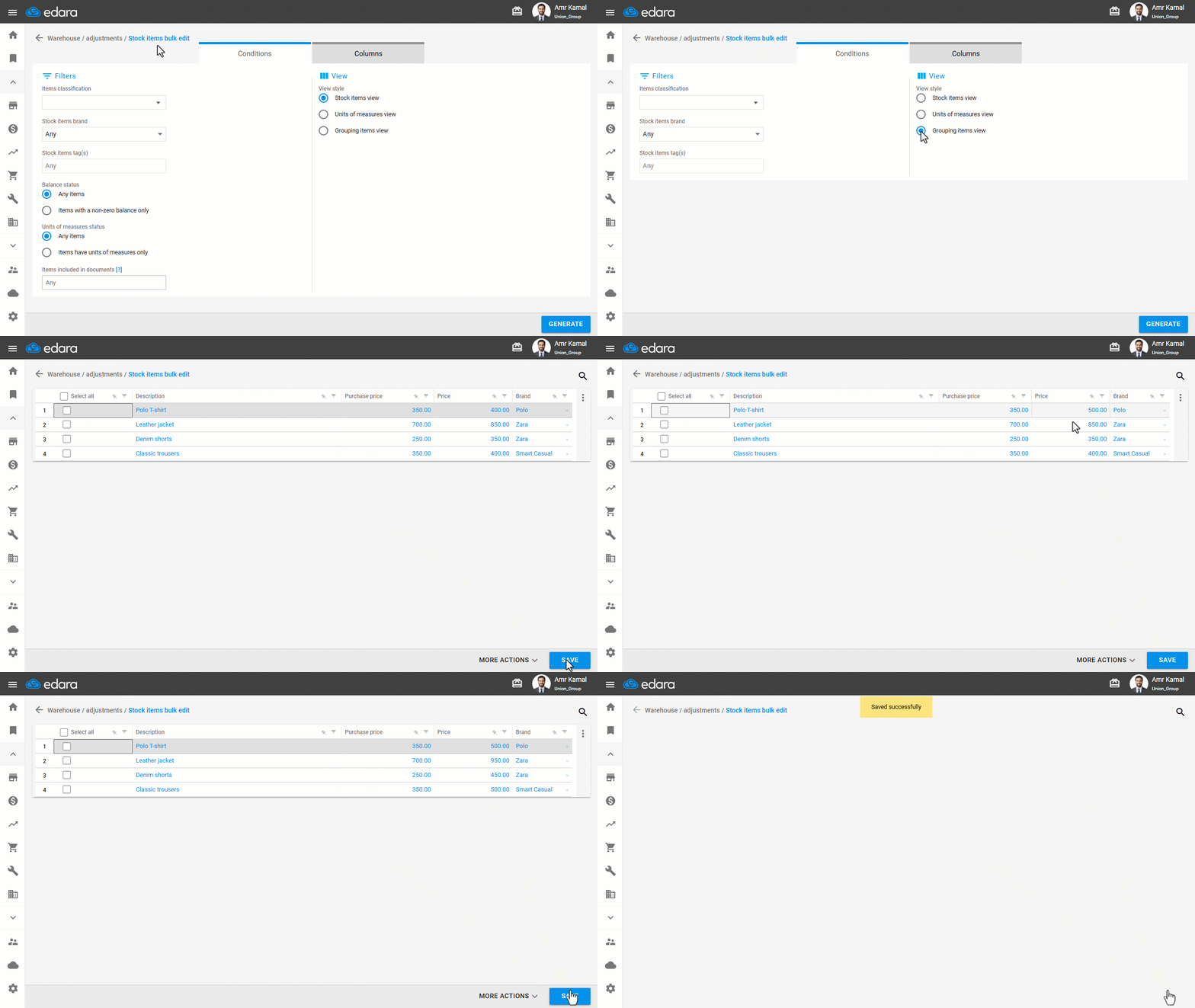
More Flexibility in Bulk Item Editing
When you need to update the prices or details of a large number of related items, you can now edit grouping items in bulk, instead of updating each item individually.
For example, if you have a grouping item like “Men’s Shirt” that includes multiple sizes or colors, you can update the price once at the grouped item level, and the new price will be automatically applied to all its sub-items.
This makes price management easier, saves time, and ensures data consistency across all related items.
Approving and Issuing Sales Orders from POS
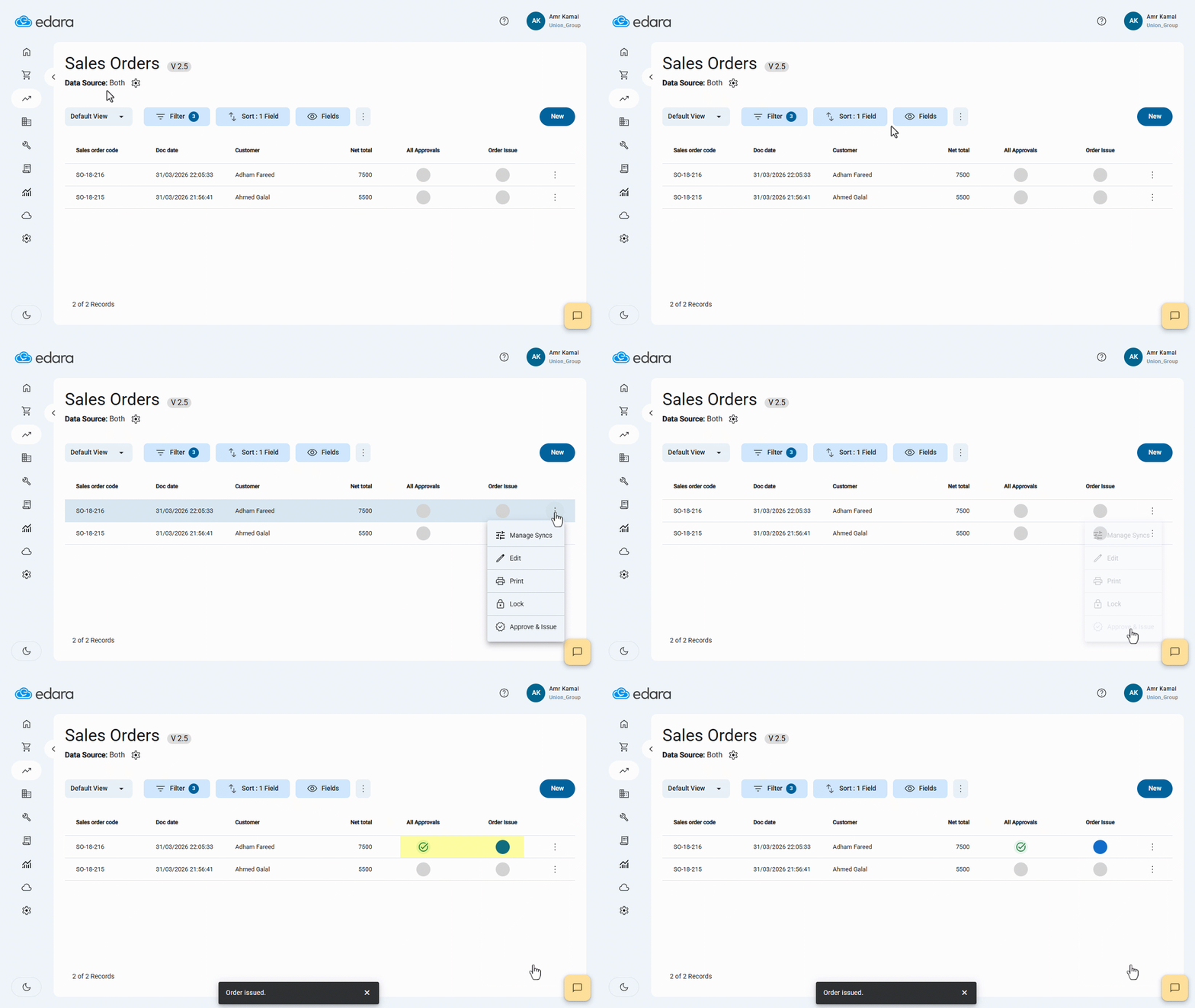
When processing sales orders, you can complete both approval and issuance directly from the POS to complete orders without switching to “Edara 2.0”.
This also enables you to complete orders that were not finalized due to internet connection issues by approving and issuing them from the POS.
A New Version of the Shopify Integration
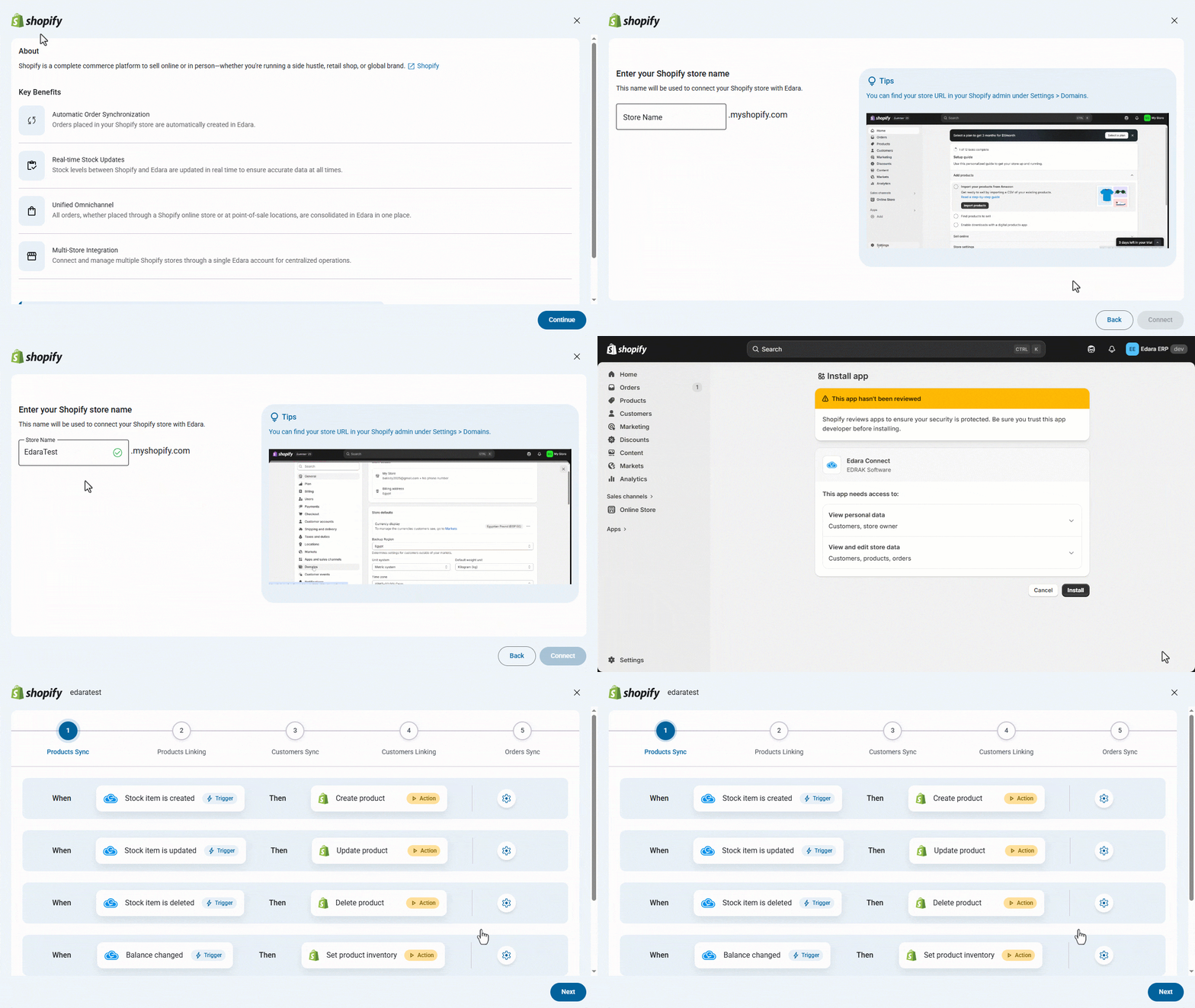
The integration experience between Shopify and “Edara” is now smoother and more flexible, with improvements that help you manage synchronization between both systems more efficiently.
You can now connect multiple Shopify stores to one “Edara” account, control synchronization settings for products, customers, and sales orders, and choose suitable matching criteria to unify data and reduce duplication.
Linking and unlinking processes are also clearer, with the ability to review errors and unmatched items before execution. You can also set a default account for unmapped payments to ensure financial transactions continue to be recorded without interruption.
This helps you manage your stores from one place, reduce manual intervention, and maintain more accurate data between Shopify and “Edara”.
More Flexibility in Handling Online Store Orders
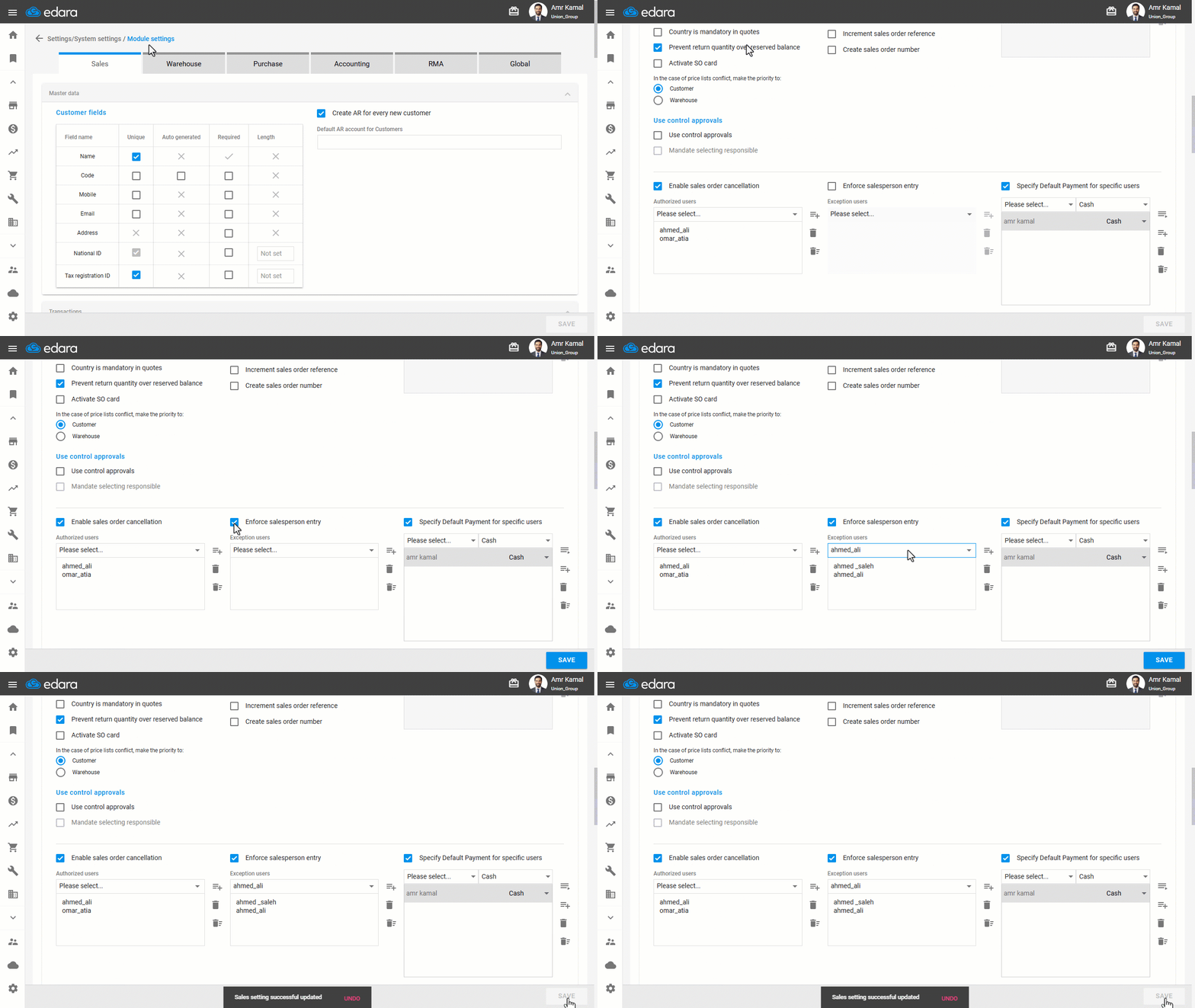
When connecting with an online store, some mandatory settings may depend on data that is not available in orders coming from the store, such as assigning a sales representative, entering a serial number, or filling in certain custom fields.
You can now exclude the integration user from these settings, allowing online store orders to be created smoothly without interruption, while keeping the requirements applied to other in-branch users to maintain accuracy and organization.
Extensions Store in “Edara”
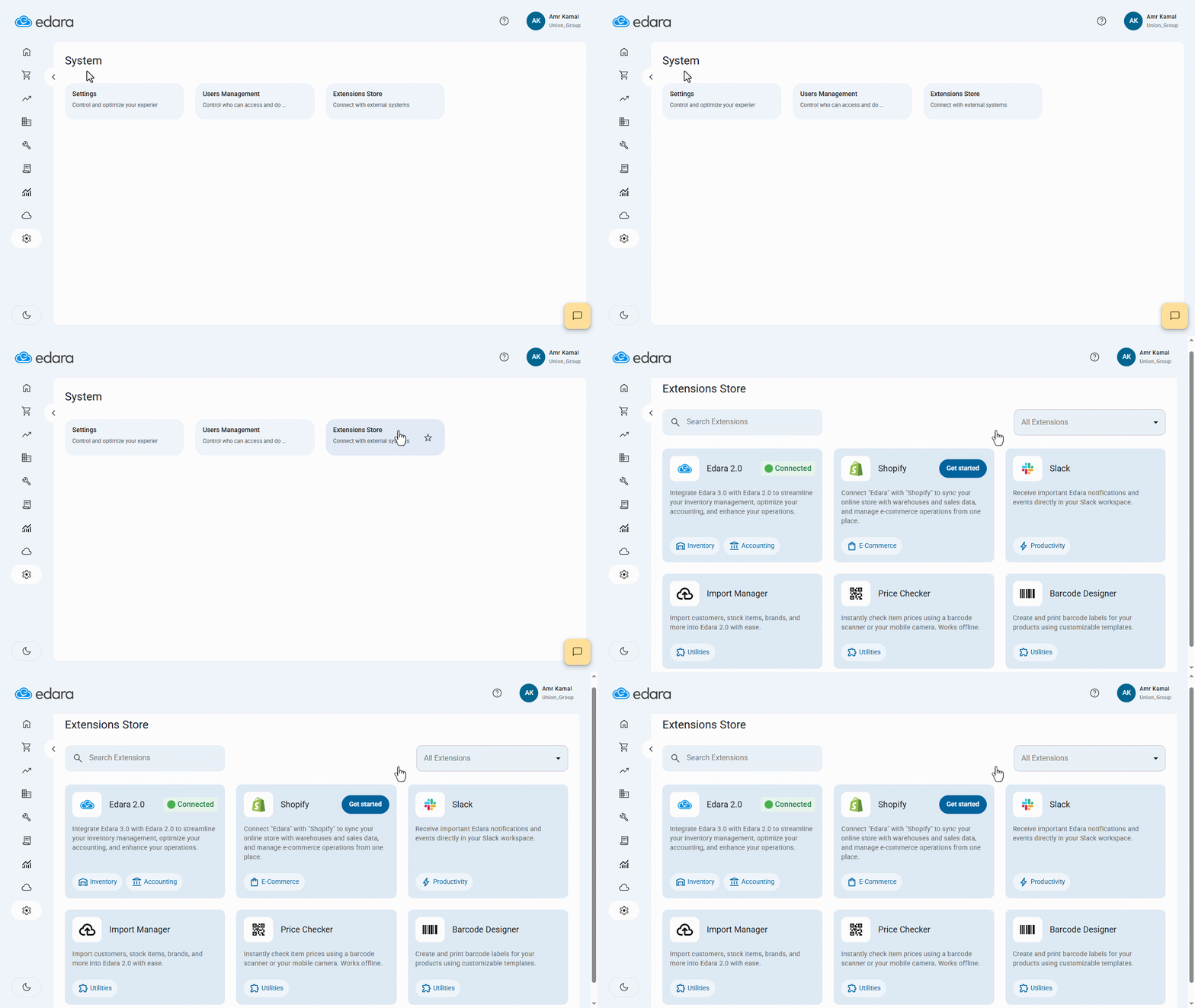
You can now use the Extension Store in “Edara” to activate additional tools that help you complete daily tasks more efficiently, based on your business needs and workflow.
For example, you can connect “Edara” with Slack to receive instant notifications about important events, design and print item barcodes using the Barcode Designer, and quickly check item prices using the Price Checker add-on.
This helps you extend the way you use “Edara” with greater flexibility, improve operational follow-up, and reduce the time spent on repetitive tasks.
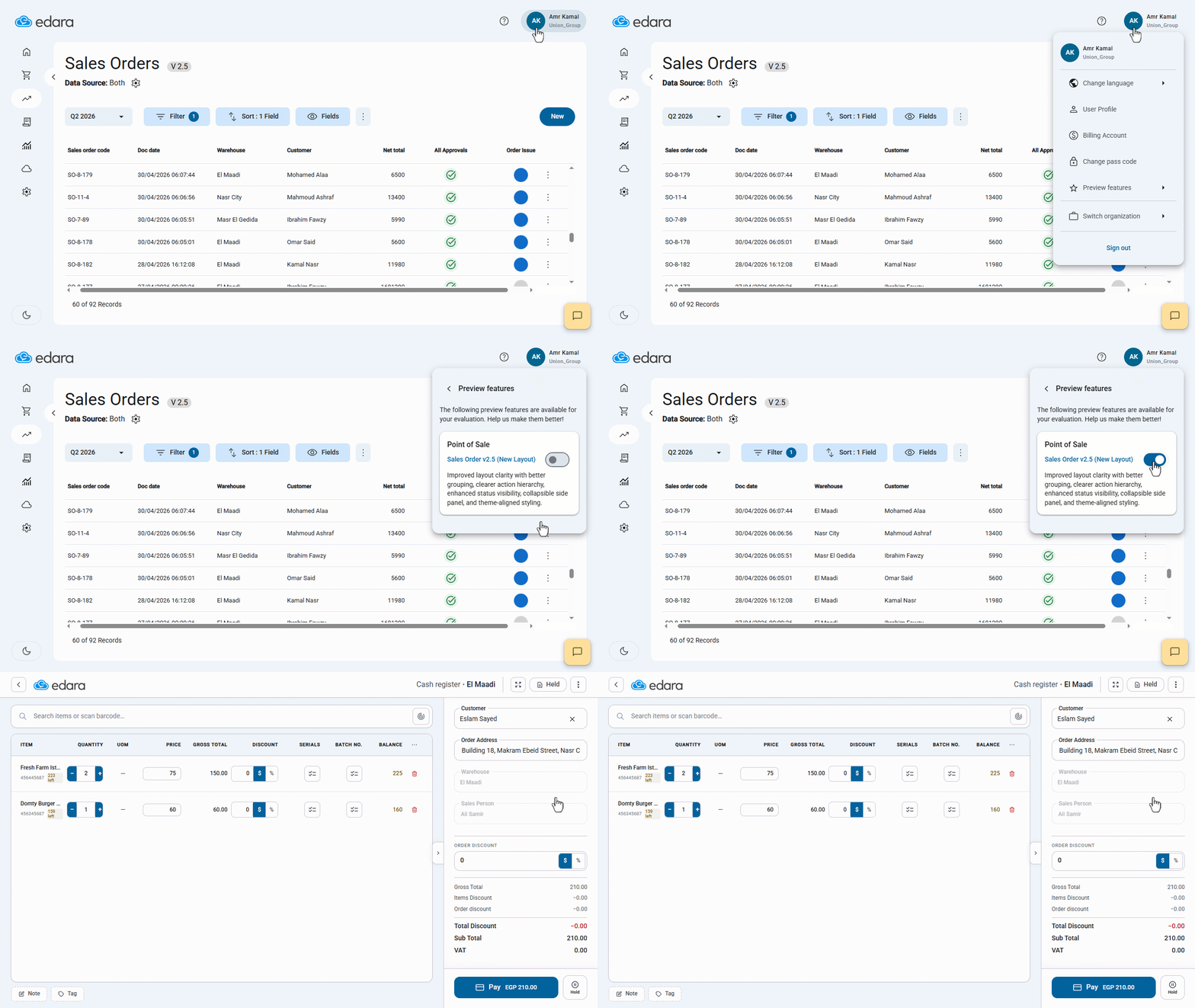
New Layout for POS 2.5
The new POS layout 2.5 provides a smoother experience during sales operations by displaying data more clearly, expanding the stock item viewing area, and organizing totals and with greater accuracy.
You can also view stock item images while searching for or adding items to the order, as well as show, hide, and reorder fields within the table to match your workflow, making the Sales Order page more flexible and easier to use.
Custom Fields in POS and Production Orders
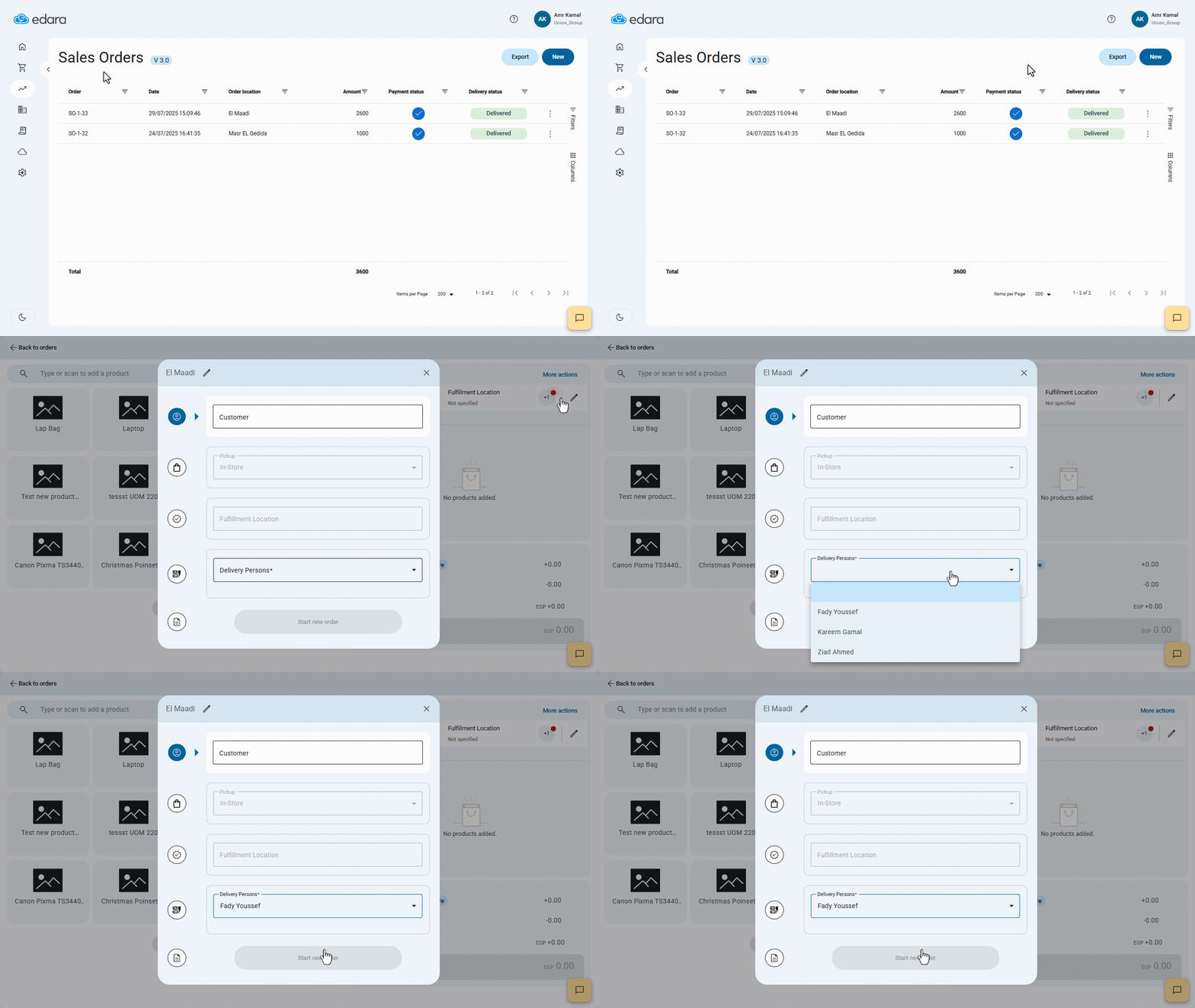
You can now add custom fields in POS and production orders to capture the additional data your business needs within each process.
For example, you can record the sales channel or delivery representative in sales orders, or add the production priority and work shift in production orders.
This helps you organize data more accurately and standardize how information is recorded across your team.
These updates in Edara reflect the commitment to enhancing user experience, improving operational efficiency, and maintaining compliance with regulatory standards.
Related articles

January Updates: Enhancing Efficiency with Edara’s New Features
For businesses utilizing Edara, the beginning of 2023 brings a host of exciting updates aimed at enhancing efficiency and streamlining processes. From tax calculations to detailed work order reports, the…

December 2021 Updates: More than 10 Features Improve Your Work
For companies utilizing cloud-based Enterprise Resource Planning (ERP) systems like Edara, monthly updates serve as crucial milestones in enhancing functionality, improving user experience, and ensuring compliance with industry standards. The…

August 2021 Updates: Empowering Efficiency in Edara’s Cloud ERP System
This month's updates focus on improving user experience and functionality, with new features that enable users to set sales targets based on stock item classification, access more detailed reports, and…