Extensions Store Updates: New Tools to Support Daily Work in “Edara”
2 Reading minutes
The Extensions Store in “Edara” includes a range of tools and integrations that can be activated based on each company’s needs, helping teams support daily operations and extend the way they use the system with greater flexibility.
In this article, we explore the updates in the Extensions Store, and how these extensions can help you complete certain tasks faster and with more flexibility.
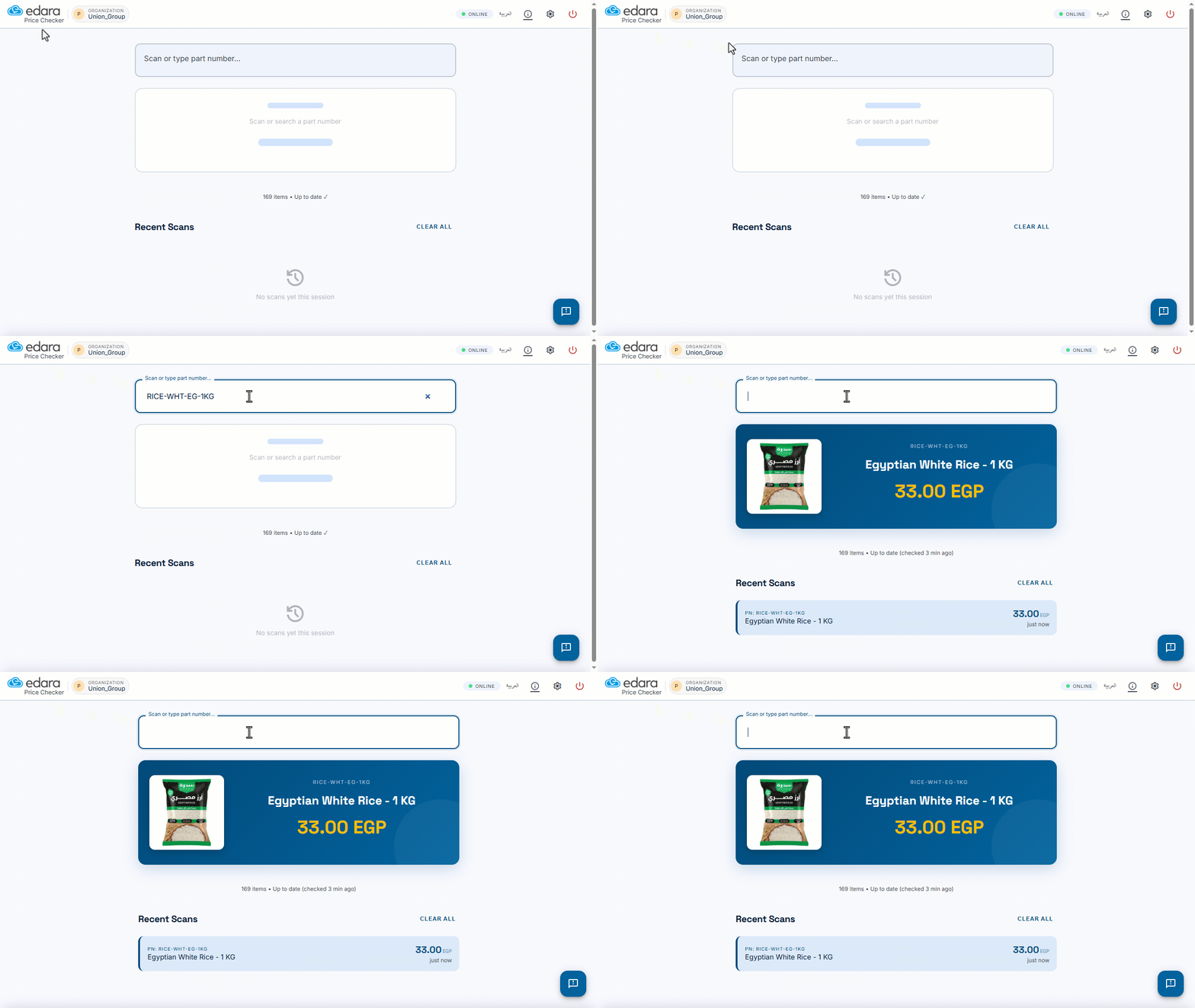
Control Stock Item Images in Price Checker Results
You can now control whether stock item images appear in Price Checker results from the settings, when an item photo is available in “Edara”.
This helps users identify items faster during lookup, especially when working with similar items or large product catalogs, without relying only on the item name or code.
Delete and Restore Barcode Print Templates Easily
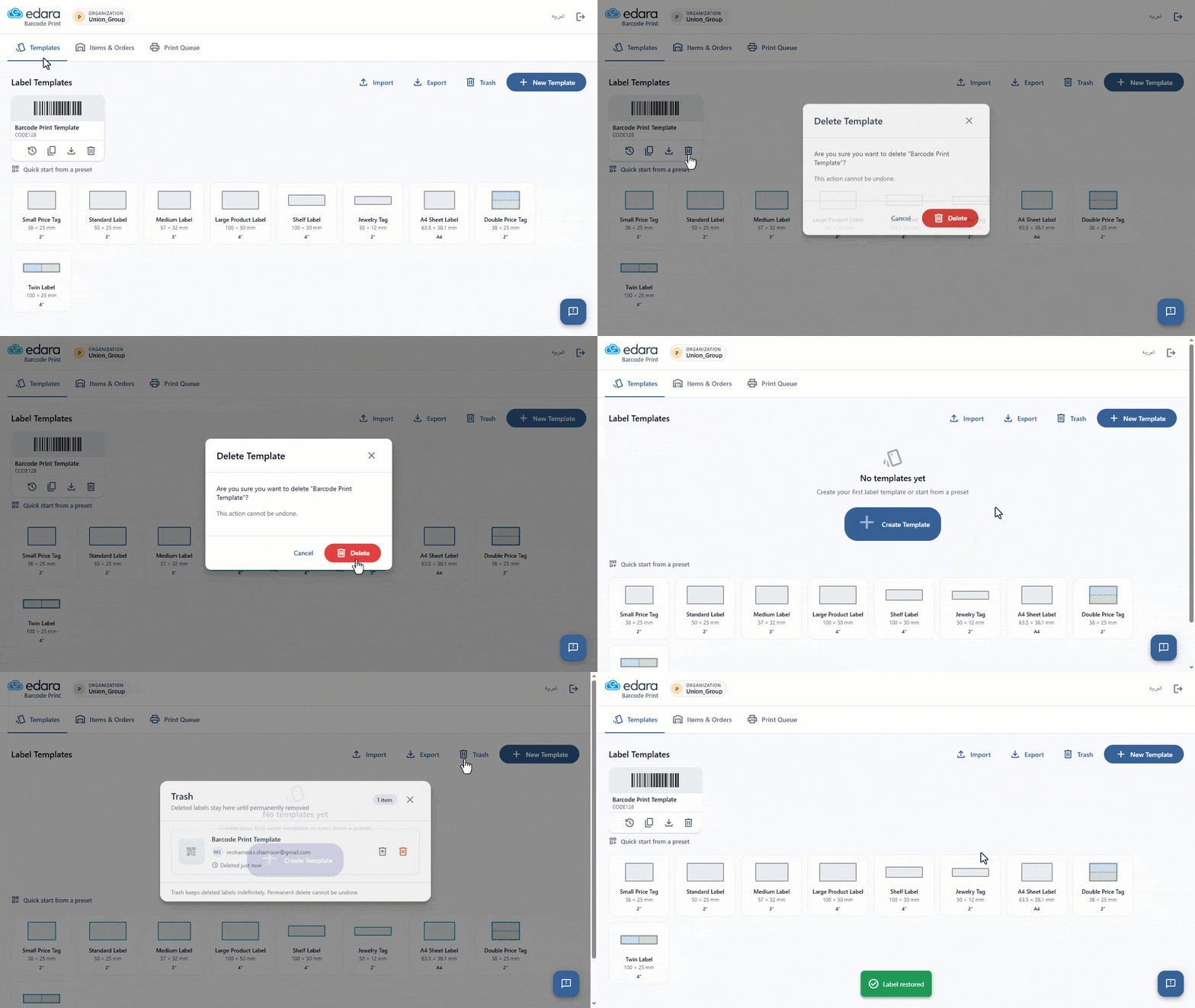
Deleting barcode print templates is now safer, as deleted templates are moved to Trash instead of being permanently removed immediately, with the option to restore them when needed.
This helps reduce the risk of losing important templates by mistake, especially when templates are shared across multiple users in the same organization.
In-App User Guide for Slack Connect
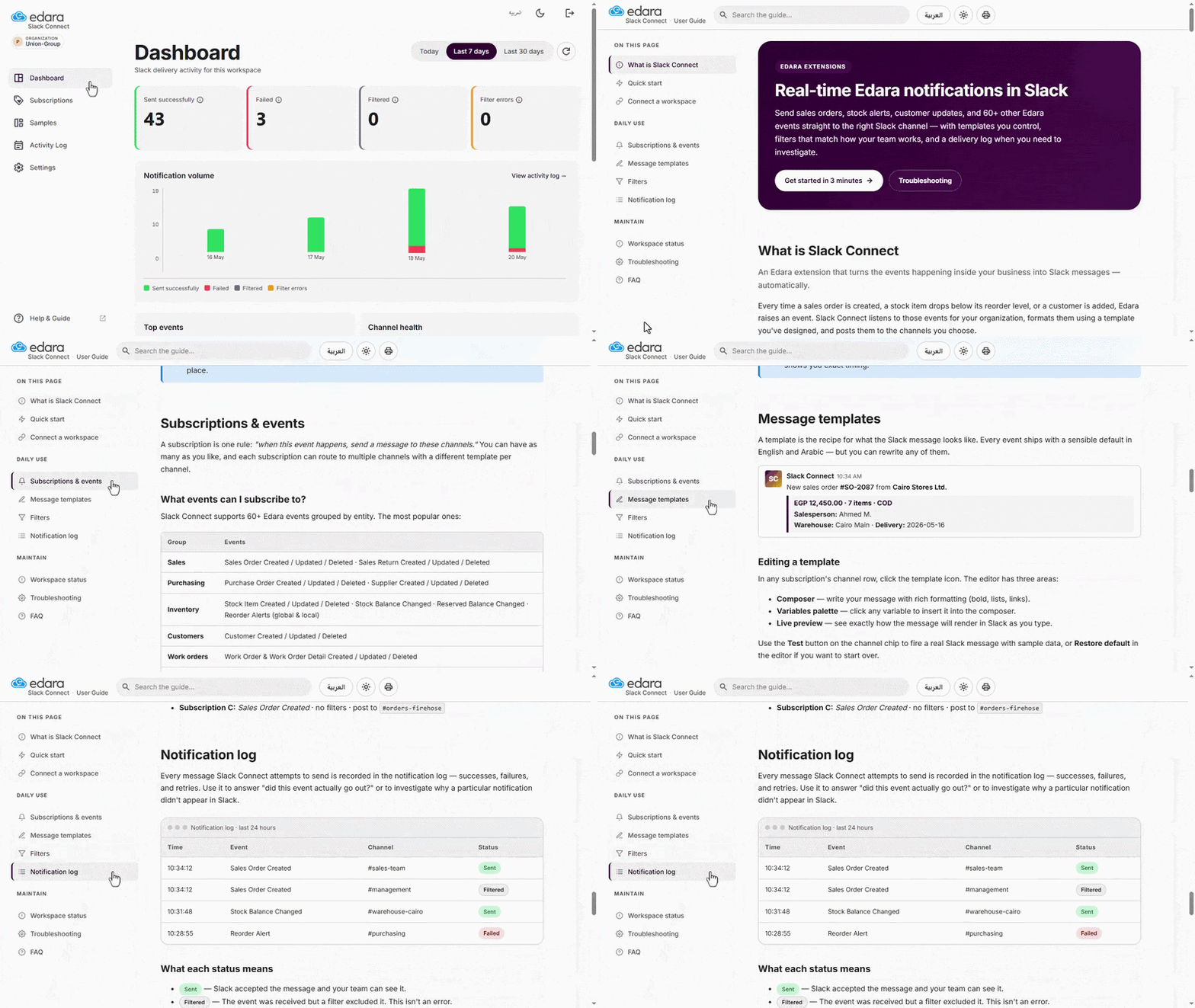
The user guide inside Slack Connect provides clear guidance for setting up the integration and using its features more easily.
It covers subscriptions and events, message templates, filters, the notification log, troubleshooting, and FAQs.
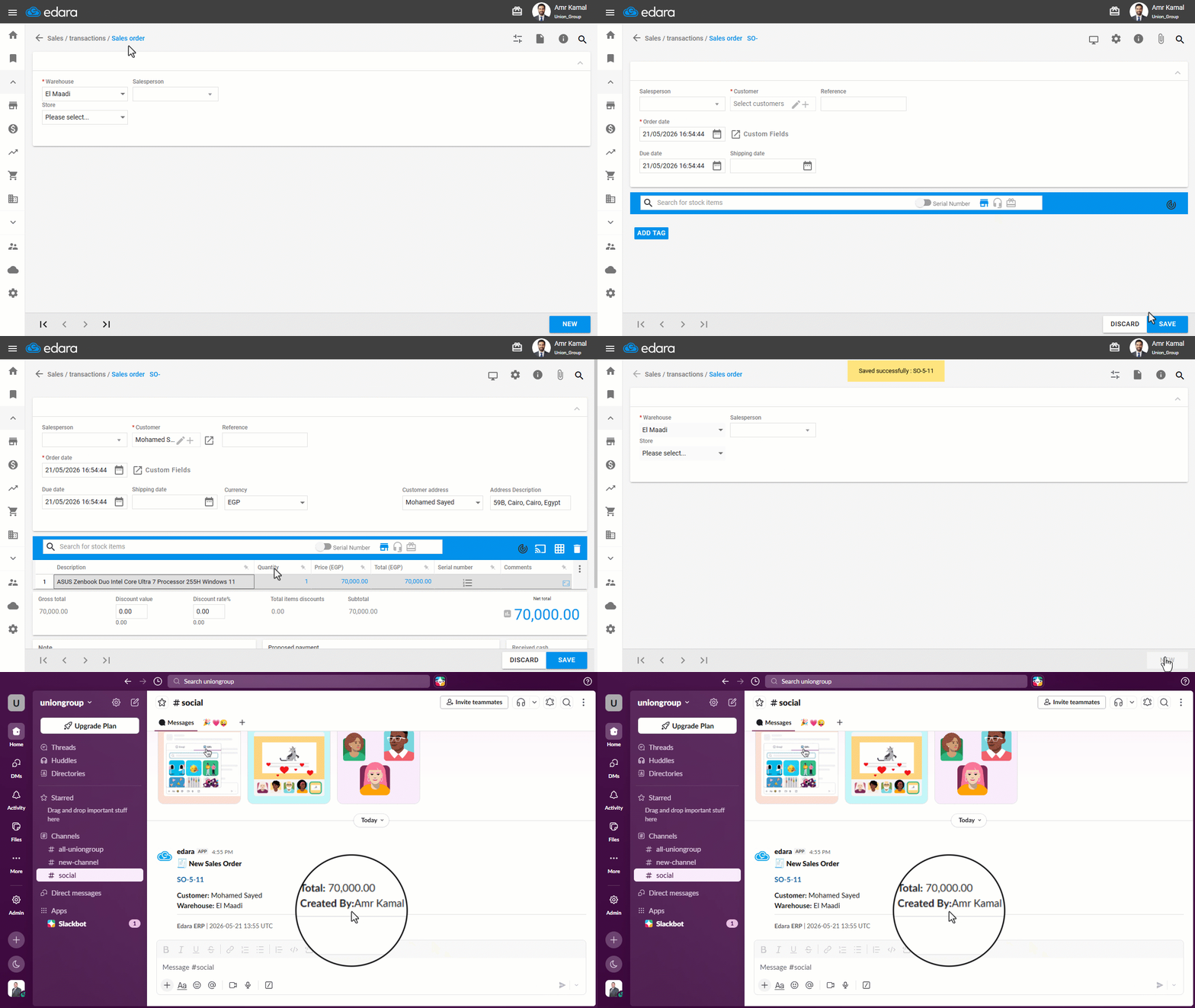
“Created By” and “Modified By” Details in Slack Notifications
Slack notifications now show the record creator and last modifier in every notification, with no additional setup required.
This helps users identify who created or updated each record in “Edara”, whether it is related to accounts, sales orders, stock items, or other supported data.
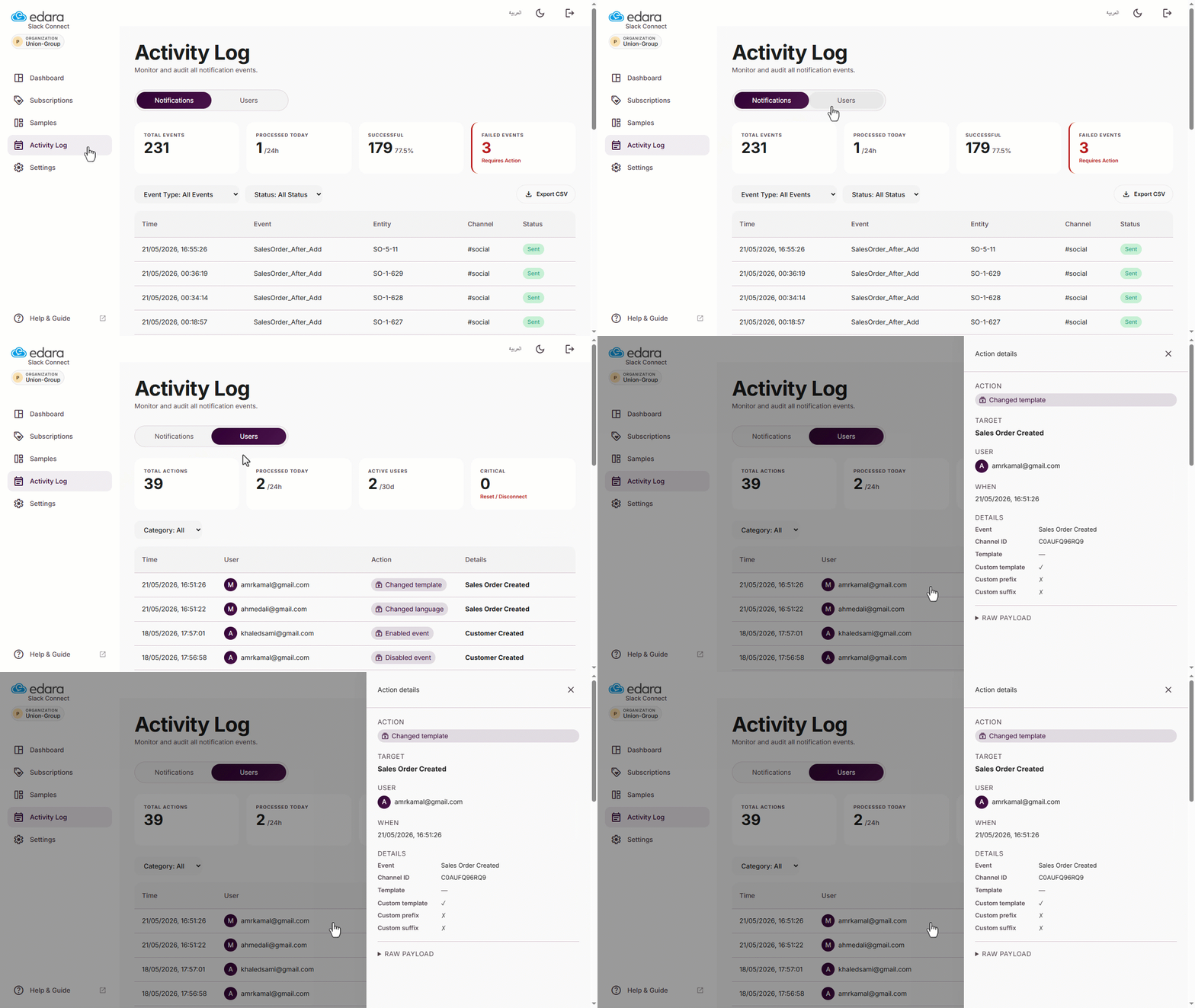
Clearer Tracking for User Actions in “Slack” Connect
The Activity Log in Slack Connect now gives System Administrators clearer visibility into user actions inside the integration, such as enabling events, adding channels, or editing message templates.
You can also open each log entry in a side panel to review its available details, including the failure reason and sent message when a notification is not delivered successfully.
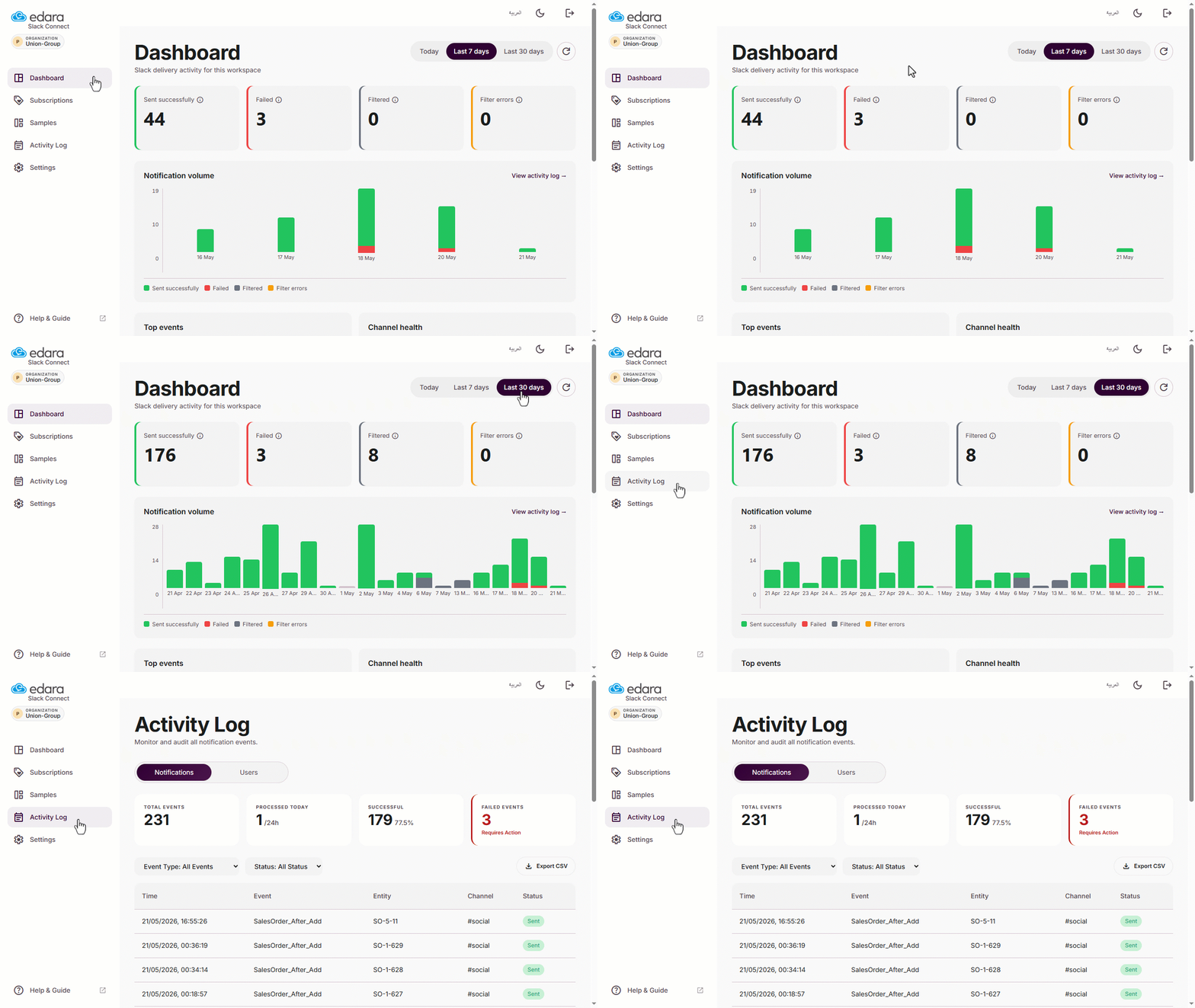
Monitor Slack Notification Performance from the Dashboard
The new Dashboard in Slack Connect gives you a quick overview of notification performance, including sent, failed, and filtered notifications, with the ability to open the Activity Log directly to review more details.
Track Slack Notifications in Scheduled Digests
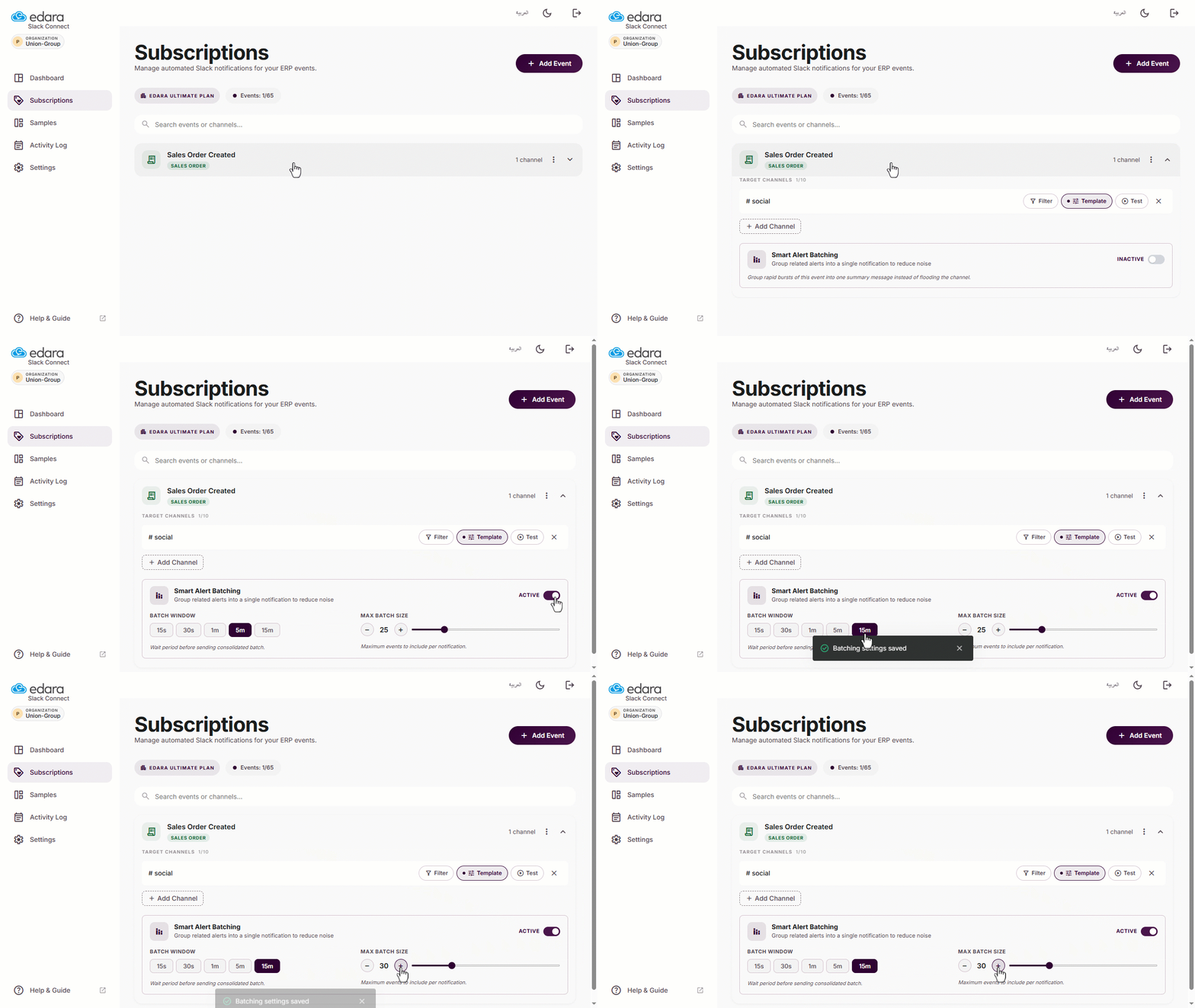
Scheduled digests are now available for sending daily or weekly summaries to Slack channels, helping teams review important activity in one grouped message instead of receiving every notification separately.
Smart Alert Batching has also been improved to reduce repeated notifications within a short time, with AI features available in settings to help create filters and message templates more easily.
These were the key updates introduced in the Extension Store, and our updates are still ongoing.