December 2025 Updates: New Features for Better Sales Order Control and Faster Purchasing
3 Reading minutes
December’s updates bring a set of enhancements designed to support every stage of your workflow from ensuring data accuracy inside orders, to improving document printing, all the way to better control over approvals and issuing once a sales order is locked.
The updates also include practical tools for managing supplier payment terms, updating actual quantities using barcode scanning, and selecting the right print template for each step.
In this article, we walk you through these updates in more detail.
Locking Sales Orders
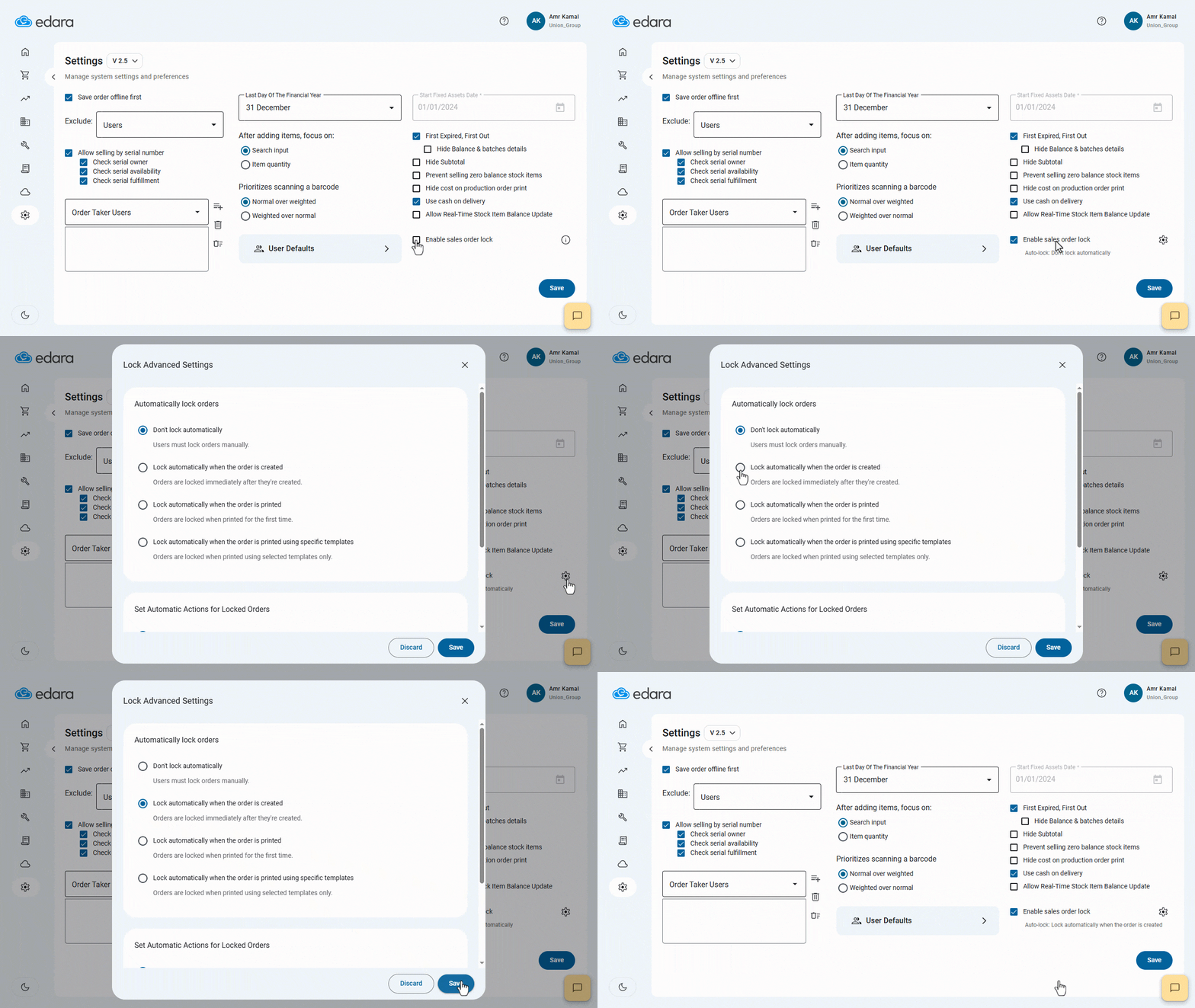
In certain stages of the sales workflow — especially after issuing the final invoice — it becomes essential to prevent any further edits or deletion to a Sales Order.
With this update, you can now enable Sales Order Locking manually, automatically upon creation, upon printing, or when using specific print templates.
Automatic Actions for Locked Sales Orders
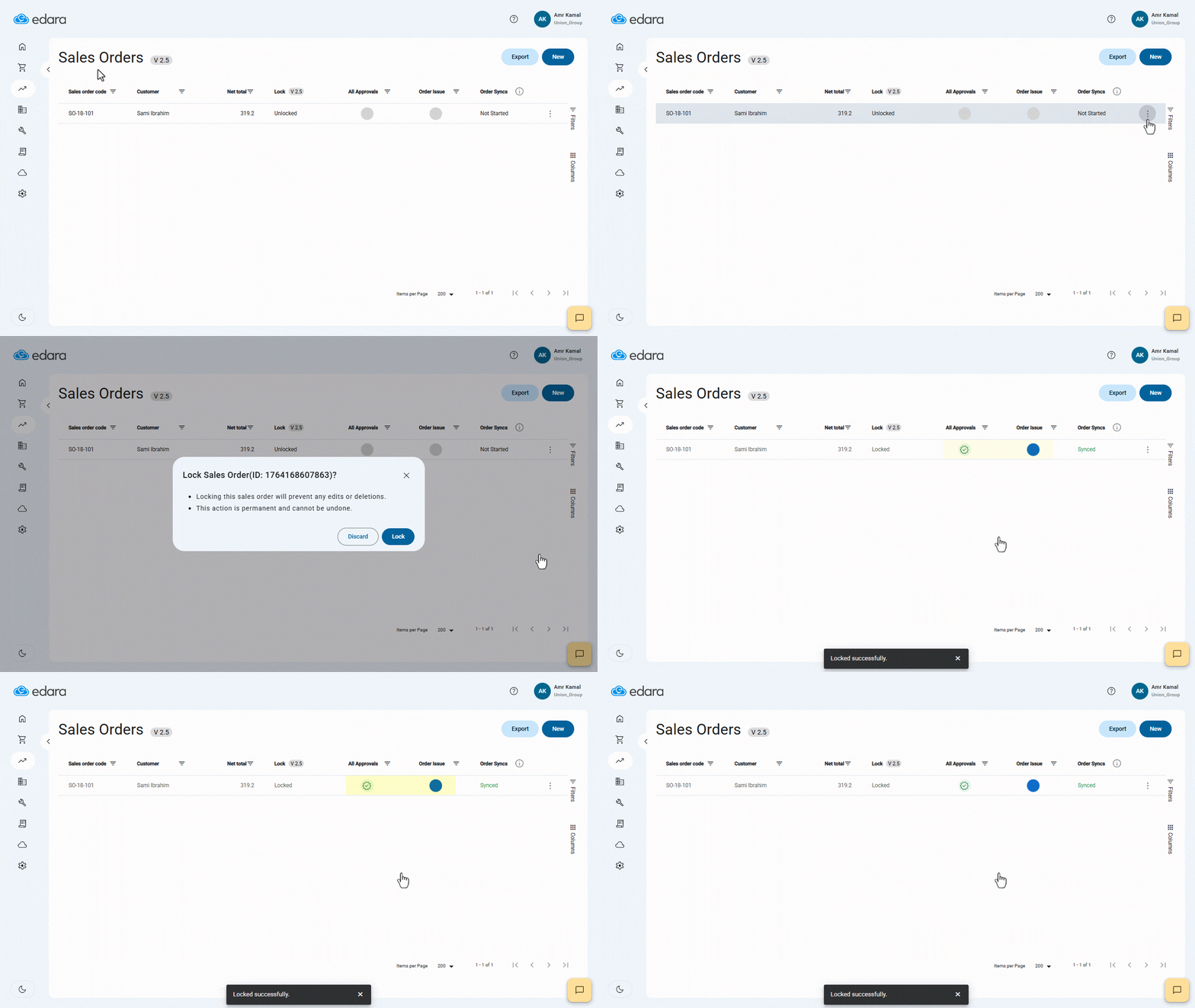
As the sales process reaches its final steps, you may need certain actions — such as approvals or goods issuance — to be completed immediately, without manual intervention or additional steps.
With this update, you can enable automatic actions that run as soon as the order is locked, such as automatic approval or automatic approval and issuing, helping you speed up the sales cycle and maintain smoother, more accurate operations.
Updating Actual Quantity of Stock Items Using Barcode
When selling stock items that are prepared before delivery, the actual quantity after preparation may differ from the quantity requested in the order.
This feature in POS 2.5 allows you to scan the stock item barcode to automatically update the actual quantity.

Importing Purchase Orders Lines “3.0” from Sales Orders “2.0”
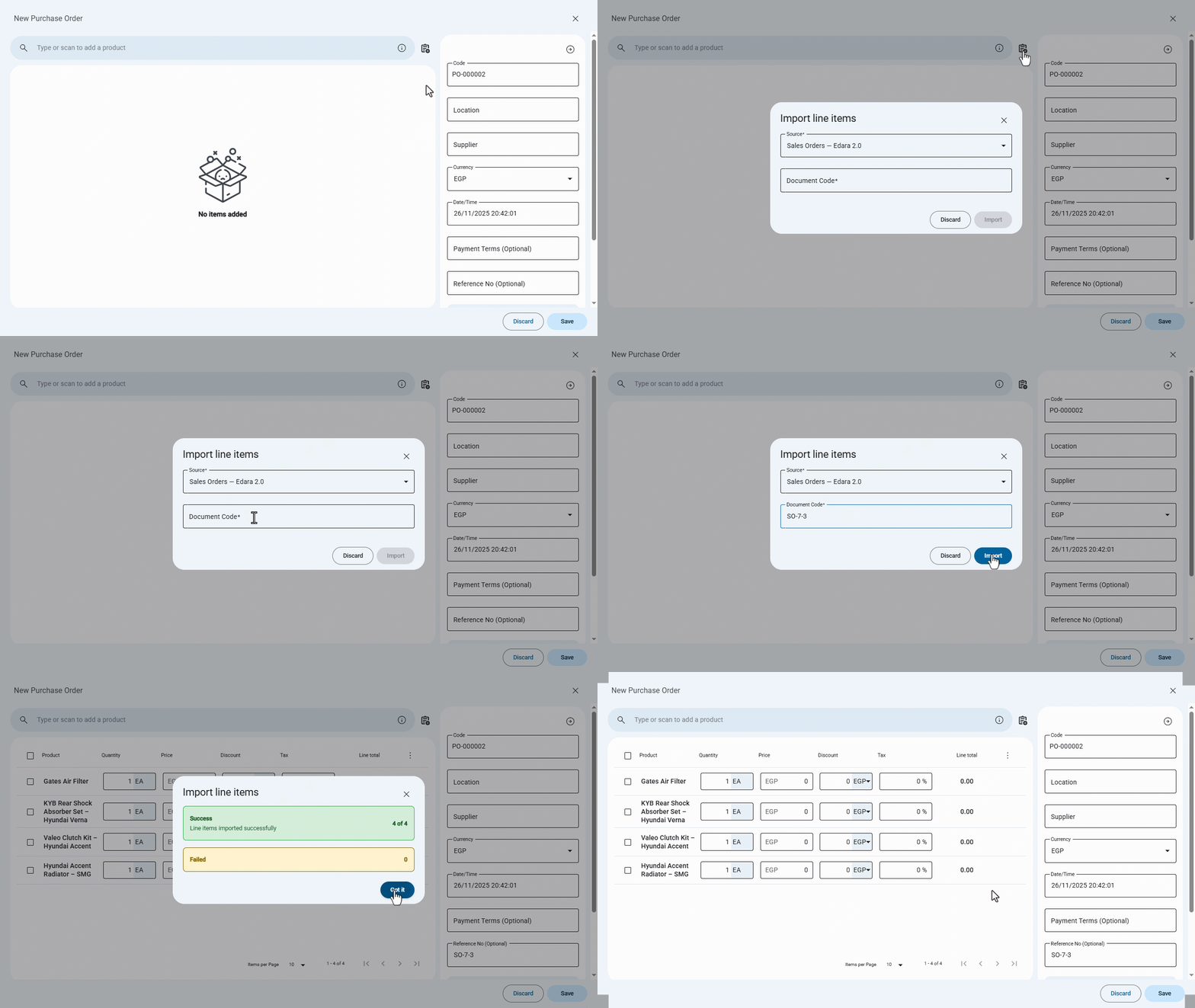
When your workflow begins with a customer’s Sales Order, manually re-entering its items into a Purchase Order can slow down the purchasing process — especially with large orders.
With this update, you can now import Sales Order lines directly from “Edara 2.0” into a Purchase Order in “Edara 3.0”, saving time, reducing manual entry efforts, and ensuring data accuracy across both systems.
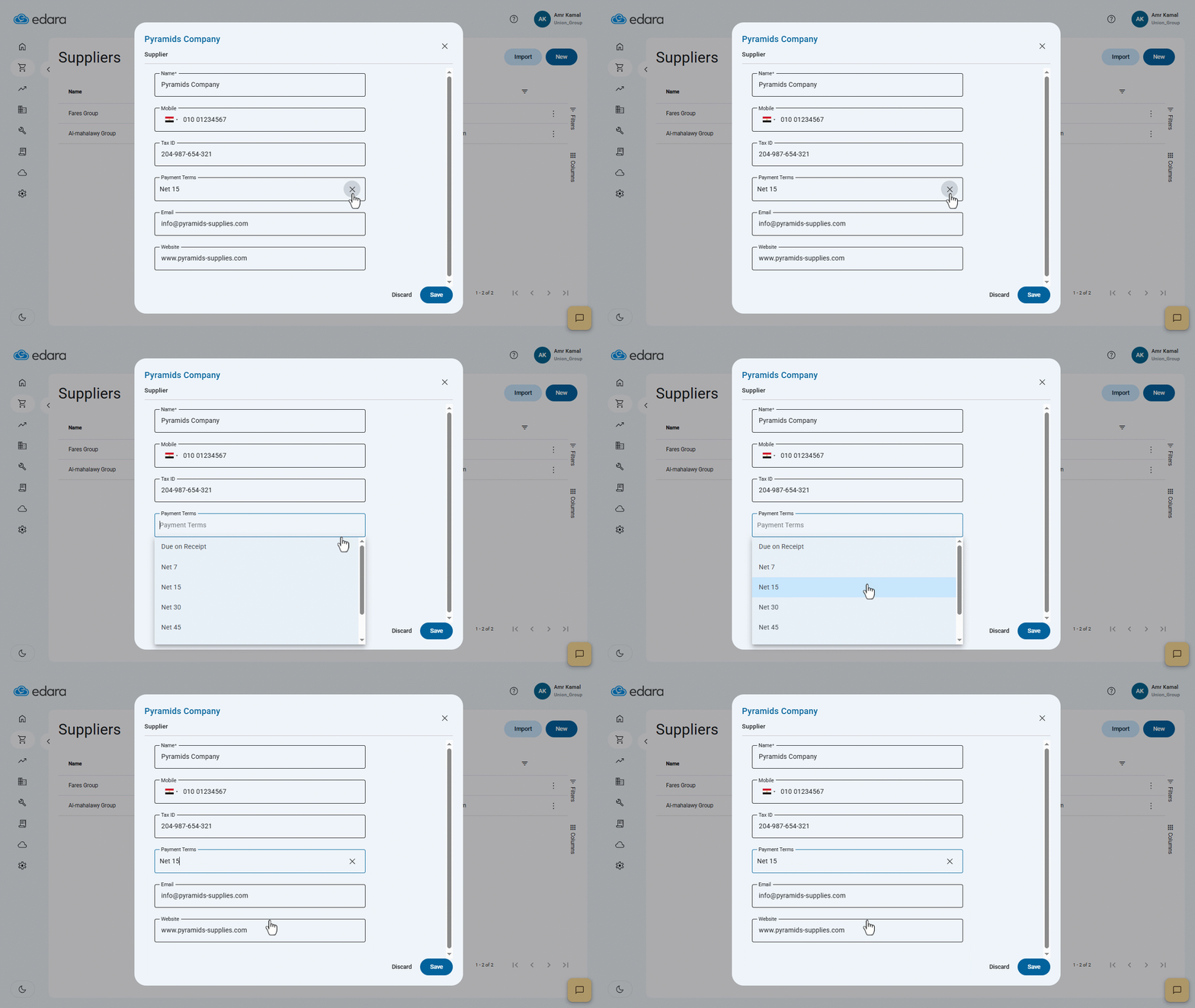
Setting Suppliers Payment Terms
Managing supplier payments starts with having a clear, accurate due date. With this update, you can now assign default payment terms to each supplier, allowing Edara to automatically calculate the invoice due date whenever you create a Purchase Invoice — no manual entry required.
Printing Multiple Sales Orders
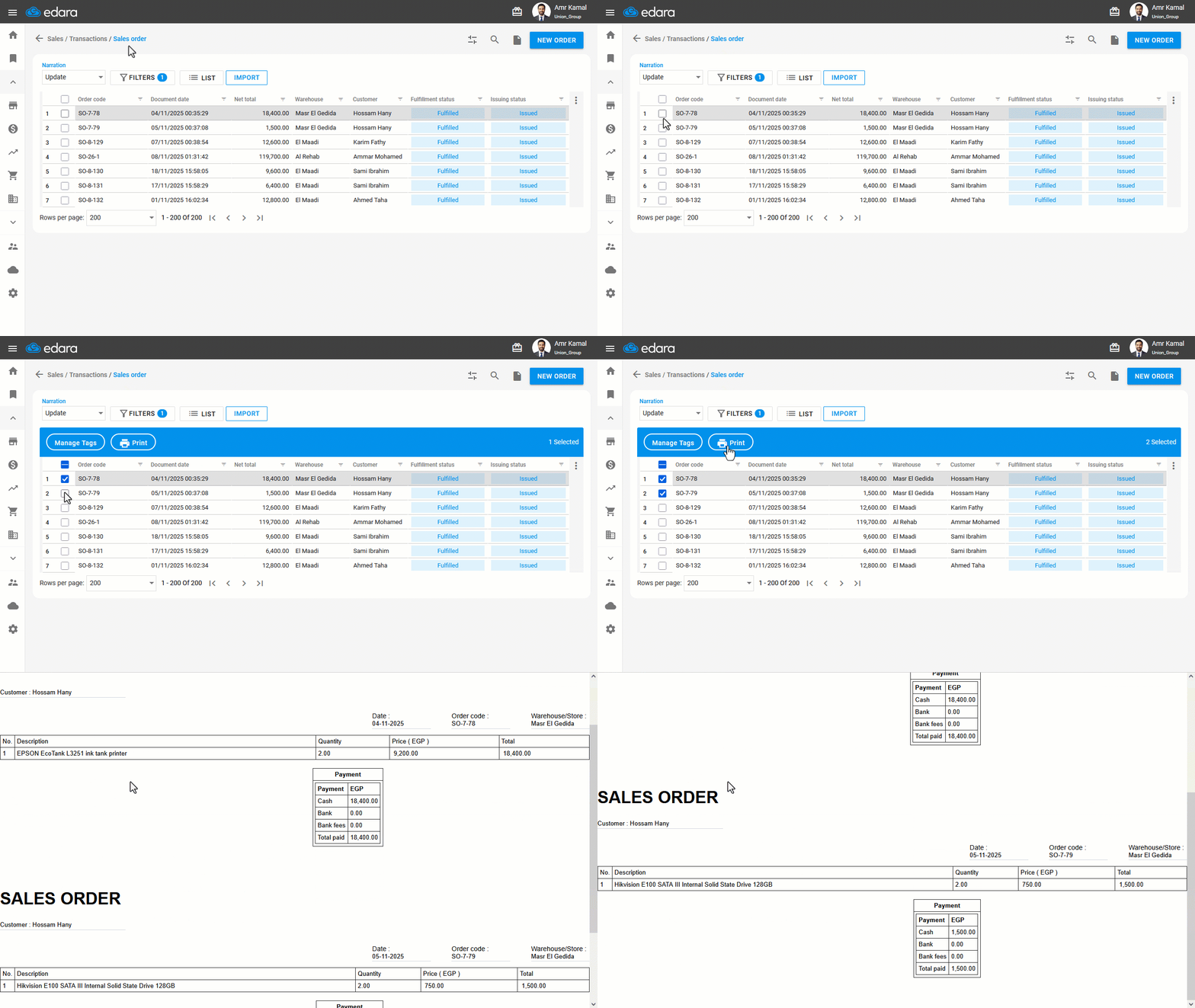
When you need to review a large number of sales orders or share them with an external party, you no longer have to print each order individually.
Edara now allows you to print multiple Sales Orders at once, with the option to choose the print template that best fits the entire batch.
Changing the Sales Order Print Template
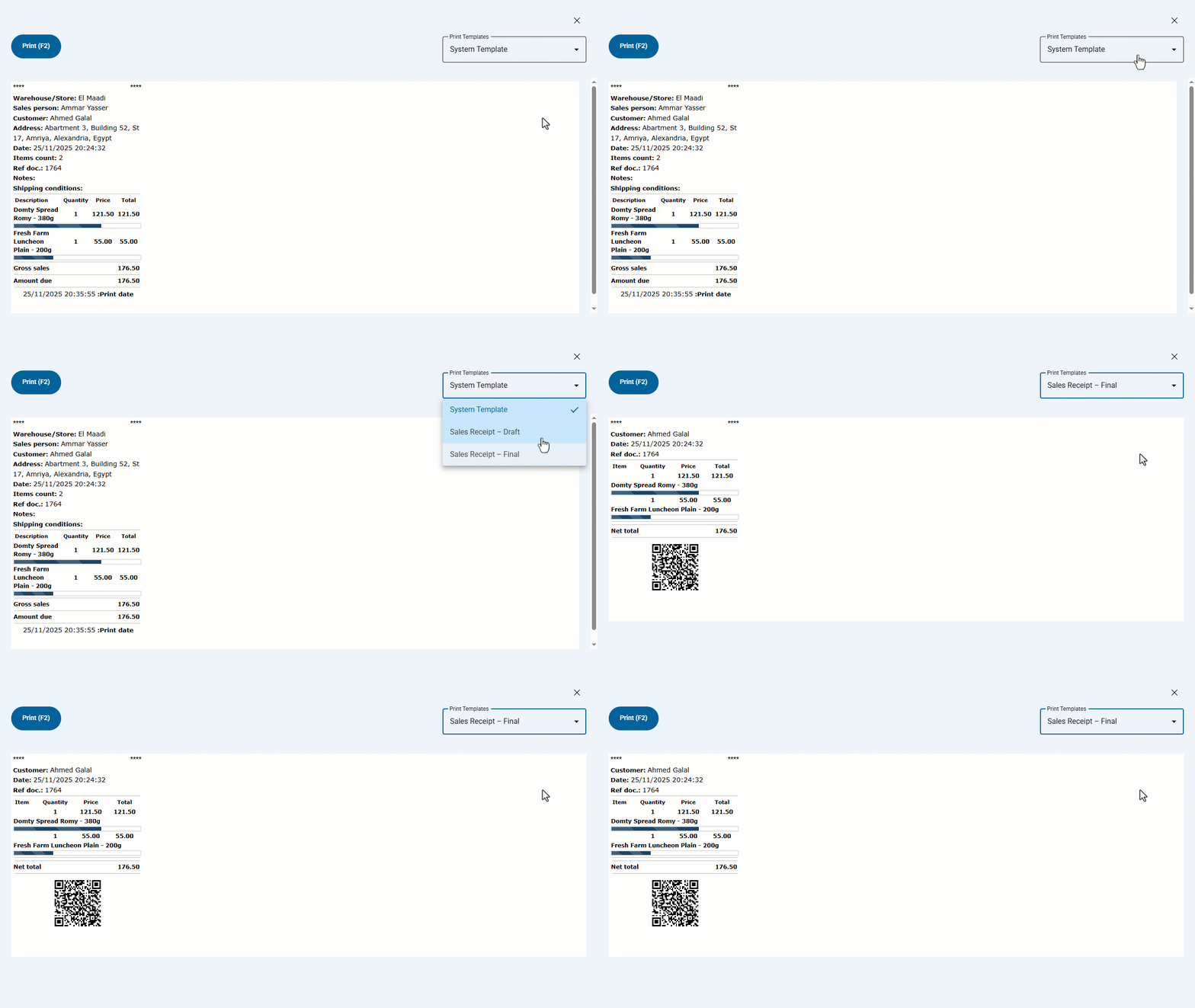
Printing needs vary depending on the stage of the sales order. For example, during preparation you may need to print a Preparation template that excludes prices and is designed for the warehouse team, while after completion you may need an Invoice template that includes prices, taxes, and all financial details for the customer.
With this update, you can now select the appropriate print template when printing a Sales Order.
Show Items Count in Orders
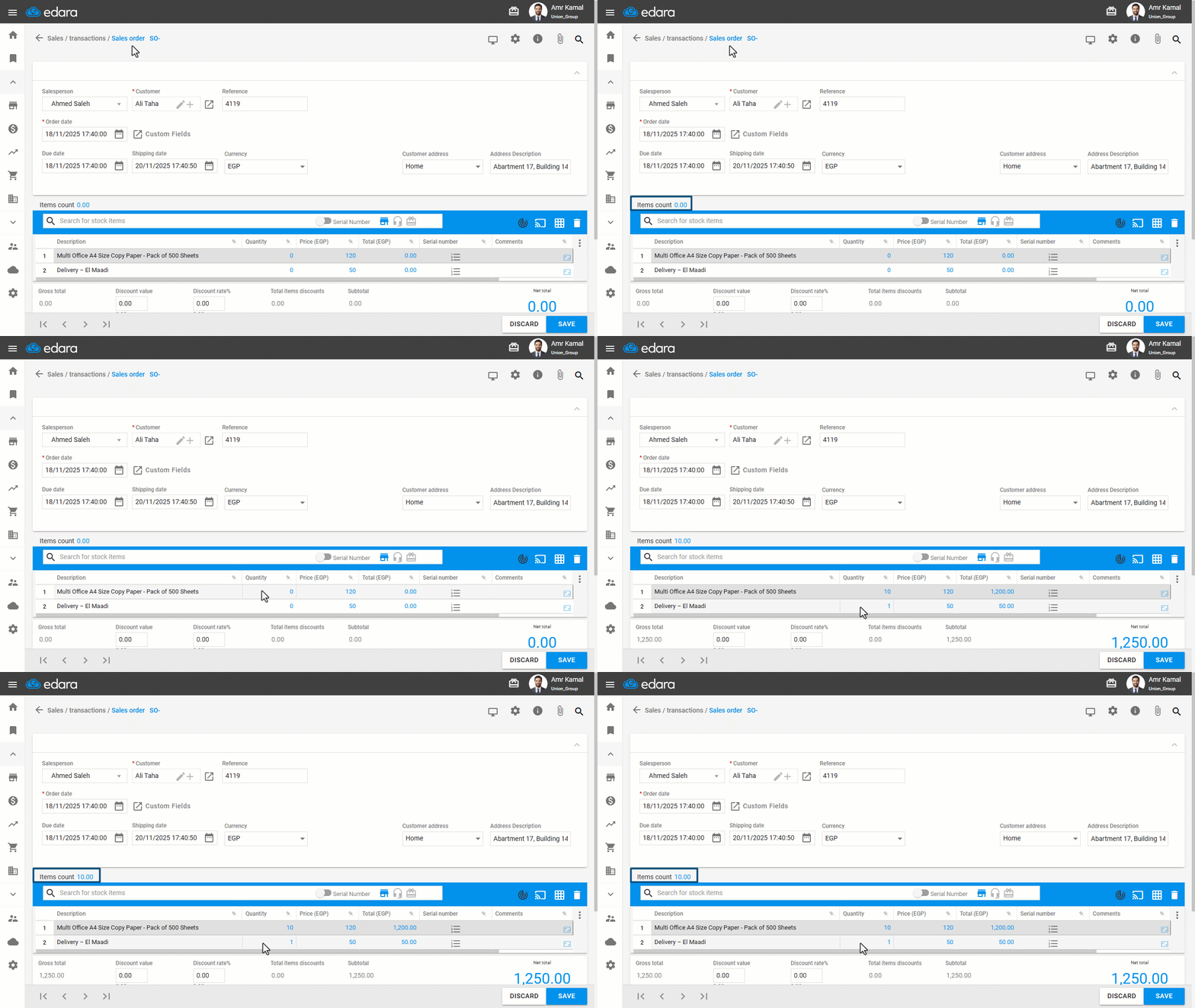
In some cases, you may need to display items count within a document accurately, especially when calculating the actual quantities for delivery.
In such situations, you can control how the count is calculated by choosing whether to calculate all items or stock items only, excluding any service items.
That was all for Edara’s December 2025 updates — and our improvements are still ongoing.
Related articles
November 2021 Updates: Streamlining Operations in “Edara”
In November 2021, Edara unveiled a series of impactful updates aimed at enhancing functionality. These updates introduce new features and improvements across various aspects of the system, ranging from order…
August Updates: Enhancing Your Workflow with Edara’s Latest Features
New features that meet your needs and improve your workflow. We've added several updates to the point of sale system in August 2023, such as Products' bulk edit, customizing the…
June 2022 Updates: Customer-Centric Enhancements in Edara
In our never-stopping quest for improvement, "Edara" introduces monthly updates to enhance user experiences and streamline operations. Join us as we explore the latest advancements in the June 2022 updates,…