February 2025 Updates: Enhanced Sales Orders, Reporting, and More
2 Reading minutes
As part of our ongoing commitment to providing the best solutions, we are pleased to introduce the “Edara” updates for February 2025, designed to enhance efficiency and streamline work processes.
Among the key improvements is the ability to manage sales orders in POS, allowing users to handle orders more efficiently from a single screen.
Additionally, we have enhanced sales order tracking through tags, among other updates.
In this article, we will walk you through the details of these new features.
Manage Sales Orders in POS from a Single Screen
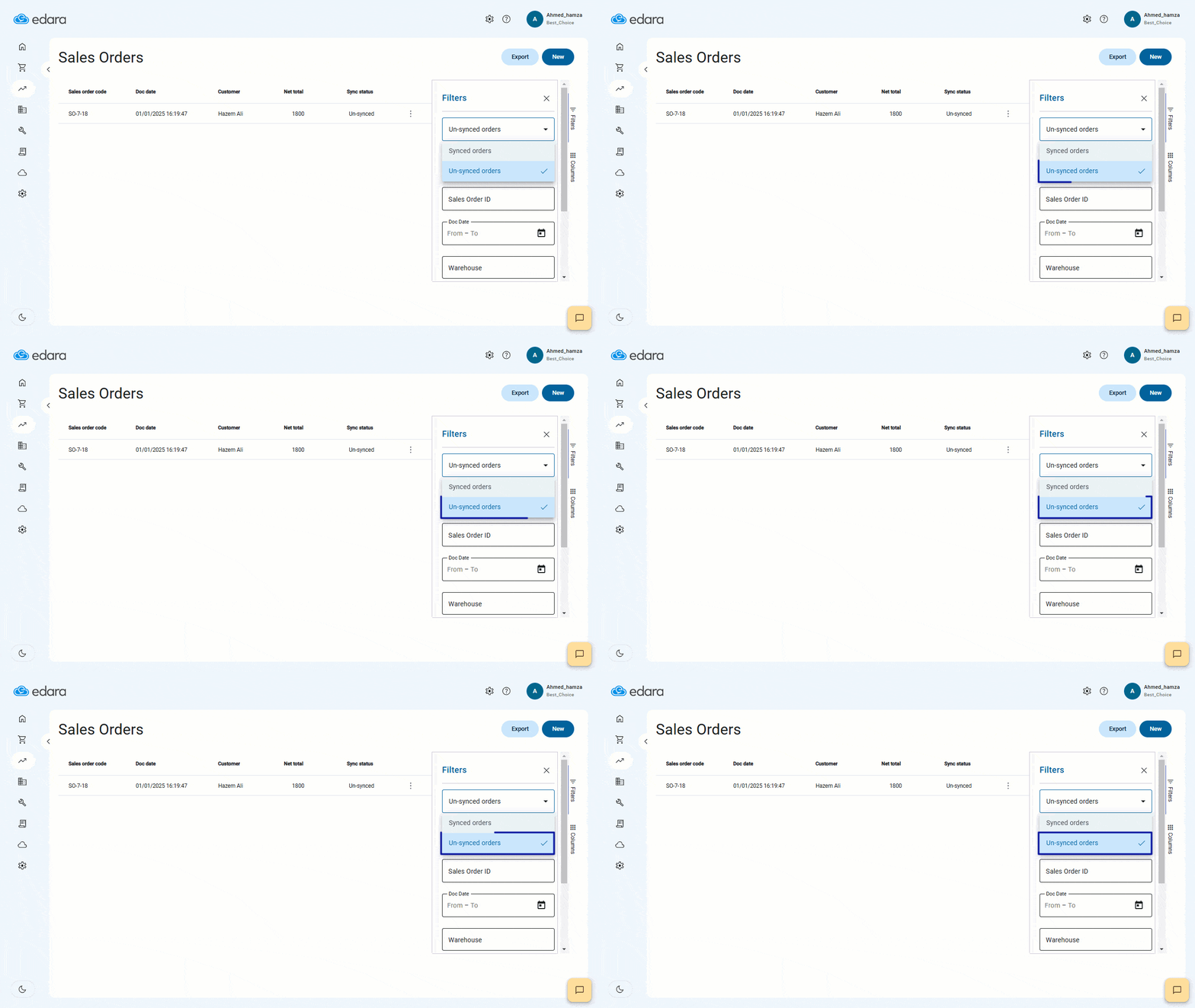
We’ve made significant improvements to the sales order filtering system to enhance accuracy and flexibility.
You can now view synchronous and asynchronous orders separately, helping you review each type of order independently, which allows you to access all relevant data from one place, saving time and improving workflow efficiency.
Add and Delete Tags for Sales Orders
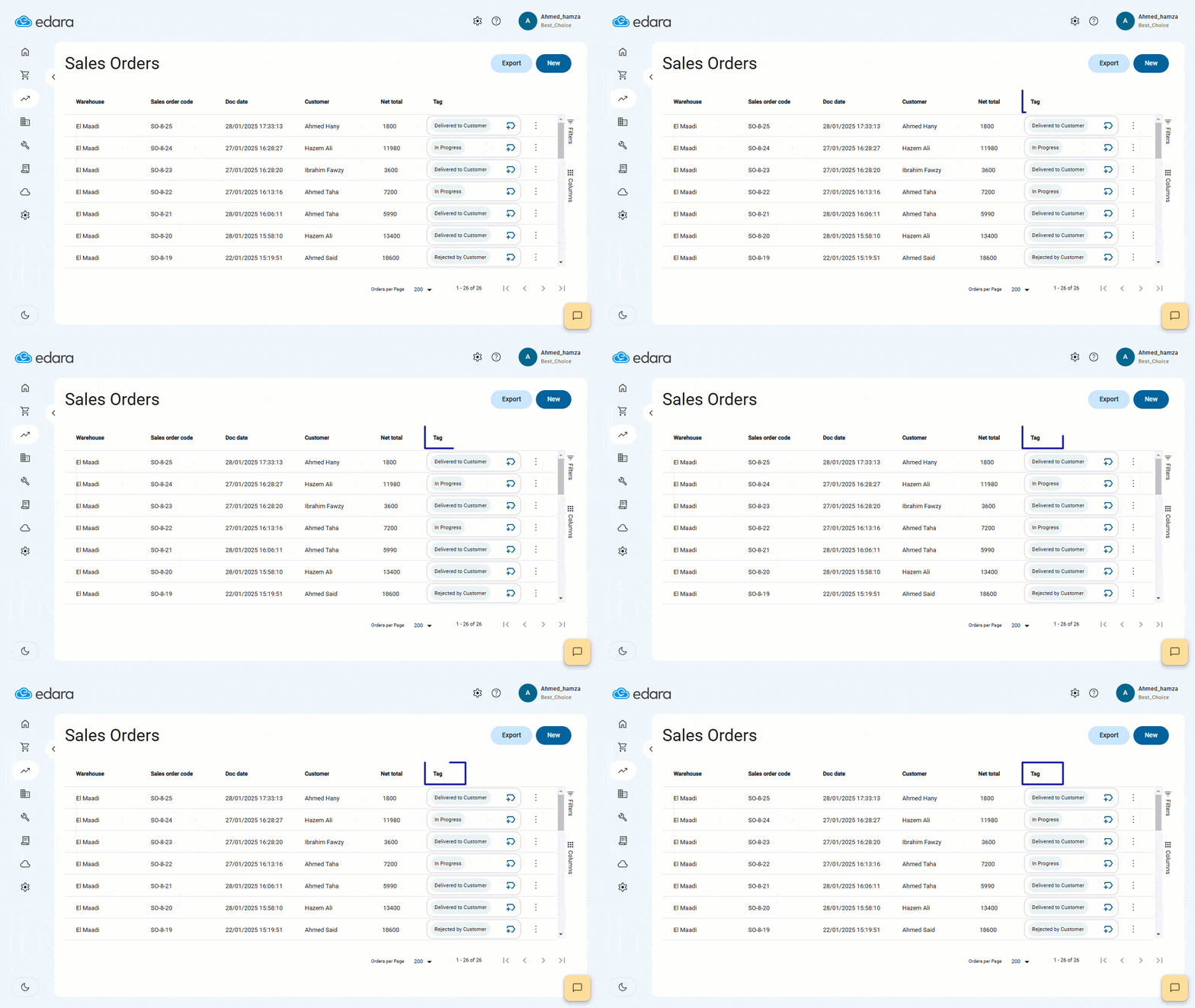
Managing and tracking sales orders has never been easier. You can now add and delete custom tags directly from the orders page without needing to open each order.
Tags like “Delivered” or “Delivery Representative” help you stay organized, track progress quickly, and save valuable time in managing orders.
Create Purchase Orders as Drafts
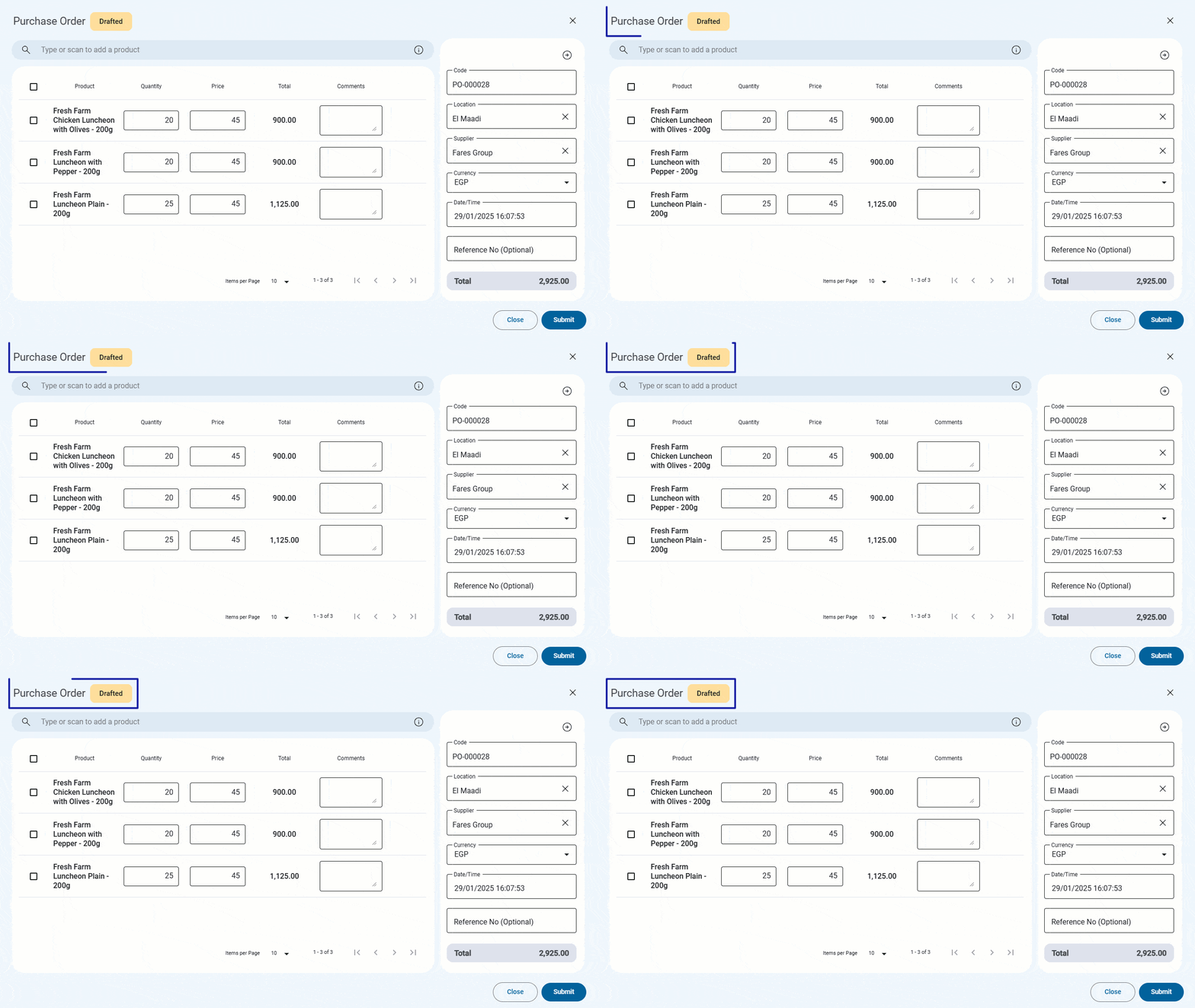
If you’re working on a purchase order and haven’t completed all the details yet, you can now save it as a draft.
Once you’re ready to finalize it, simply complete the information and convert it to “Confirmed” status.
You can also change the status from “Draft” to “Confirmed” without needing to open each order page, streamlining your workflow and giving you more flexibility in managing purchase orders.
Schedule Reports on a Fixed Monthly Date
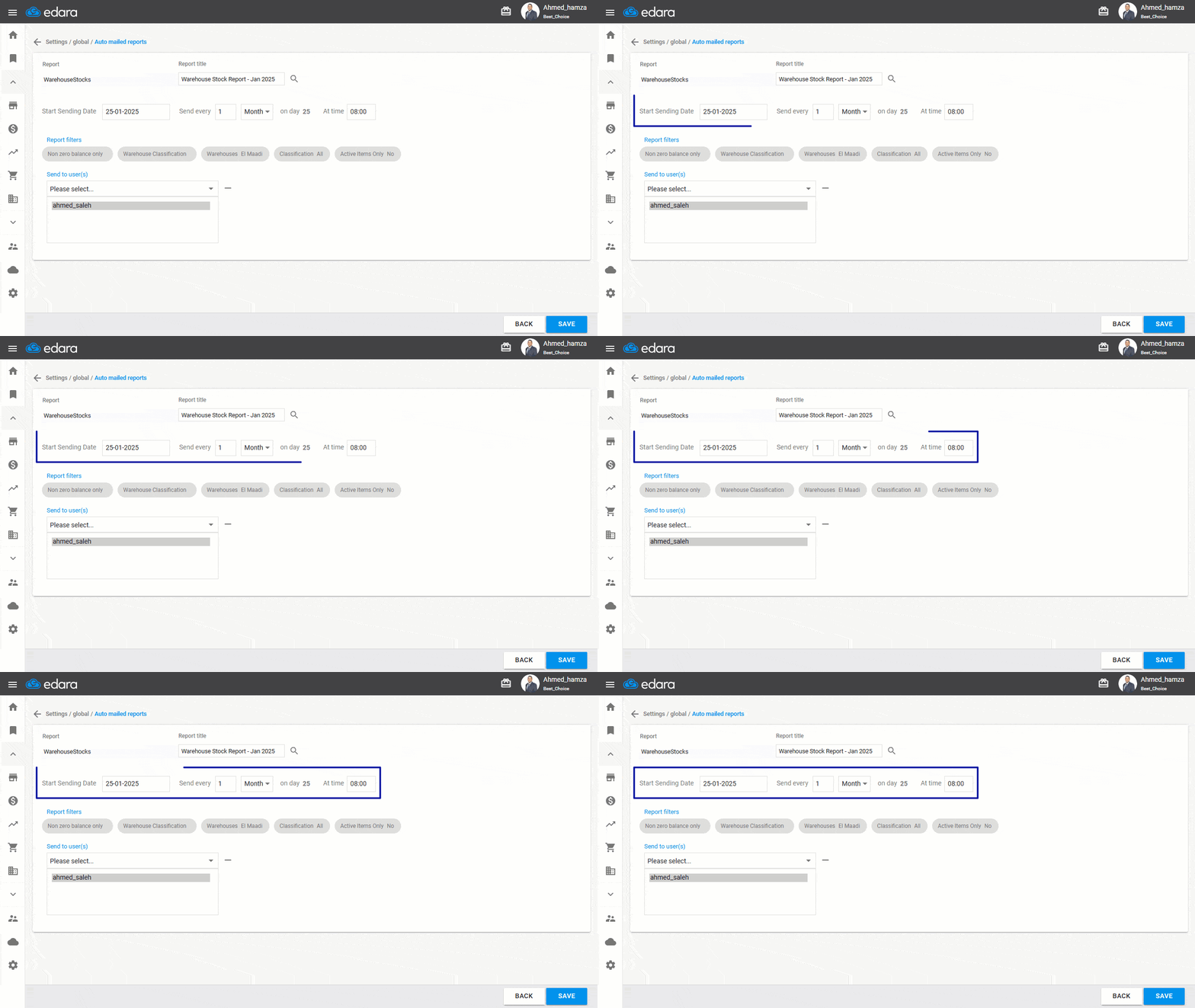
Flexibility drives efficiency, and Edara has always made it easy to schedule reports at set intervals—daily, weekly, or anywhere in between.
But when it comes to supplier coordination, timing matters. That’s why we’ve introduced a new feature that lets you schedule reports for a specific day each month, ensuring they’re delivered exactly when needed, in the right format.
Explore Detailed Sales Store Data
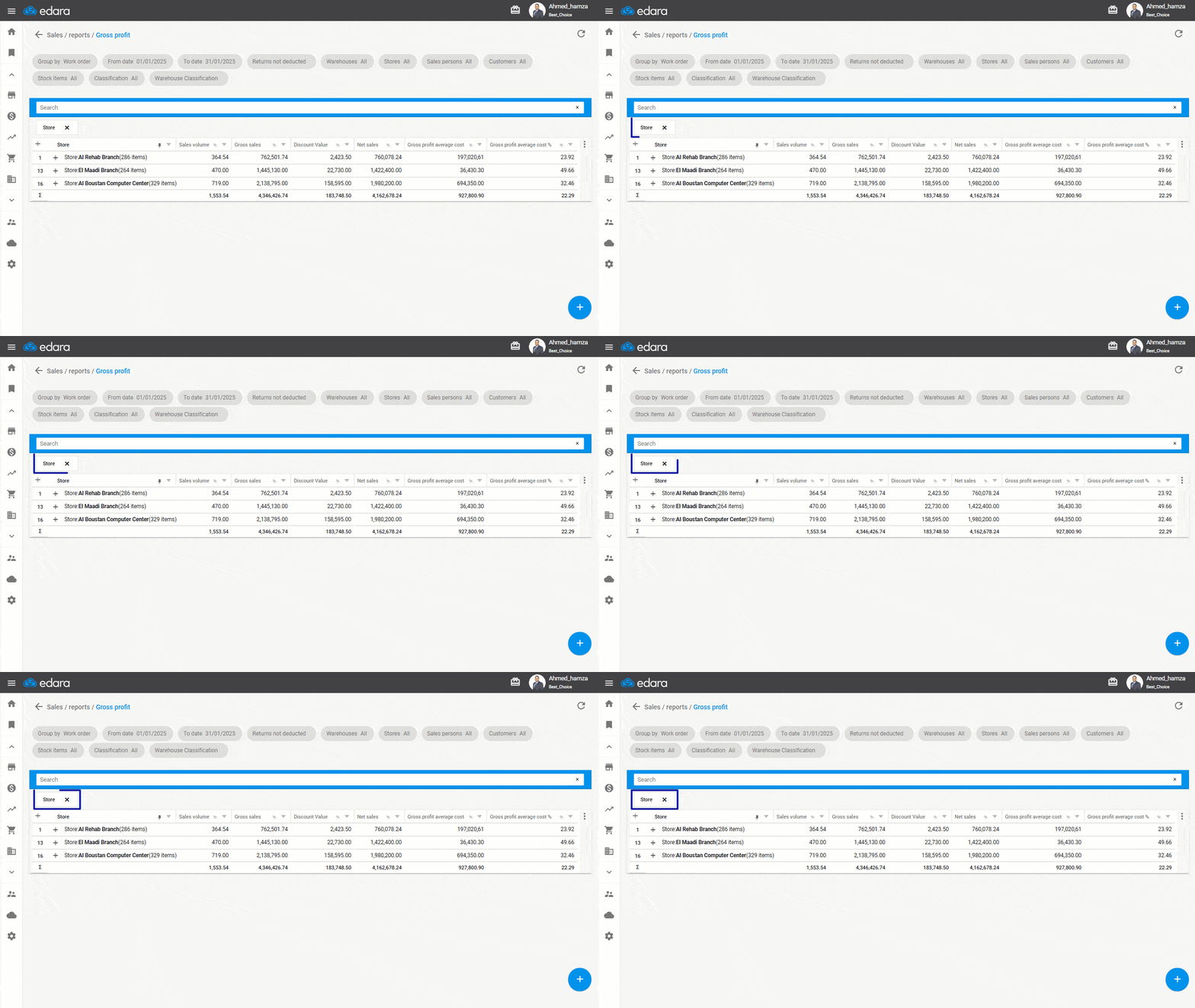
Because the finer details create the bigger picture, we’ve added a new feature that allows you to view more detailed data at the sales store level.
Instead of switching between multiple reports and manually consolidating figures, you can now view the gross profit, sales value, and volume at the store level.
Additionally, you can aggregate data from customers or sales representatives for each branch, giving you a clear and comprehensive view of store performance.
We hope these updates help you optimize your workflow and improve efficiency. As always, we’re committed to providing the tools you need to succeed.
Stay tuned for more enhancements.
Related articles

March 2024 Updates: 4 Features Enhance Your Work Efficiency
As March 2024 unfolds, Edara unveils a set of updates designed to elevate your business operations. Among these enhancements are integration with payment devices, aimed at streamlining transactions, and the…

May 2024 Updates: Integration with ZATCA and 3 Other Features
In May 2024, there were notable updates to "Edara," particularly regarding Saudi electronic invoicing. These updates aim to simplify processes and improve compliance. Among these updates, the integration with the…
June 2025 Updates: More Flexibility and Control at Every Step
The June 2025 updates give you greater control over user permissions, more flexibility in customizing table views, and clearer insight into estimated profit before approving sales orders — along with…