September 2025 Updates: Smarter Pricing, Faster POS, and Clearer Stock Insights
2 Reading minutes
September’s updates are all about practical improvements that make a real difference: faster order handling at the POS, smarter pricing for B2B businesses, and more flexibility when receiving serialized items — all backed by enhancements that sharpen your financial and operational accuracy.
Explore the full breakdown in this article.
Displaying Recent Prices for a Specific Customer
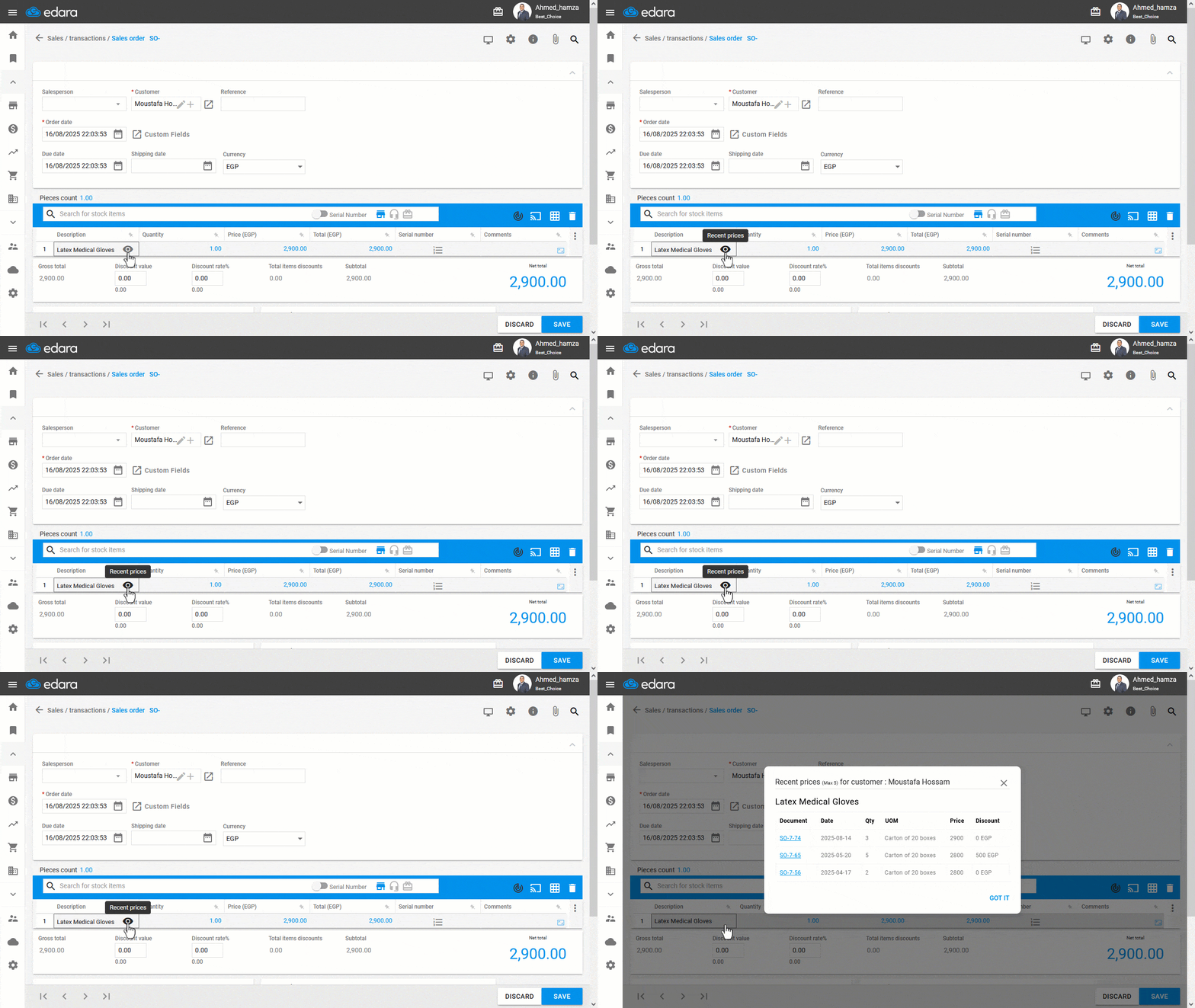
When selling to dealers or super dealers, knowing the most recent prices you offered for a specific item to that customer can help you keep pricing consistent and accurate.
With this feature, you can instantly view the last five prices for any item sold to a selected customer from the sales order. You’ll also see key details like document, date, quantity, unit of measure, price, and any applicable discounts.
This gives your sales team quick access to reliable pricing history, builds trust with customers, and helps avoid potential disputes, especially in B2B transactions.
Scan and Update Actual Weights for Weighted Products
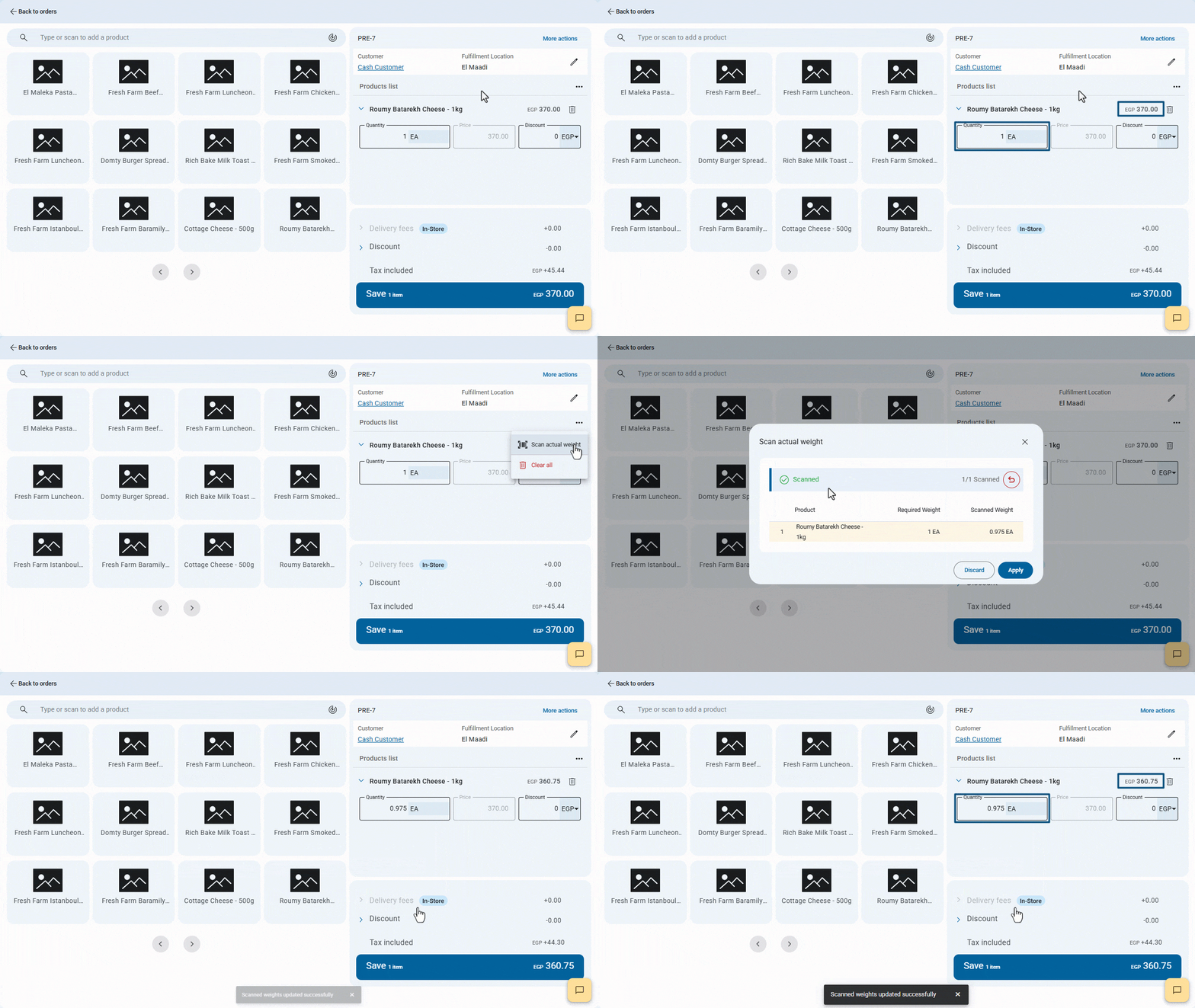
When selling weighted products like cheese, grains, or nuts, the final weight after preparation can differ from the required in the order affecting both total price and quantity.
With this update, you can scan the product’s barcode to instantly capture its actual weight and update the order automatically.
This ensures precise records, speeds up order processing, and keeps customers satisfied.
Adjust Stock Item Quantity from the Serial Entry Window
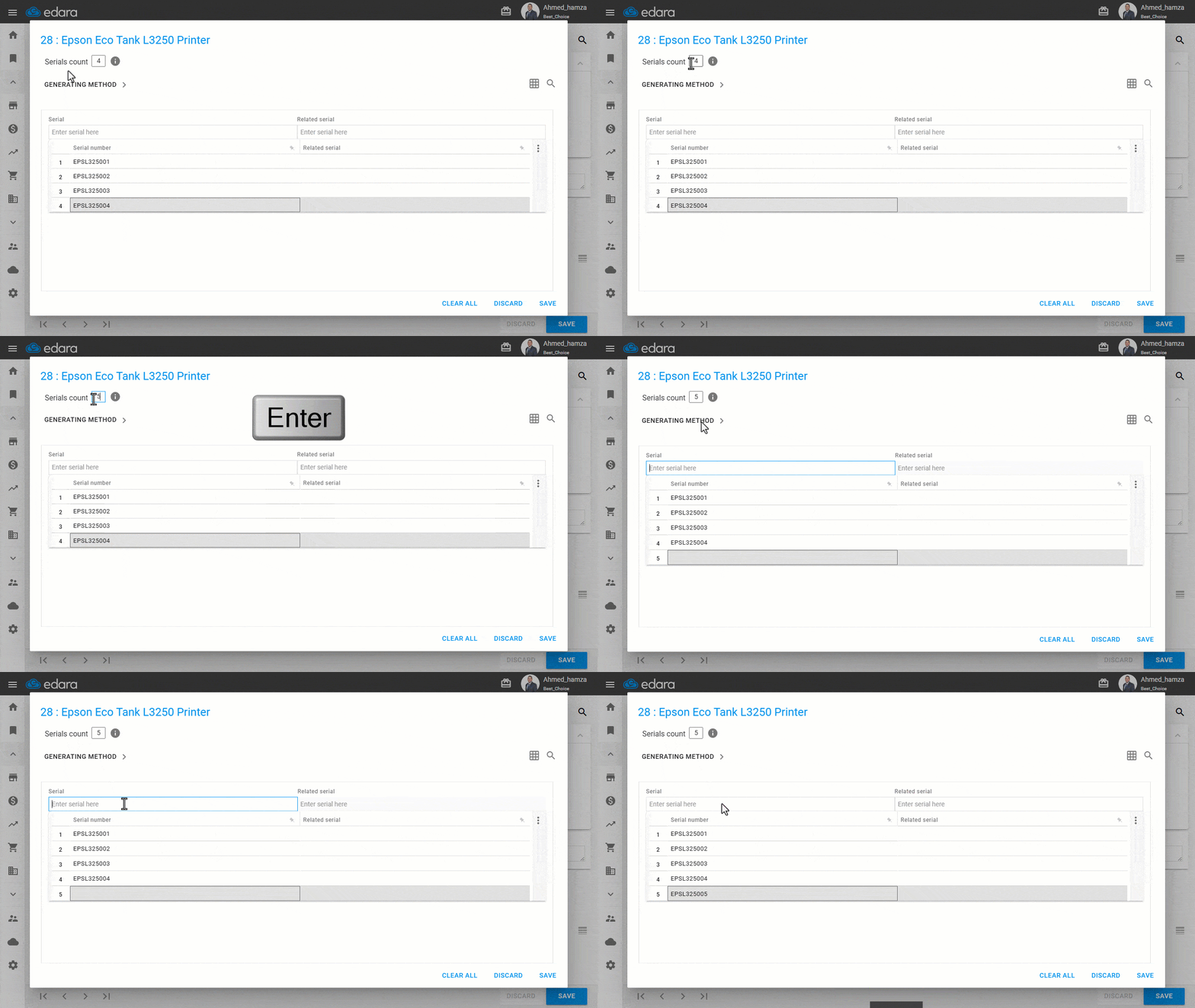
Things don’t always go as planned when receiving goods — a unit might arrive damaged, or an extra one could be added at the last minute.
With this update in Edara, you can quickly adjust the serials count for any item directly from the Serial Entry window, and the document updates instantly to match.
This gives your team more flexibility to handle unexpected changes without slowing down the workflow, while keeping stock data accurate and reliable.
Required Sales Price for Stock Items
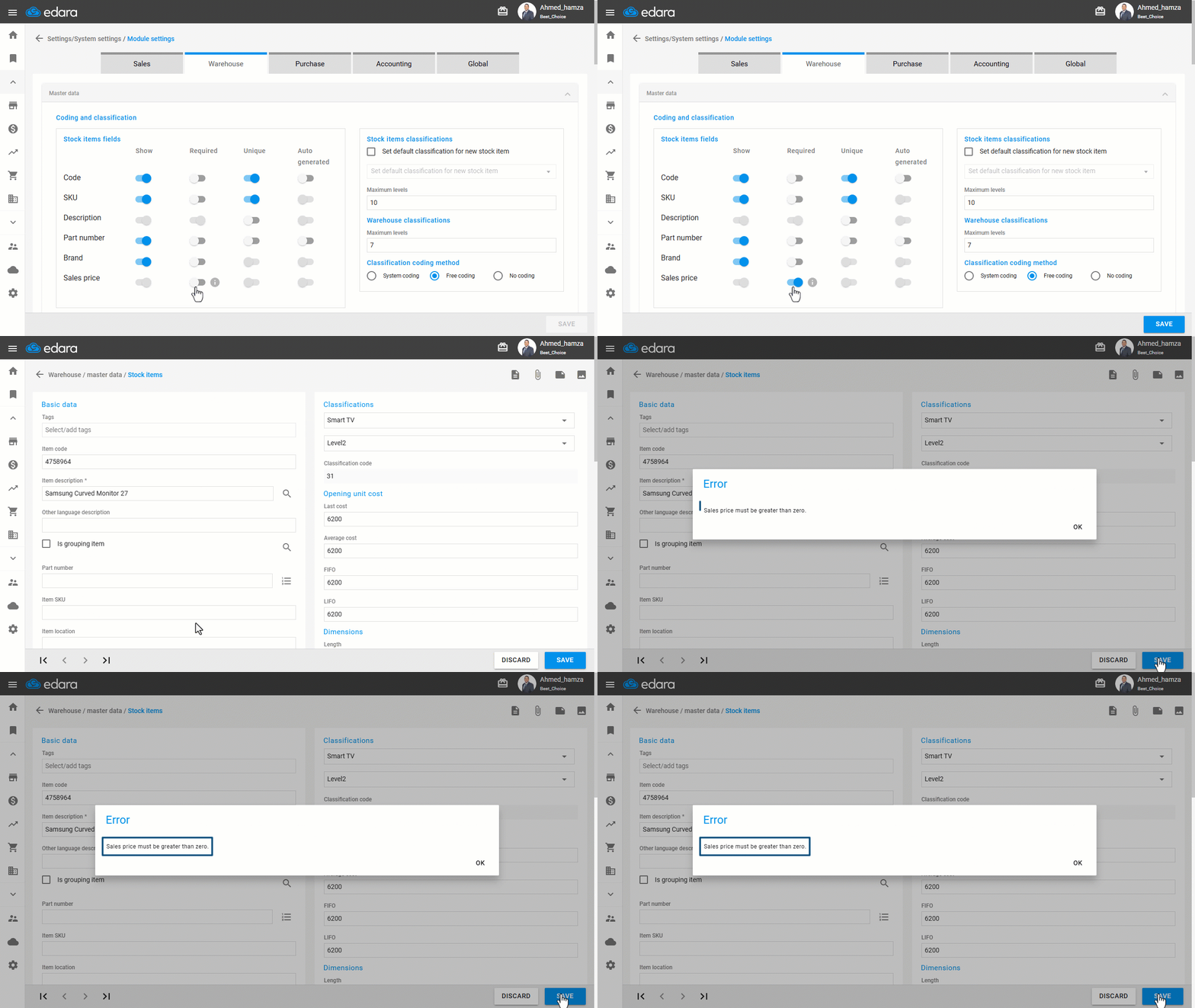
Forgetting to set a Sales Price, or accidentally entering zero, can block sales if sales users don’t have permission to change prices in Sales Orders.
With this update in Edara, you can require a Sales Price greater than zero when creating or updating a Stock Item — preventing mistakes and keeping sales running without interruptions.
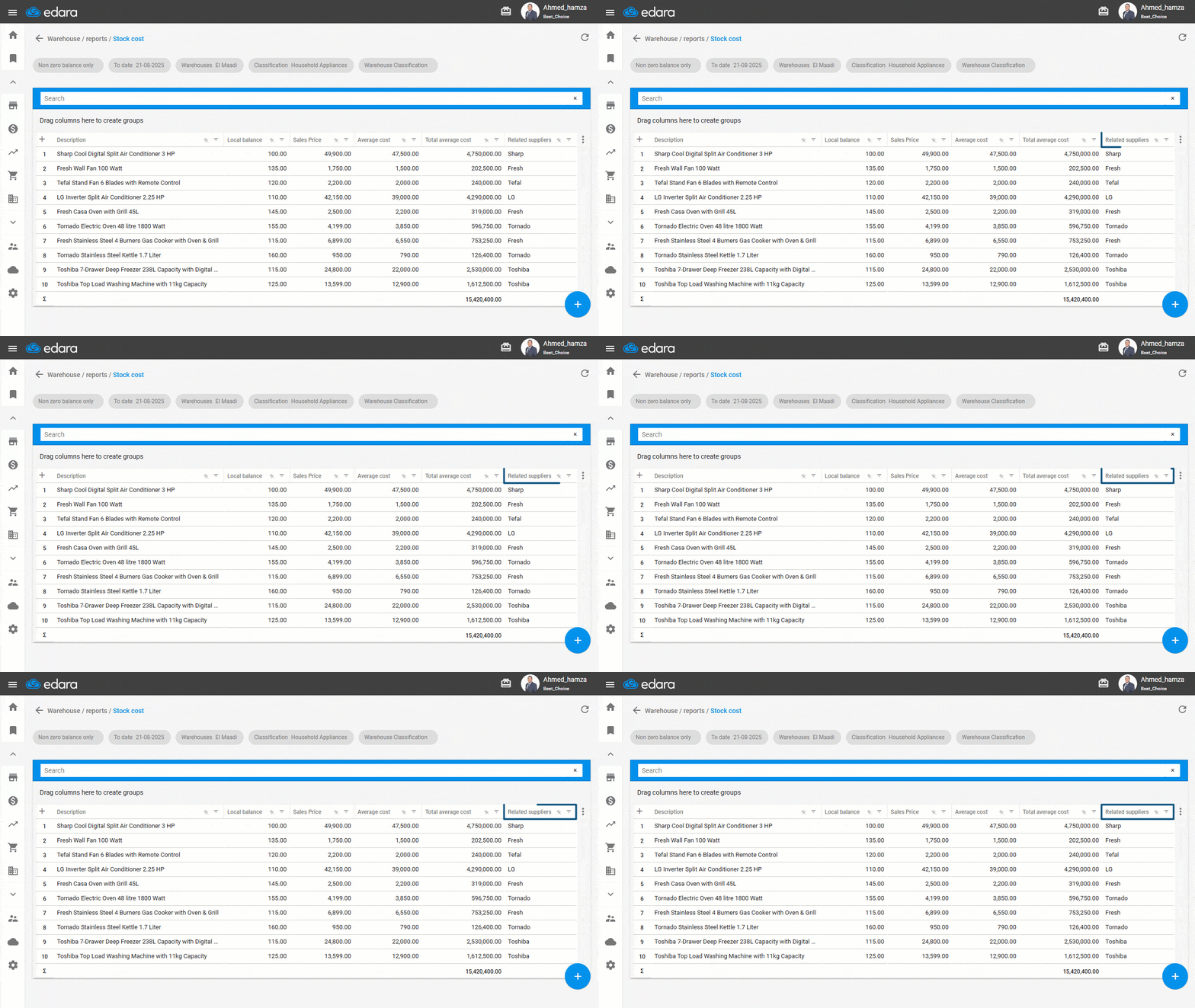
Displaying Related Suppliers in the Stock Cost Report
You can now display the related suppliers for each item — as defined earlier in the Stock Item page — directly within the Stock Cost report, adding greater accuracy and clarity when tracking item-supplier relationships.
These updates are designed to make your operations smoother, more efficient, and more precise. Stay tuned, there’s always more to come.
Related articles

Edara’s Mid-Year 2025 Review
It was a period marked by meaningful improvements tailored to real user needs and aligned with the evolving demands of the market. In this article, we’ll walk you through the…

May 2026 Updates: Extensions Store and Greater Control Over Data and Operations
The May 2026 updates in Edara introduce a range of new tools through the Extensions Store, along with practical enhancements that help you execute tasks faster, organize data more accurately,…

June 2025 Updates: More Flexibility and Control at Every Step
The June 2025 updates give you greater control over user permissions, more flexibility in customizing table views, and clearer insight into estimated profit before approving sales orders — along with…