2025 in Review: Key Edara Updates and Enhancements
5 Reading minutes
In 2025, the “Edara” team focused on adding more features and capabilities, and here are the key updates for the year.
Displaying Recent Prices for a Specific Customer
When selling to dealers or super dealers, knowing the most recent prices you offered for a specific item to that customer can help you keep pricing consistent and accurate.
With this feature, you can instantly view the last five prices for any item sold to a selected customer from the sales order. You’ll also see key details like document, date, quantity, unit of measure, price, and any applicable discounts.
This gives your sales team quick access to reliable pricing history, builds trust with customers, and helps avoid potential disputes, especially in B2B transactions.

Sharing the Table View with Other Users
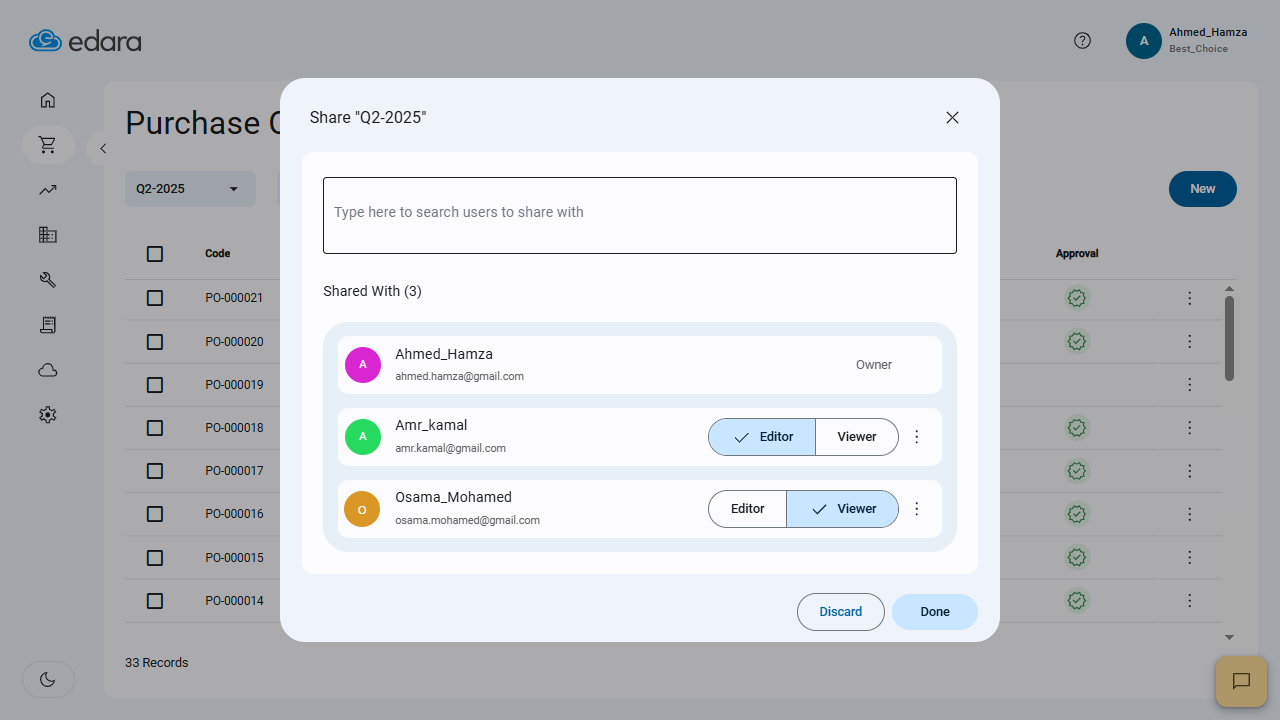
In “Edara 3.0”, you can now share saved table views with teammates, assign viewer or editor permissions, or even transfer ownership.
This makes it easy to standardize custom views across the team—no need for each user to set them up manually.
Locking Sales Orders and Automatic Actions in POS
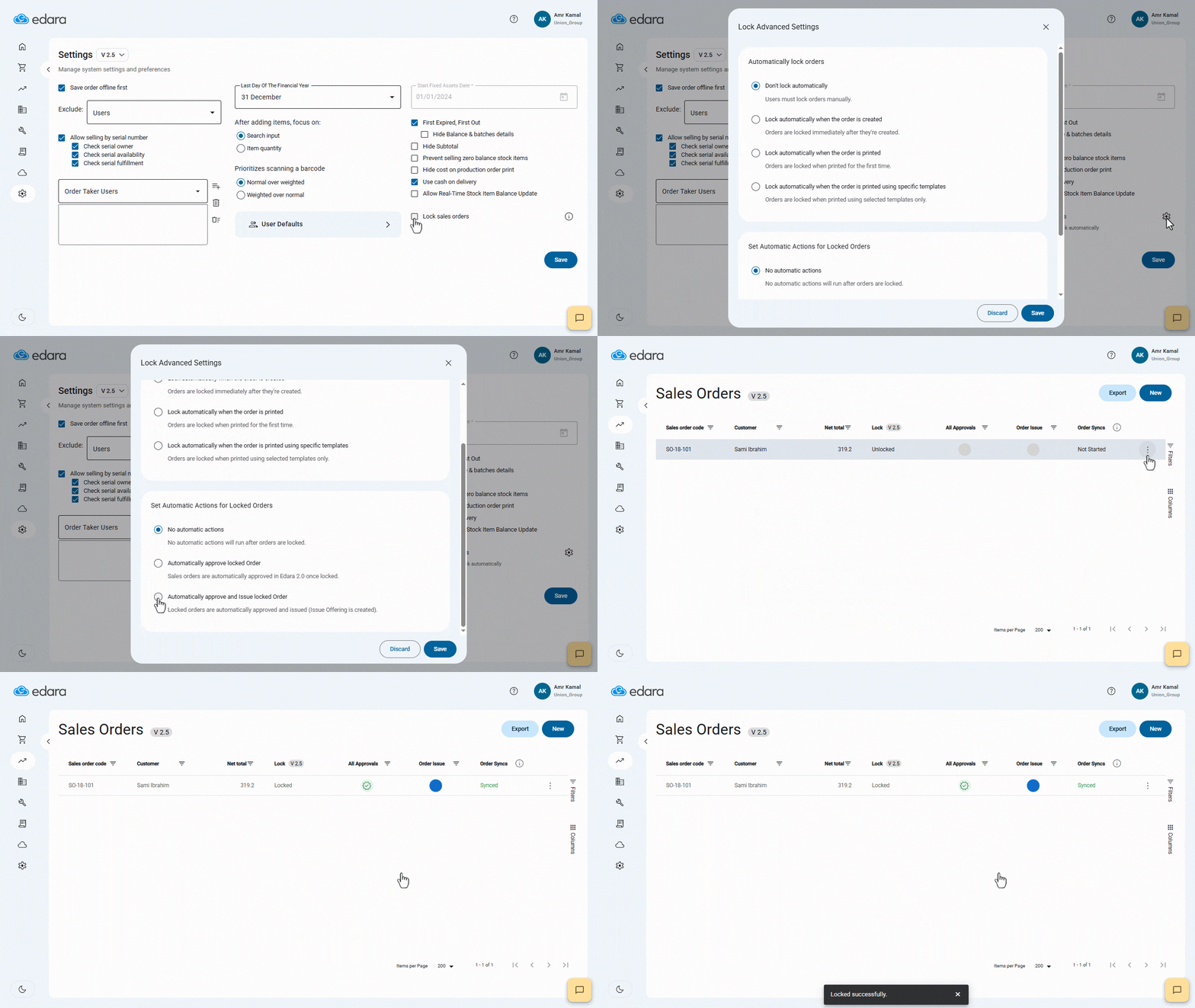
At certain stages of the sales cycle, especially after printing the final invoice for the customer, it becomes essential to prevent any further editing or deletion of the Sales Order.
Edara allows you to lock Sales Orders either manually or automatically, whether upon creation, printing, or when using specific print templates.
Once the order is locked, automatic actions can be triggered affecting both the sales and warehouse modules in Edara 2.0, such as approval or stock issuing, helping speed up the sales cycle while ensuring smoother and more accurate operations.
Saving Purchase Order as Draft
If you’re working on a purchase order and haven’t completed all the details yet, you can now save it as a draft.
Once you’re ready to finalize it, simply complete the information and convert it to “Confirmed” status.
You can also change the status from “Draft” to “Confirmed” without needing to open each order page, streamlining your workflow and giving you more flexibility in managing purchase orders.

Importing Purchase Orders Lines “3.0” from Sales Orders “2.0”
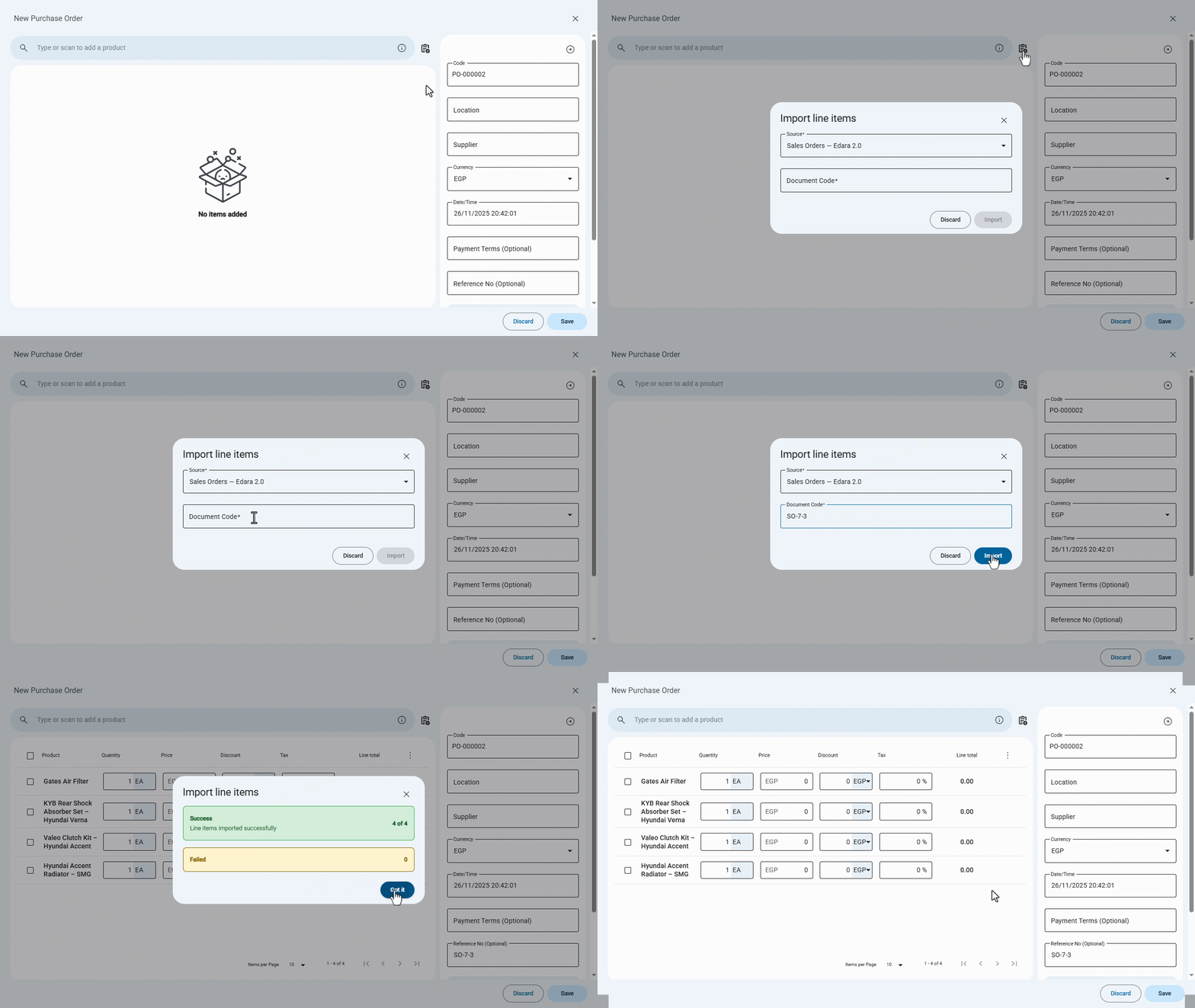
When your workflow begins with a customer’s Sales Order, manually re-entering its items into a Purchase Order can slow down the purchasing process — especially with large orders.
With this update, you can now import Sales Order lines directly from “Edara 2.0” into a Purchase Order in “Edara 3.0”, saving time, reducing manual entry efforts, and ensuring data accuracy across both systems.
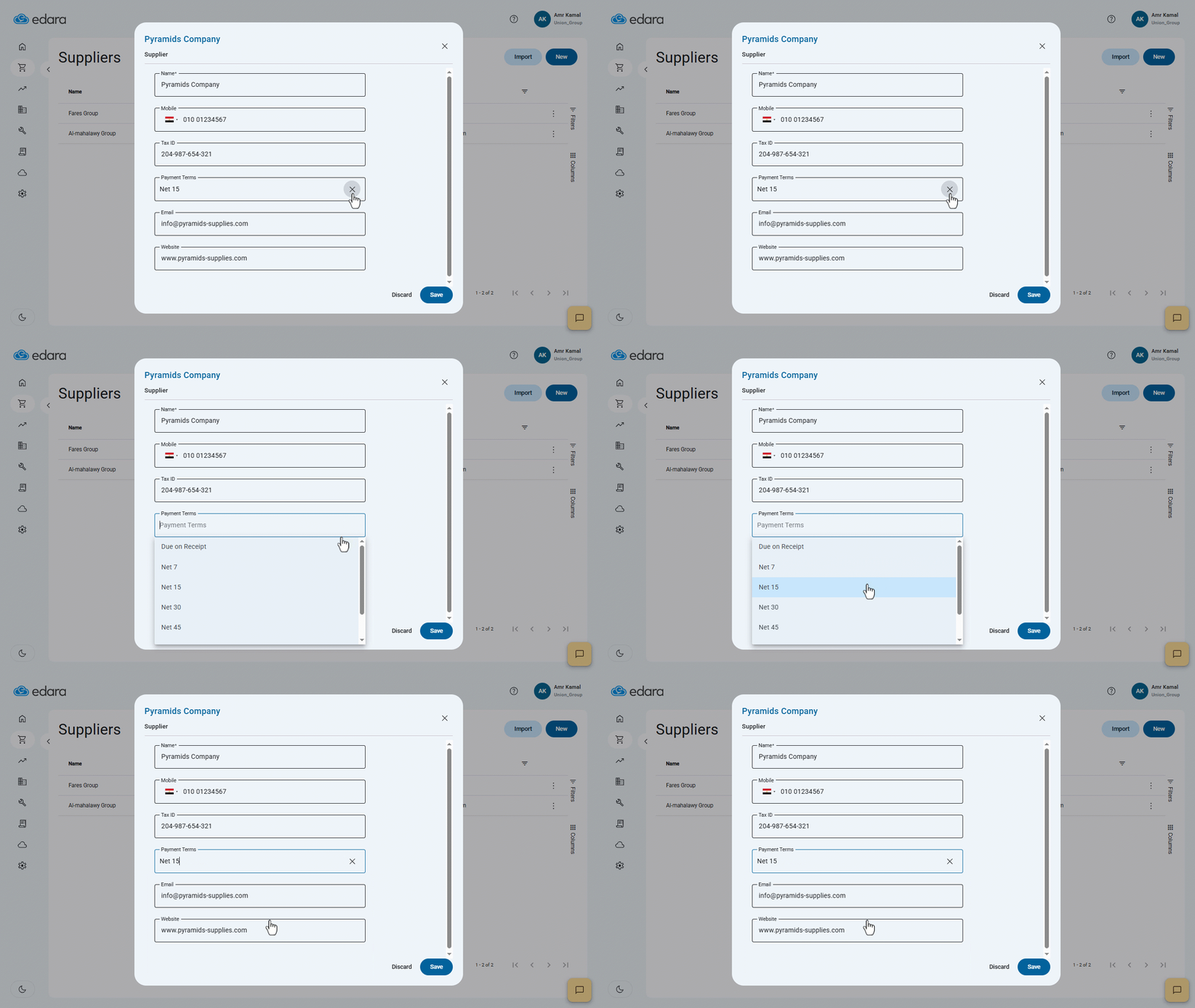
Setting Suppliers Payment Terms
Managing supplier payments starts with having a clear, accurate due date. With this update, you can now assign default payment terms to each supplier, allowing Edara to automatically calculate the invoice due date whenever you create a Purchase Invoice — no manual entry required.
Scan and Update Actual Weights for Weighted Products
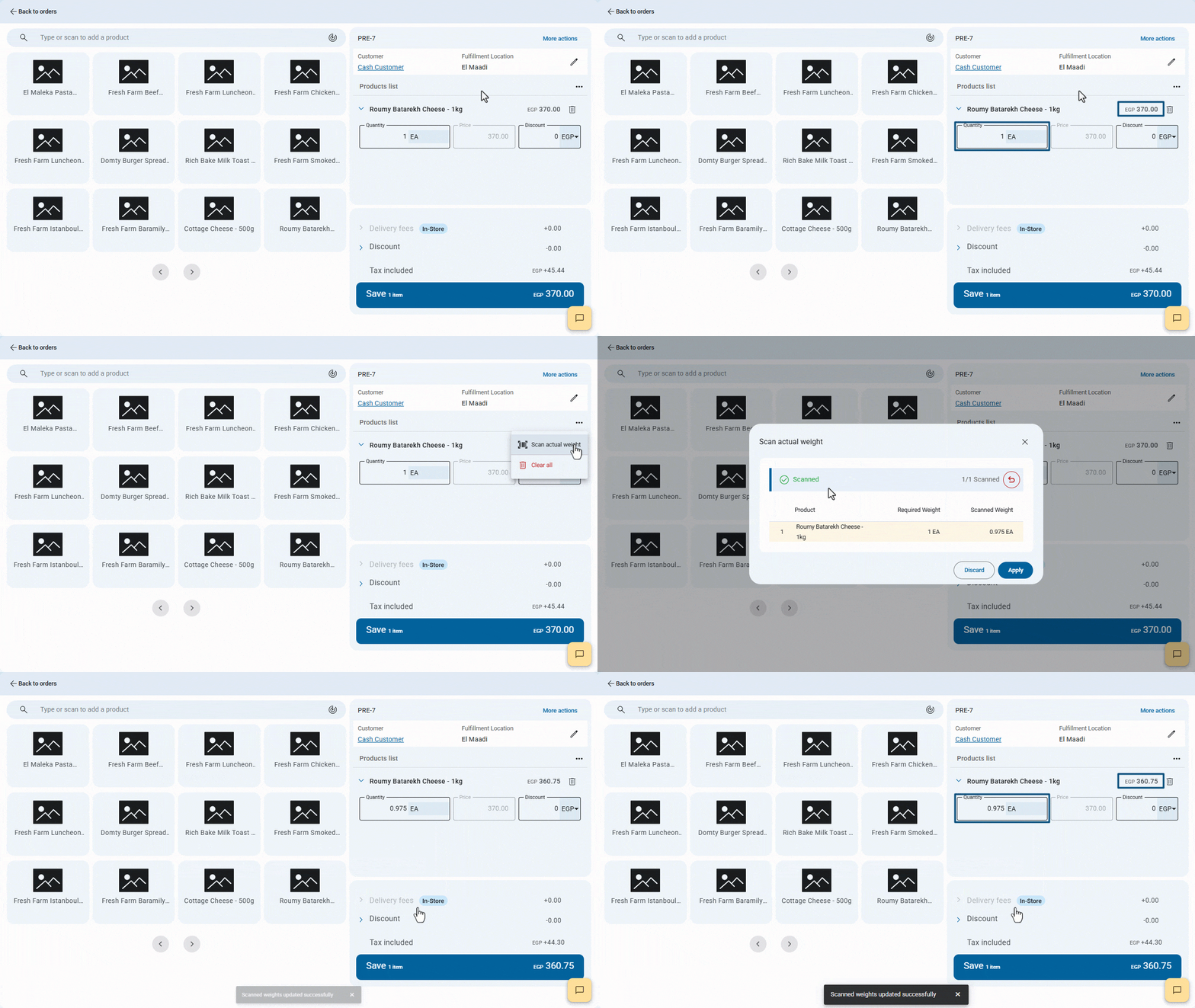
When selling weighted products like cheese, grains, or nuts, the final weight after preparation can differ from the required in the order affecting both total price and quantity.
With this update, you can scan the product’s barcode to instantly capture its actual weight and update the order automatically.
This ensures precise records, speeds up order processing, and keeps customers satisfied.
Displaying Estimated Profit in the Sales Approvals Page
A new “Estimated Profit” icon on the Sales Approvals page gives you a quick summary of order value, current cost, and Estimated profit—in the document’s original currency.
This helps you make informed decisions while keeping sensitive data secure through role-based permissions.

Selecting the Warehouse Stocks Report Type
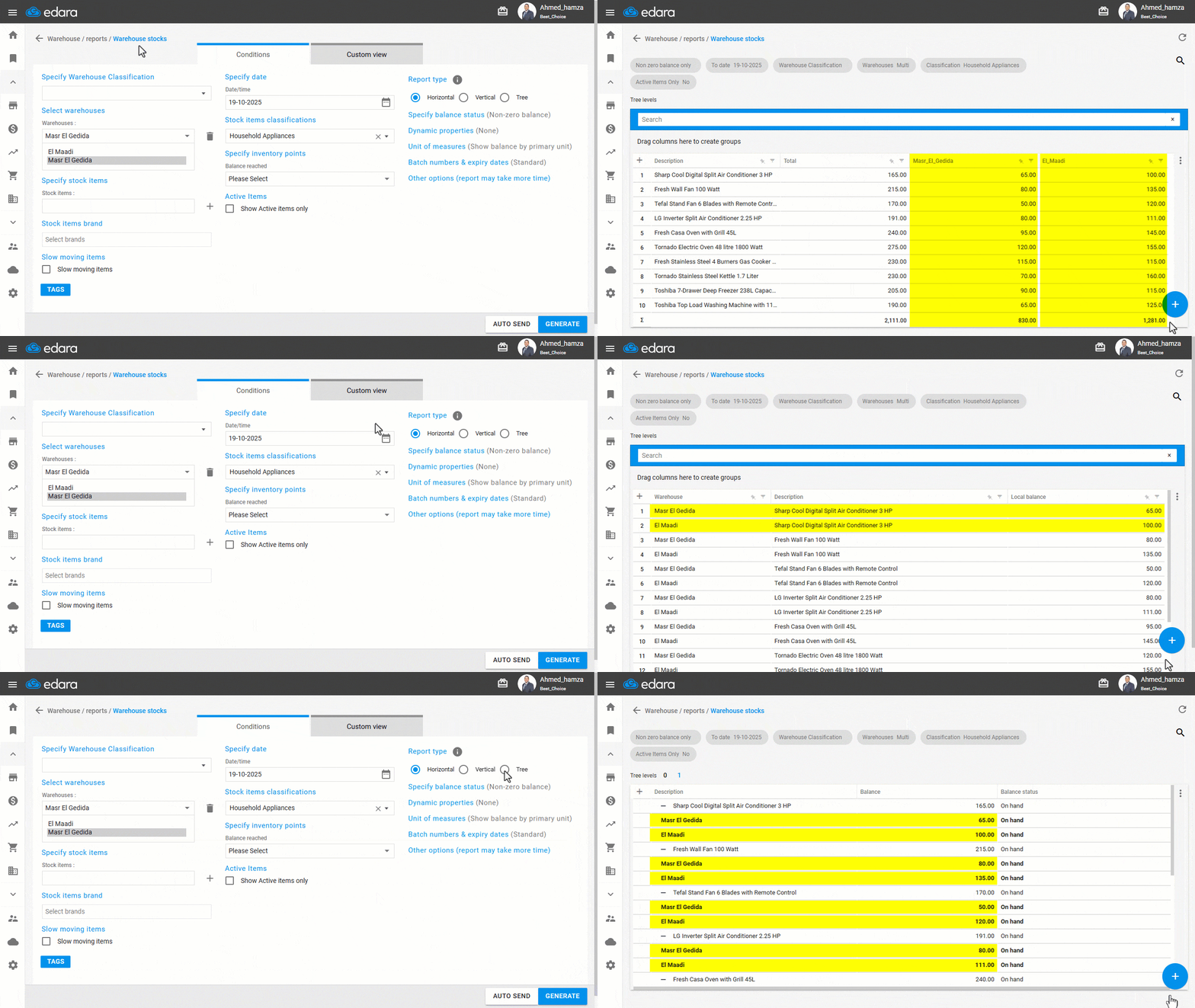
Different users have different needs when viewing warehouse reports. Some prefer a comparative view across warehouses, while others need a detailed breakdown for each stock item or a summarized structure that’s easier to analyze.
That’s why Edara now allows you to choose the report type that best fits your needs: Horizontal for comparing warehouses, Vertical for detailed stock item tracking, or Tree for grouped, category-based data.
Creating Delivery Zones in Point of Sale
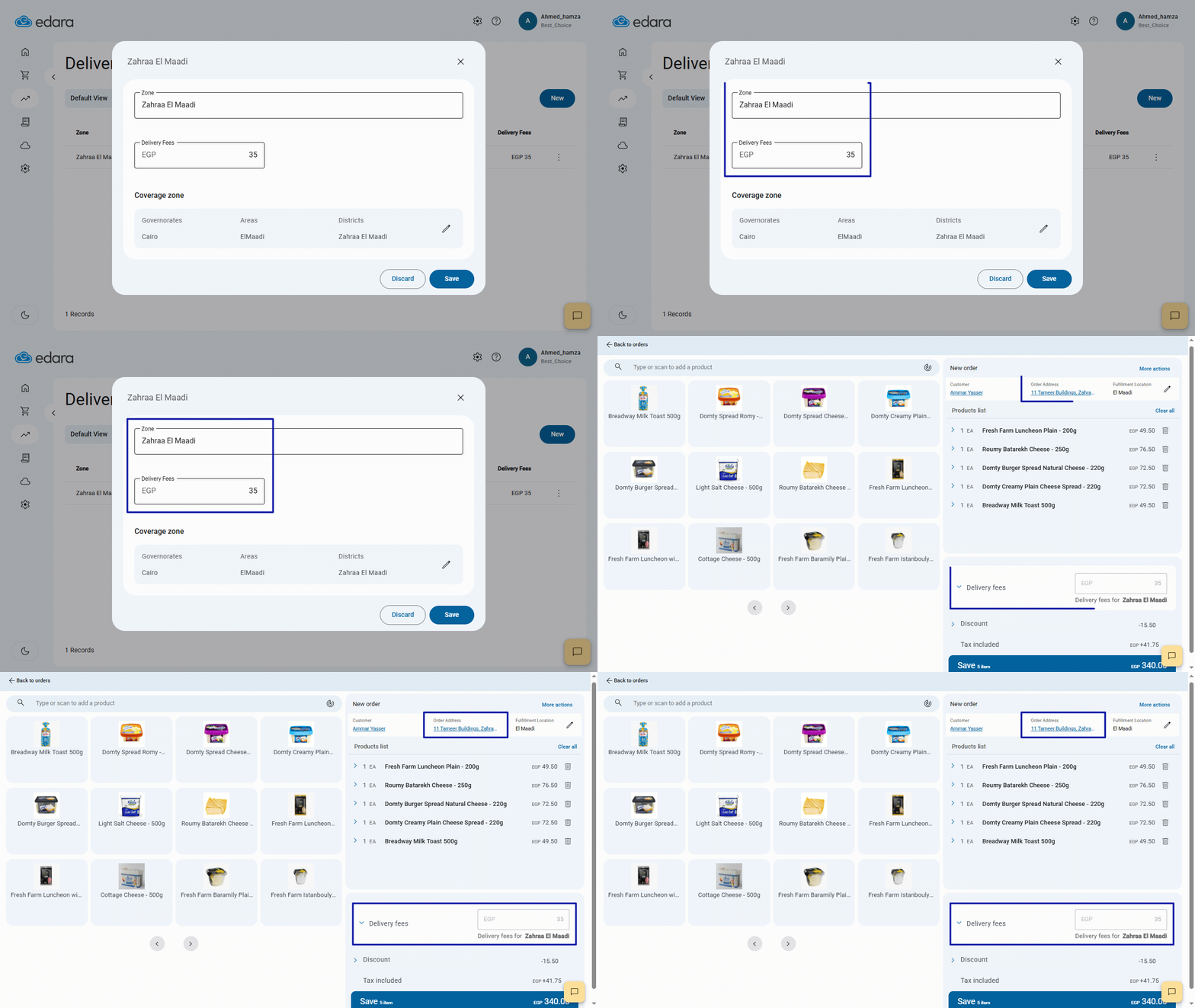
To streamline delivery fees and improve accuracy, you can now create custom delivery zones within the POS and assign automatic fees based on each zone.
Whether it’s by city, neighborhood, or even street, this feature saves time, eliminates manual entry, and ensures accurate invoicing—giving you greater control over pricing and a smoother customer experience.
Printing Multiple Sales Orders
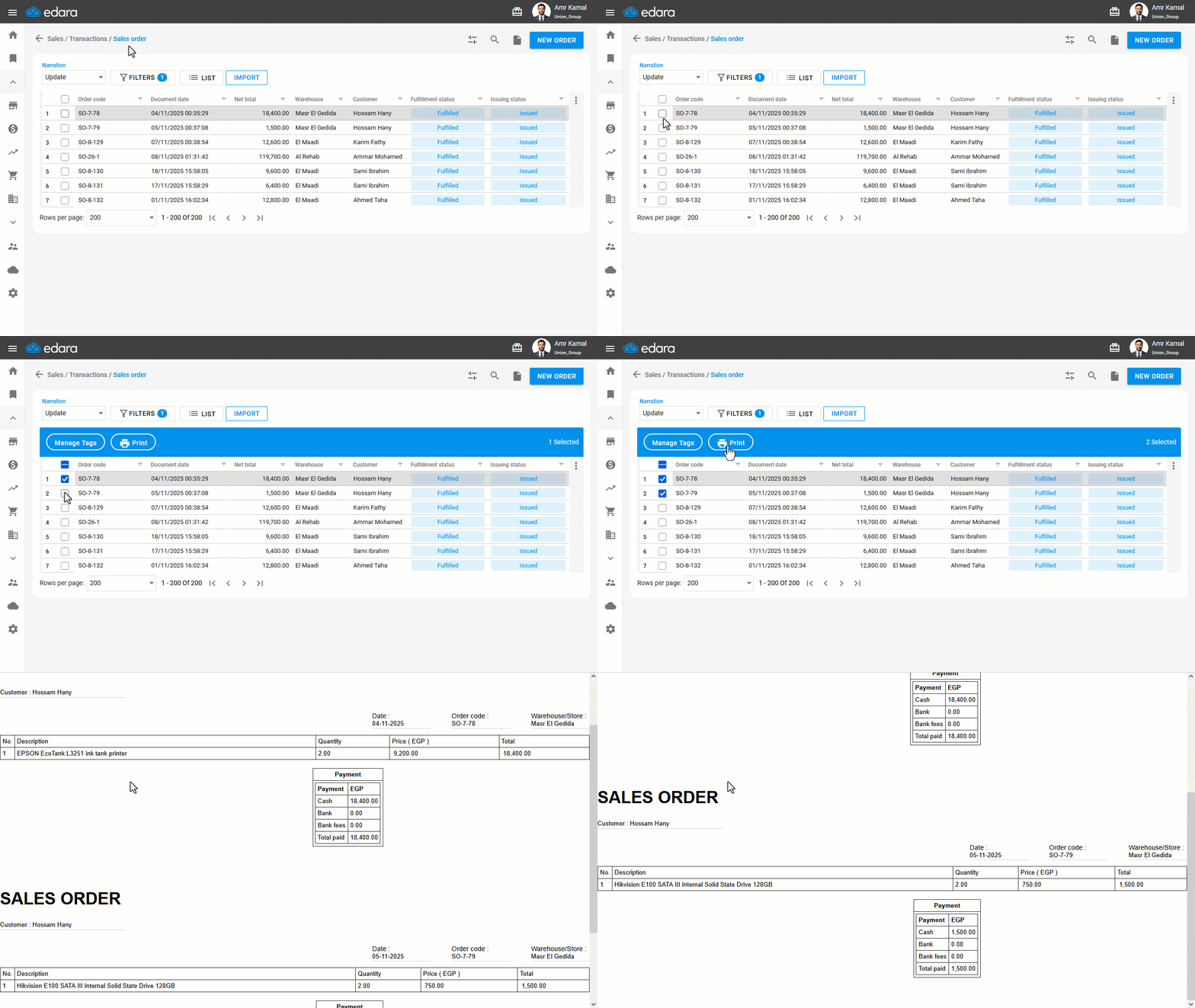
When you need to review a large number of sales orders or share them with an external party, you no longer have to print each order individually.
Edara now allows you to print multiple Sales Orders at once, with the option to choose the print template that best fits the entire batch.
Improved Journal Entry Displaying Experience
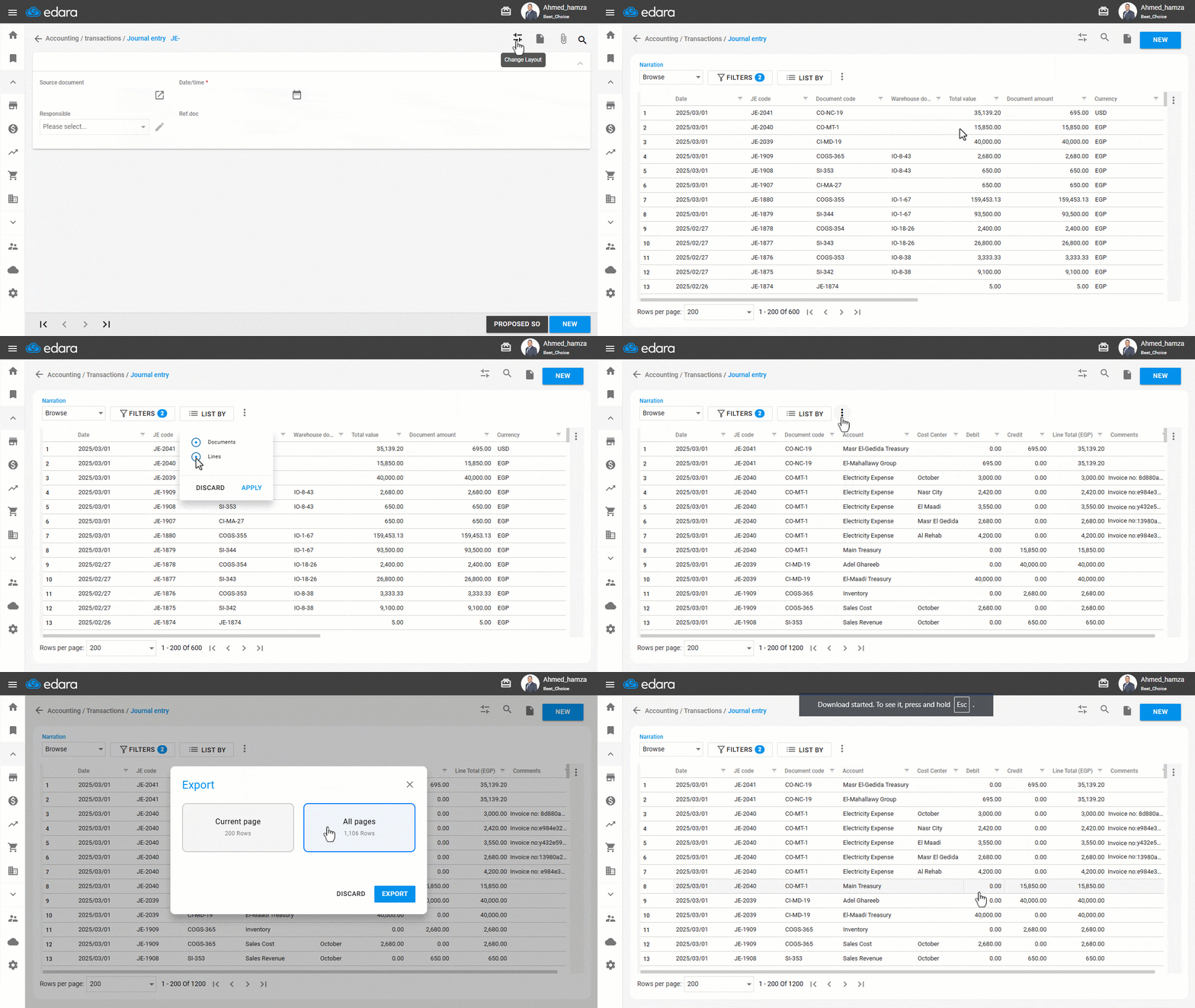
A new view has been introduced to make browsing journal entries more organized, with filtering options by date and posting status. For greater accuracy, you can now review journal entries at the line level directly from the Journal Entries list, giving you a detailed view of each line without opening the full entry, while automatically saving your display preferences to match your workflow.
In addition, you can export journal entries to Excel, whether viewing them by documents or by lines, with the ability to control export permissions for each user.
Together, these enhancements make working with journal entries faster, easier, and more personalized.
Creating Price Tiers in POS
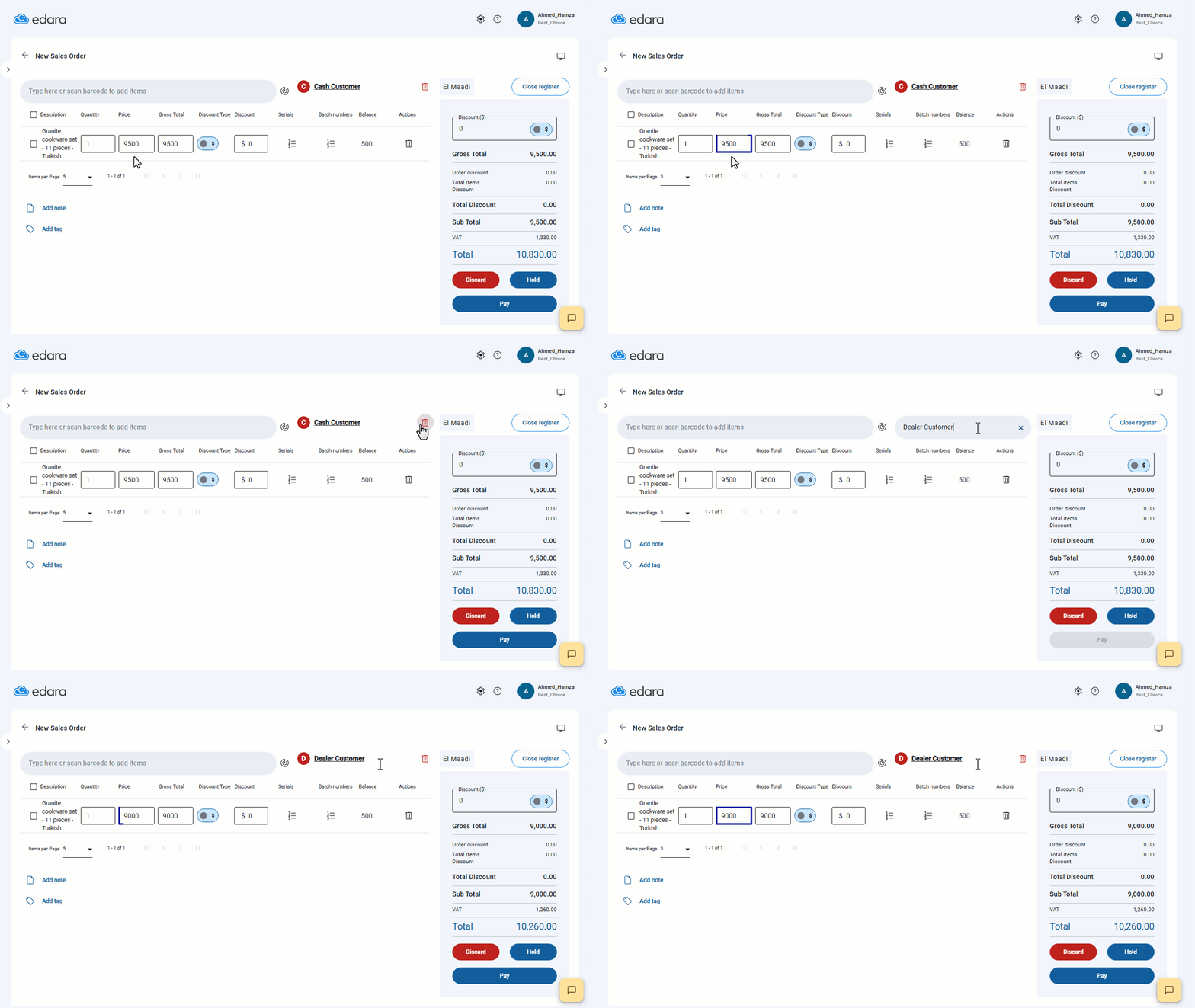
You can now create multiple price tiers within the POS, such as: Customer Price, Dealer Price, or Super Dealer Price, depending on the type of customer or sales policy.
This feature gives you more flexibility in pricing management and helps you easily and accurately implement various sales strategies within stores.
ZATCA Submission Mode Selection in “Edara 3.0”
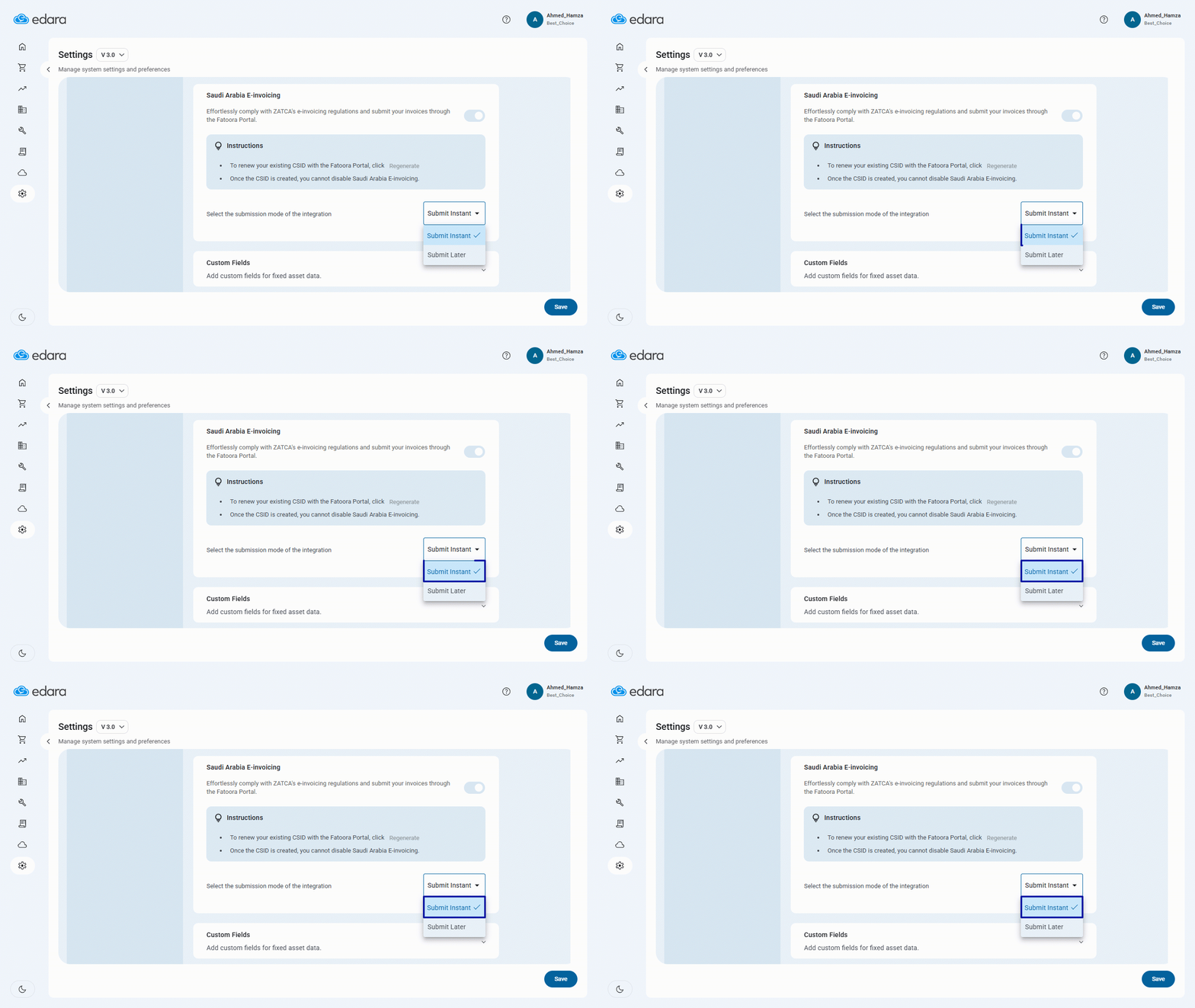
We’ve added a new feature that gives you greater flexibility when integrating “Edara 3.0” with “ZATCA” in KSA.
You can now choose between instant invoice submission upon issuance or continue using later submission—giving you full control over the timing based on your workflow.
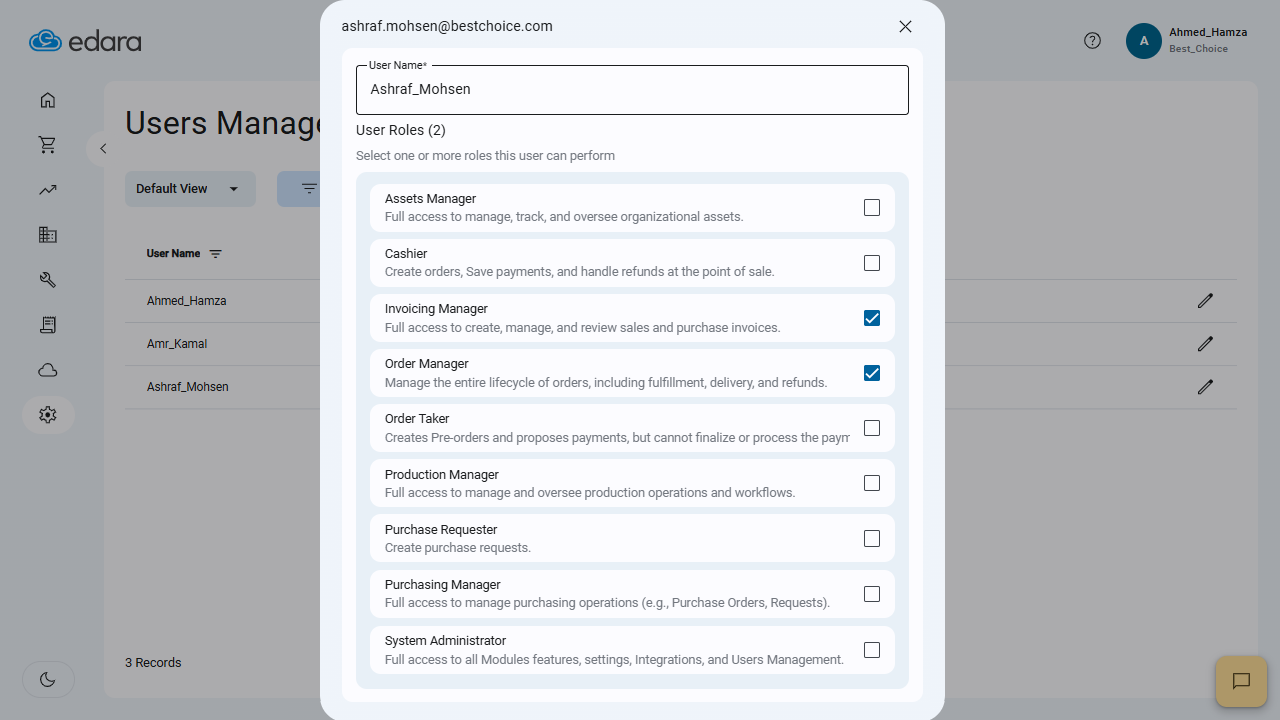
Controlling User Roles on Edara 3.0
As part of our ongoing efforts to enhance security and streamline task delegation, we introduced a new page in Edara 3.0 that gives system administrators full control over user roles in one place.
From this page, admins can easily review and adjust permissions, rename users if needed, and ensure each team member has access only to what’s relevant to their responsibilities—minimizing overlap and preventing unauthorized access.
This highlights some of Edara’s key updates in 2025, with more features coming soon to further simplify and enhance your operations.
Related articles

April 2024 Updates: Create a Product with Attributes and 3 Other Features
In April 2024, Edara's team focused on enhancing point-of-sale operations. New updates simplify product creation and offer detailed insights into discounts. These improvements aim to streamline processes and empower businesses.…

June 2021 Updates: Enhancing Efficiency with Edara’s Features
In June 2021, Edara rolled out a series of updates aimed at enhancing the user experience and functionality. With a commitment to continuous improvement, Edara introduced several new features and…

March Updates: Enhancing Business Efficiency
In a rapidly changing tech world, constant modernization is vital for success. At Edara, we embrace this ethos, prioritizing staying ahead and providing our customers with cutting-edge innovations. In this…