August 2025 Updates: Link Smarter, Sync Faster
2 Reading minutes
In August’s updates, we focused on enhancing integration, streamlining data control, and improving login experience.
This article highlights key features that bring more flexibility and ease to your journey with “Edara”.
ZATCA Submission Mode Selection in “Edara 3.0”
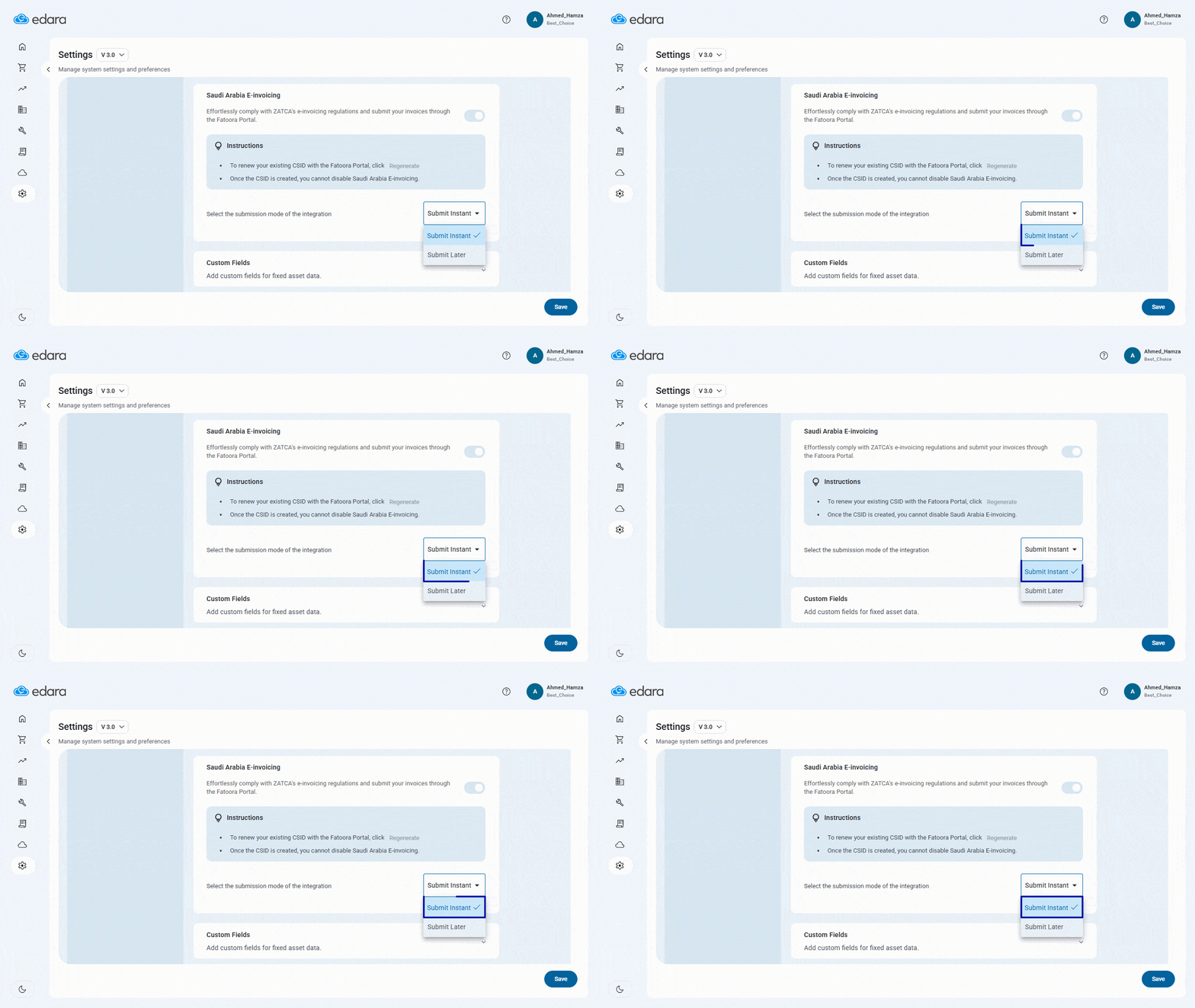
We’ve added a new feature that gives you greater flexibility when integrating “Edara 3.0” with “ZATCA” in KSA.
You can now choose between instant invoice submission upon issuance or continue using later submission—giving you full control over the timing based on your workflow.
Accessing the Correct Link to your Organization
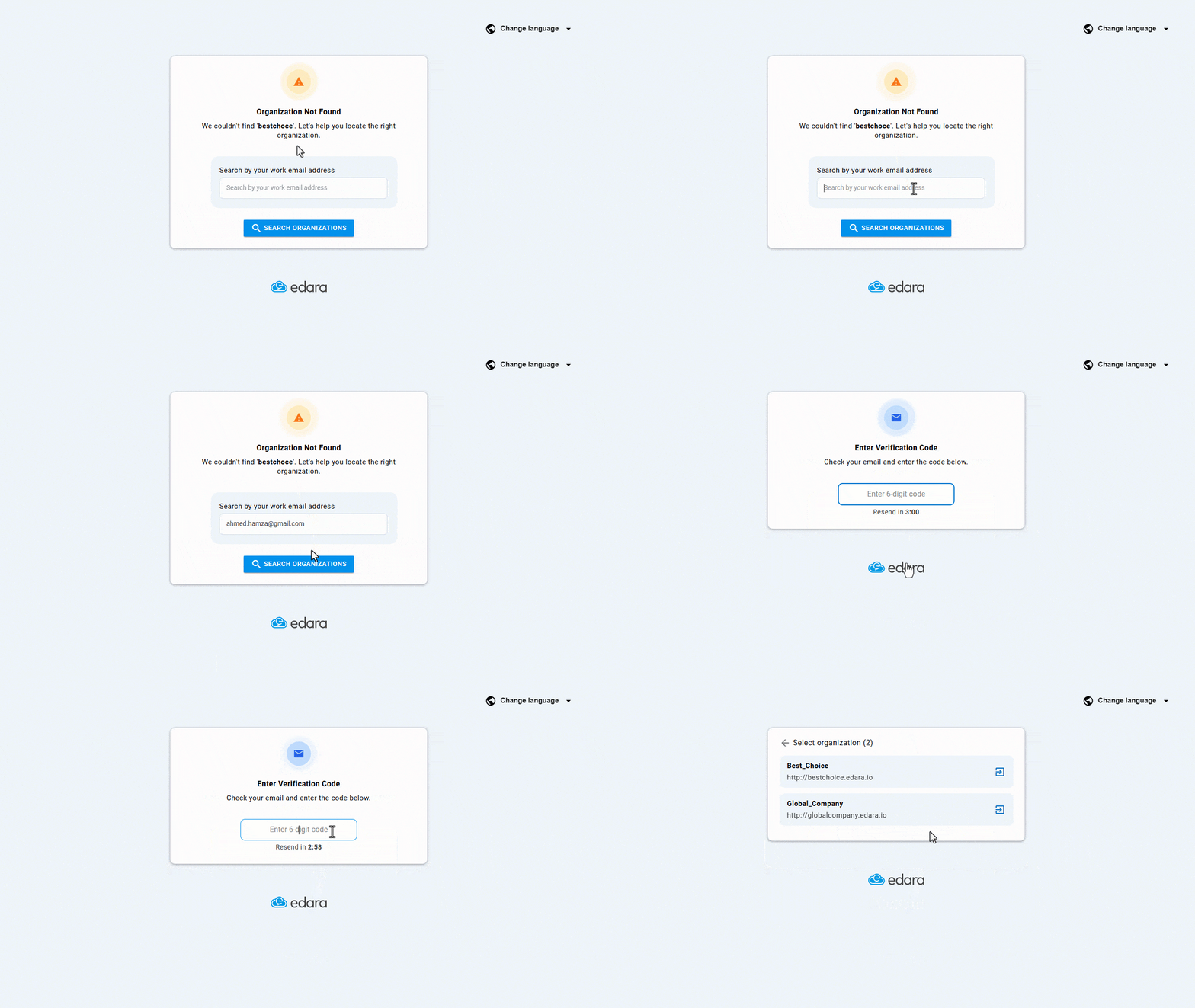
Sometimes, you might try to log in through an outdated or incorrect link. In this update, we introduced a new feature to help you reach the right one with ease.
If the link isn’t linked to any company, you’ll be asked to enter your email. A verification code will then be sent to ensure security.
Once verified, “Edara” will show all organizations linked to that email, allowing you to select the correct account effortlessly.
Linking Between “Edara” Versions
“Edara 3.0” includes POS and purchase modules, while “Edara 2.0” handles warehouse and accounting. To ensure all related transactions—like (receive supplies/issue offerings) or cash documents—are properly recorded across both, integration is essential.
That’s why we’ve introduced three new features to make the linking process easier, more flexible, and more efficient.
-
Improving synchronization between “Edara 2.0” and “Edara 3.0”
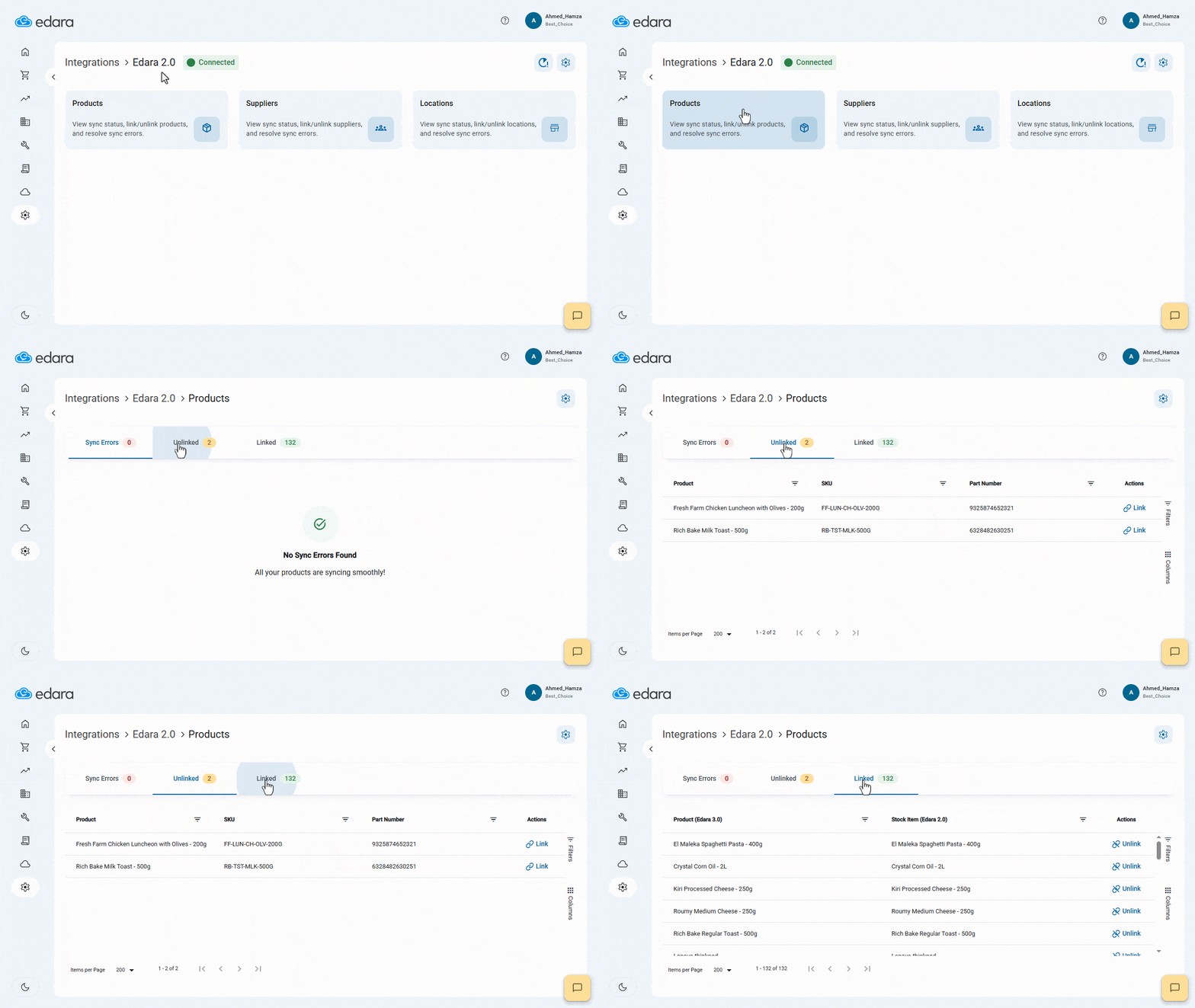
A new page has been added to the Integration module, giving you clear visibility into all sync operations between “Edara 2.0” and “Edara 3.0”.
You can view successfully linked products, suppliers, and locations, along with any failed records and the exact reasons behind each issue—making troubleshooting easier.
You can also manually unlink items in case of incorrect connections.
-
Bulk Linking Between “Edara 2.0” and “Edara 3.0”
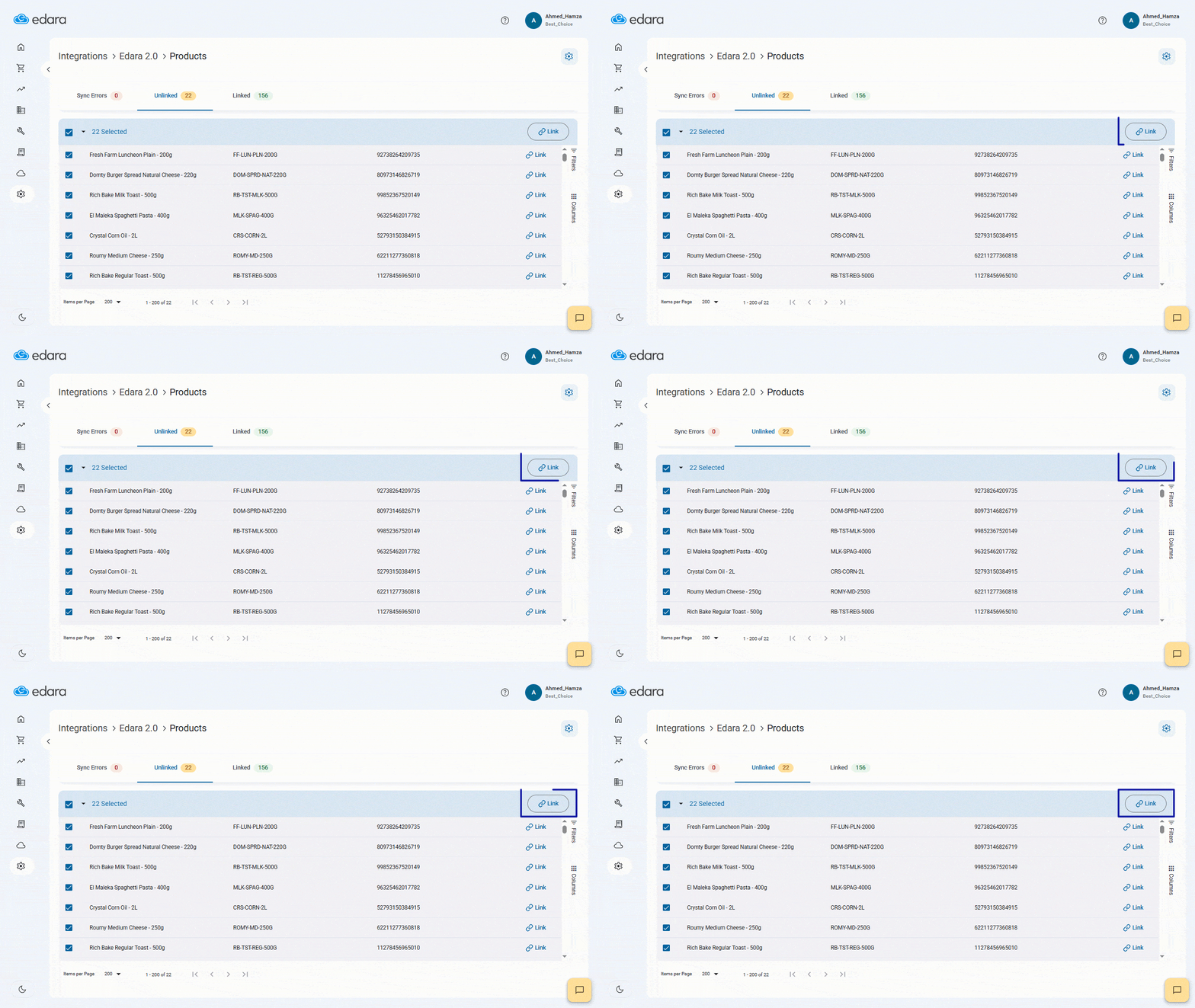
We’ve also introduced a new feature to streamline integration: bulk linking and unlinking.
Instead of connecting items one by one, you can now link multiple records in a single step. For example, if you have five items in “Edara 2.0” and five products in “Edara 3.0”, you can match them all at once.
This also applies to vendors and locations—making it especially useful when handling large datasets.
-
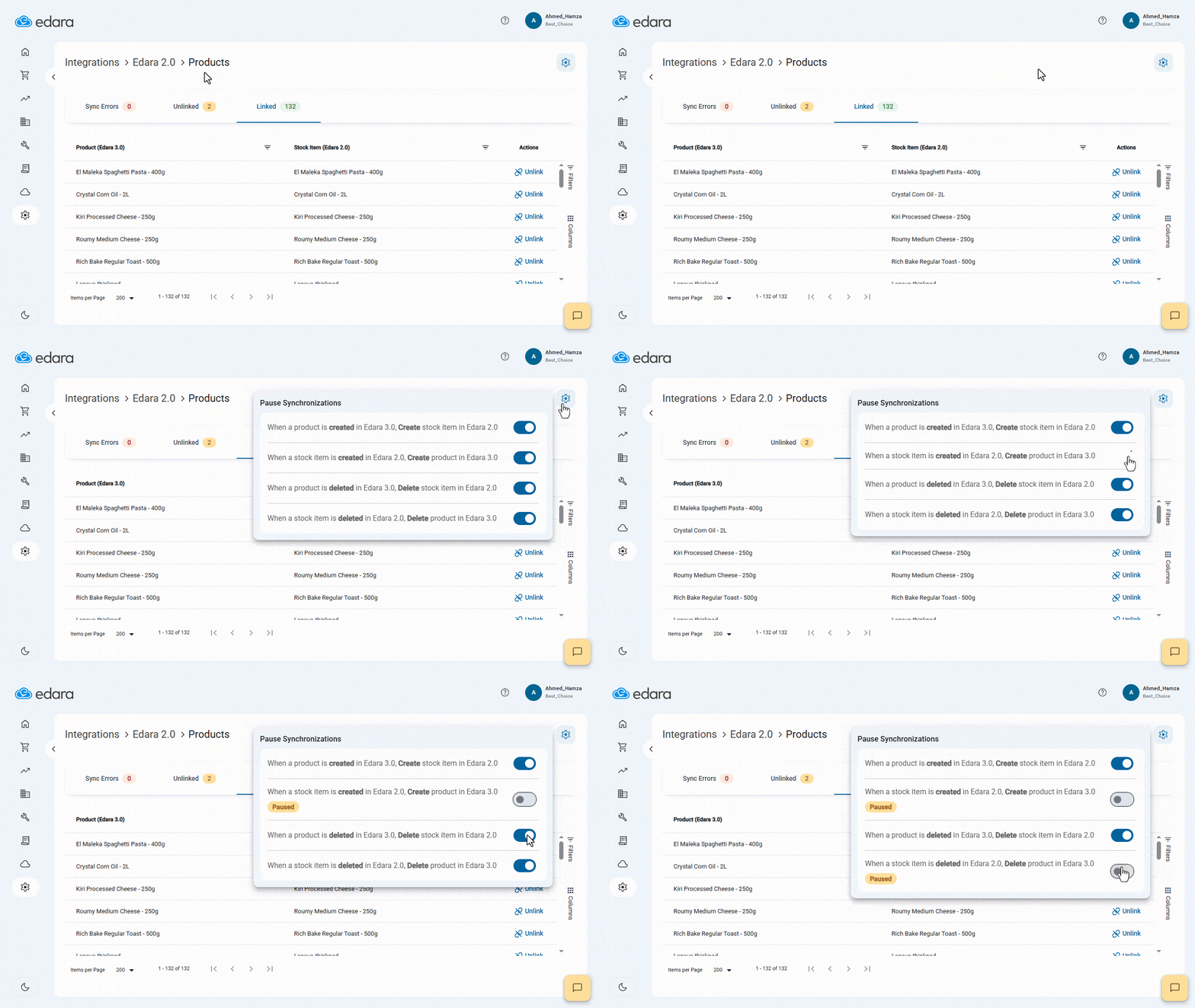
Pausing Synchronizations between “Edara 2.0” and “Edara 3.0”
When integration is active, any new item, warehouse, or supplier created in one version is automatically synced to the other.
With this new feature, you can temporarily pause the link—allowing you to make changes (like creating or deleting records) in one system without affecting the other.
Once you’re done, simply reactivate the connection. This gives you greater flexibility and prevents unintended syncs during specific operations.
These updates are designed to make your operations smoother, more efficient, and more precise. Stay tuned, there’s always more to come.
Related articles
October Updates: Pragmatic Updates for Streamlined Operations
In October 2023, we introduced practical updates designed to align seamlessly with customer needs and elevate operational efficiency within companies. Our latest enhancements include a streamlined printing invoice, meticulously crafted…

August 2021 Updates: Empowering Efficiency in Edara’s Cloud ERP System
This month's updates focus on improving user experience and functionality, with new features that enable users to set sales targets based on stock item classification, access more detailed reports, and…

December 2023 Updates: Unveiling 5 Powerful Features in Edara
As we close out the year, we're thrilled to introduce updates in “Edara”. These December enhancements, centered on efficiency, include recording stock on hand at the location level in the…