September 2025 Updates: Smarter Pricing, Faster POS, and Clearer Stock Insights
2 Reading minutes
September’s updates are all about practical improvements that make a real difference: faster order handling at the POS, smarter pricing for B2B businesses, and more flexibility when receiving serialized items — all backed by enhancements that sharpen your financial and operational accuracy.
Explore the full breakdown in this article.
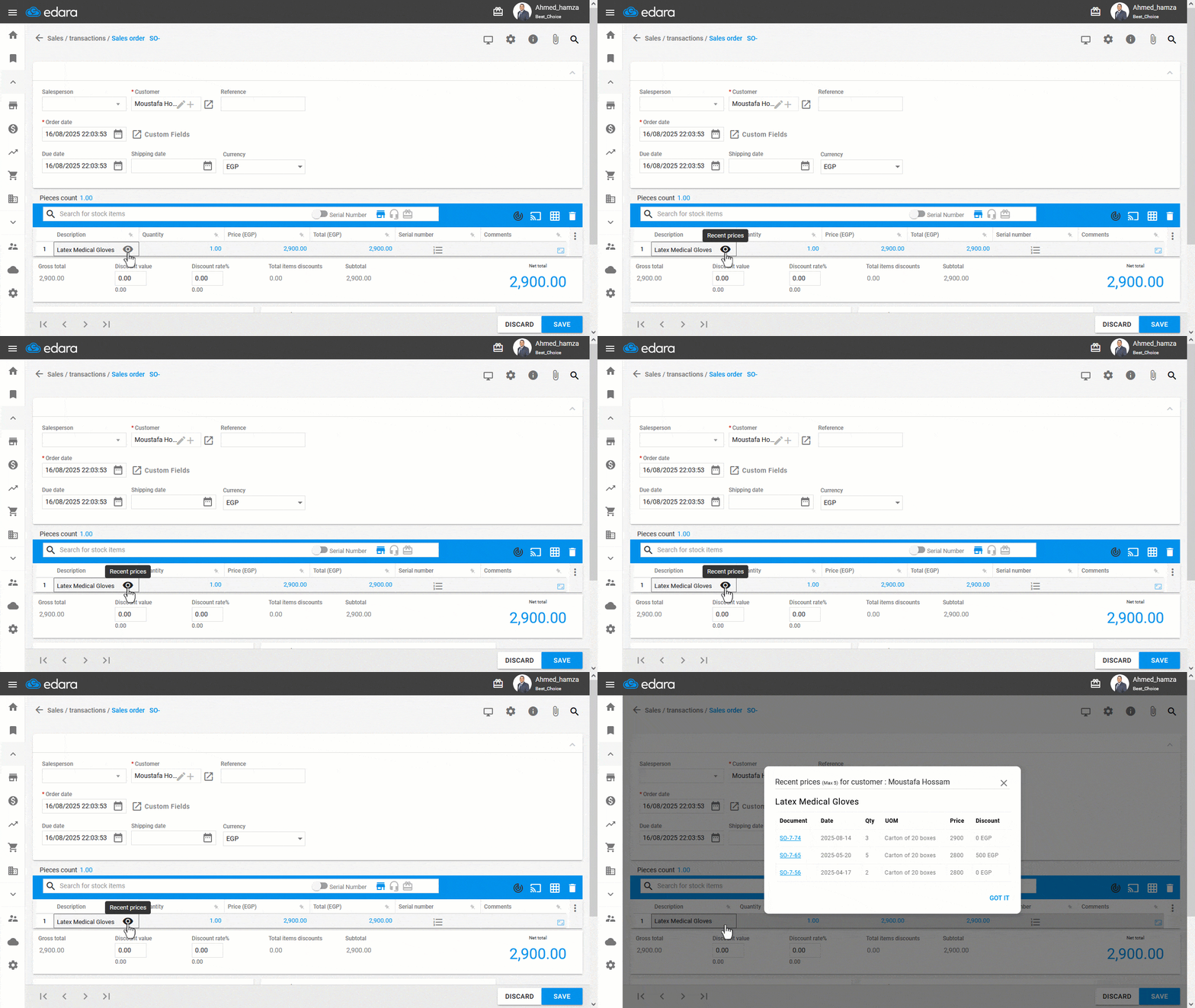
Displaying Recent Prices for a Specific Customer
When selling to dealers or super dealers, knowing the most recent prices you offered for a specific item to that customer can help you keep pricing consistent and accurate.
With this feature, you can instantly view the last five prices for any item sold to a selected customer from the sales order. You’ll also see key details like document, date, quantity, unit of measure, price, and any applicable discounts.
This gives your sales team quick access to reliable pricing history, builds trust with customers, and helps avoid potential disputes, especially in B2B transactions.
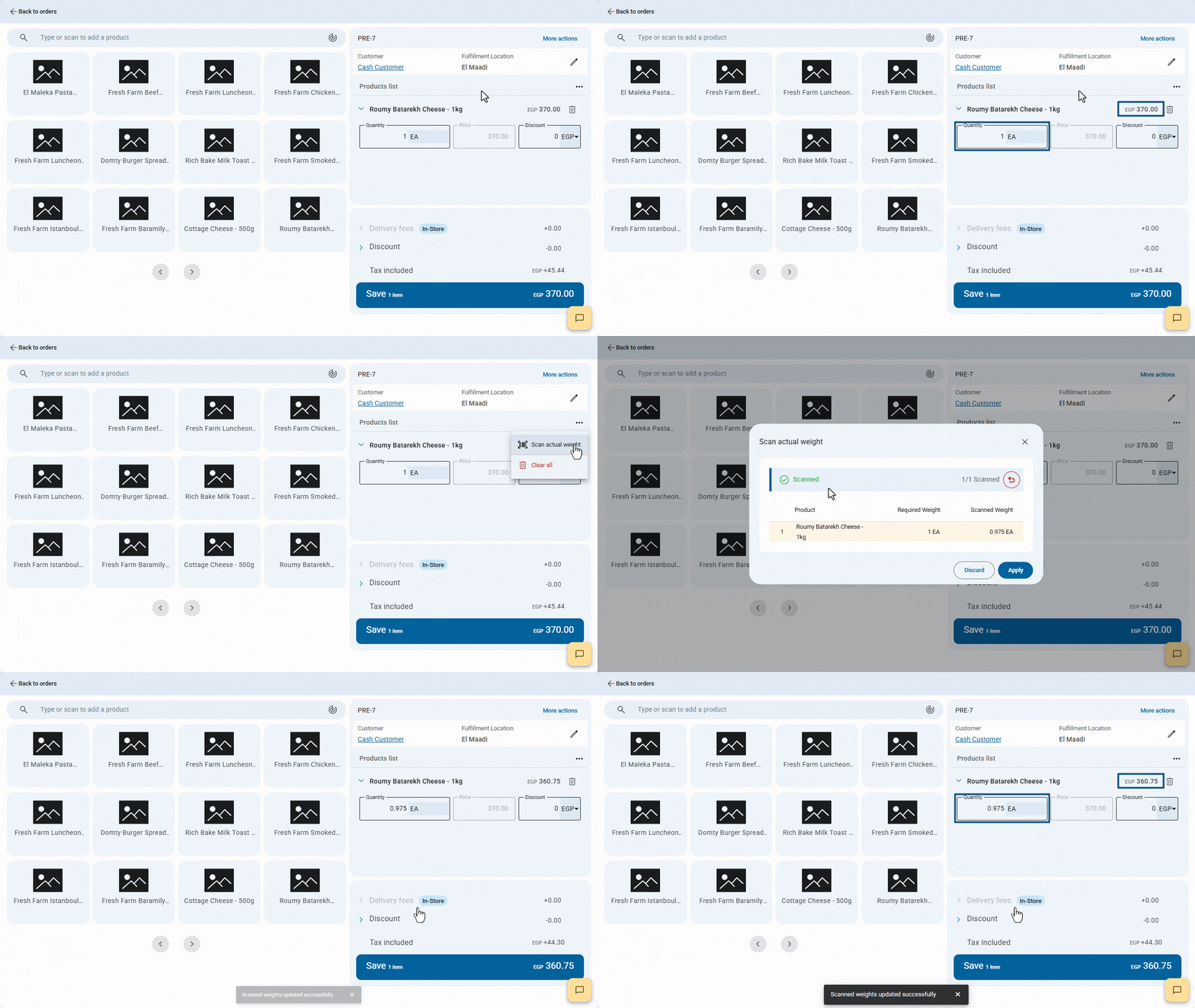
Scan and Update Actual Weights for Weighted Products
When selling weighted products like cheese, grains, or nuts, the final weight after preparation can differ from the required in the order affecting both total price and quantity.
With this update, you can scan the product’s barcode to instantly capture its actual weight and update the order automatically.
This ensures precise records, speeds up order processing, and keeps customers satisfied.
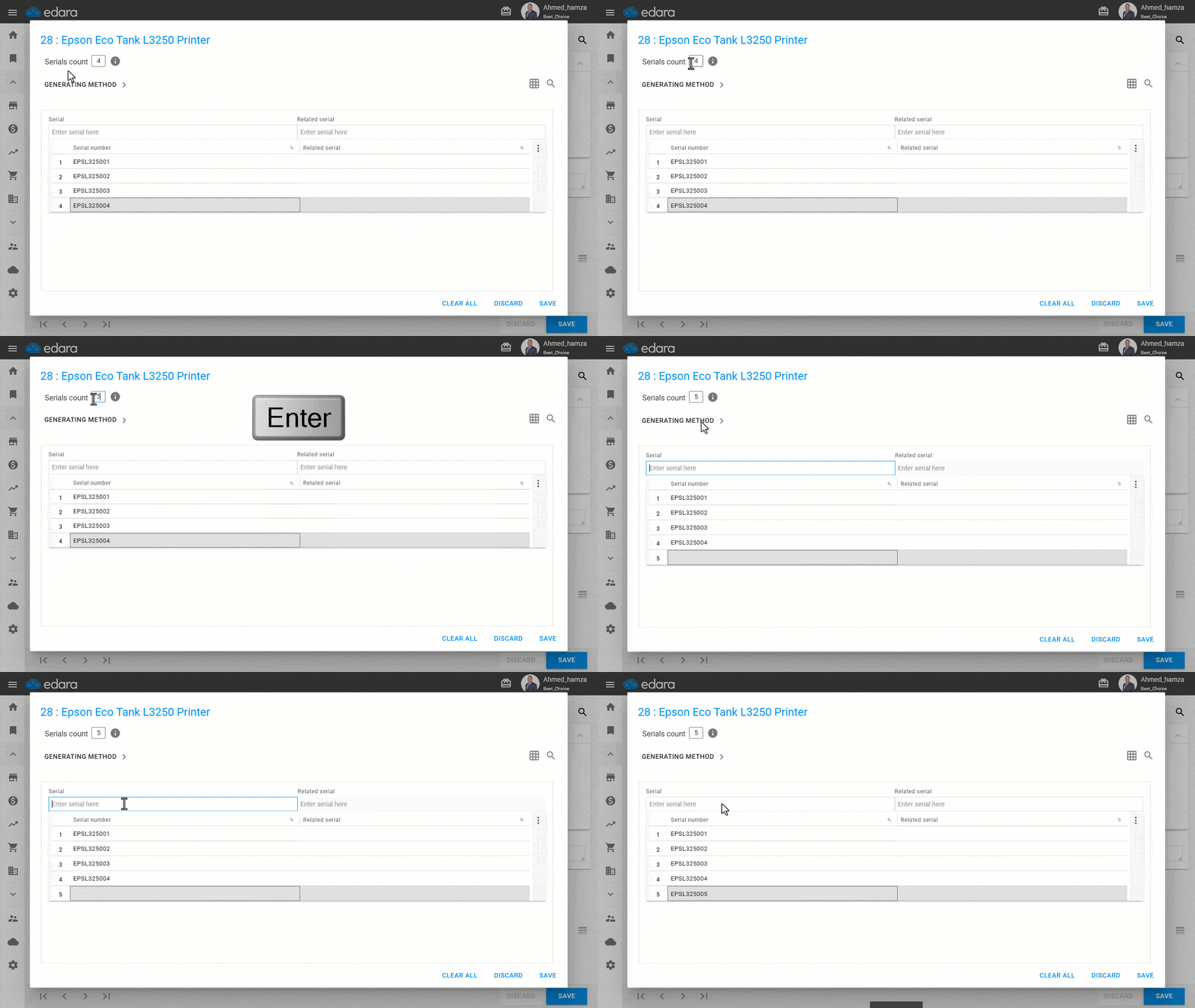
Adjust Stock Item Quantity from the Serial Entry Window
Things don’t always go as planned when receiving goods — a unit might arrive damaged, or an extra one could be added at the last minute.
With this update in Edara, you can quickly adjust the serials count for any item directly from the Serial Entry window, and the document updates instantly to match.
This gives your team more flexibility to handle unexpected changes without slowing down the workflow, while keeping stock data accurate and reliable.
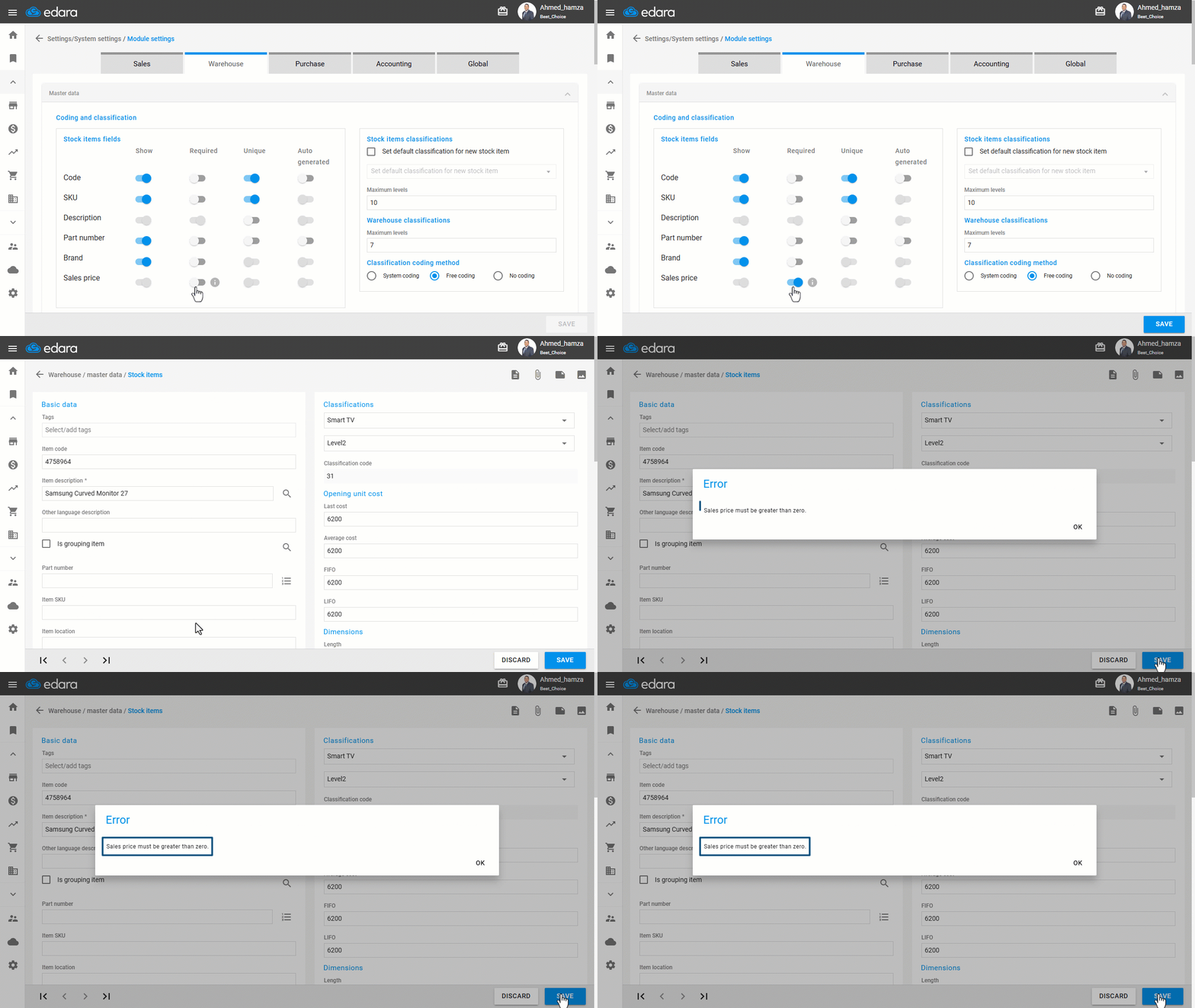
Required Sales Price for Stock Items
Forgetting to set a Sales Price, or accidentally entering zero, can block sales if sales users don’t have permission to change prices in Sales Orders.
With this update in Edara, you can require a Sales Price greater than zero when creating or updating a Stock Item — preventing mistakes and keeping sales running without interruptions.
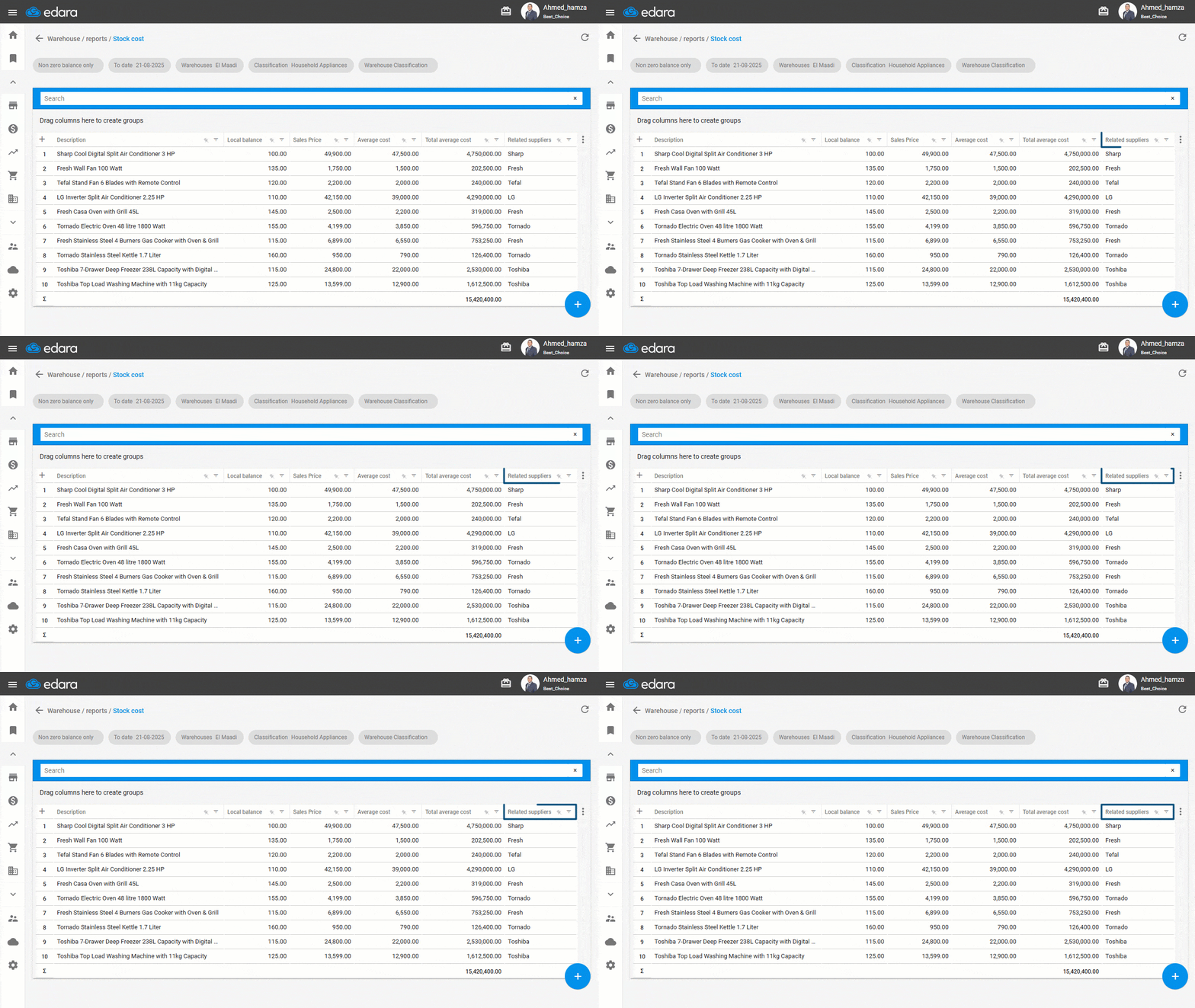
Displaying Related Suppliers in the Stock Cost Report
You can now display the related suppliers for each item — as defined earlier in the Stock Item page — directly within the Stock Cost report, adding greater accuracy and clarity when tracking item-supplier relationships.
These updates are designed to make your operations smoother, more efficient, and more precise. Stay tuned, there’s always more to come.
Related articles

Edara’s Mid-Year 2024 Review
In our ongoing commitment to enhance and develop, Edara has implemented several new features designed to streamline operations and support effective business management. Throughout the first half of 2024, we…

March 2022 Updates: Exploring Practical Enhancements in Edara
Our journey at "Edara" has been marked by a commitment to continuous improvement, striving to enhance the program with features that save time and effort for smoother organizational management. In…

November 2021 Updates: Streamlining Operations in “Edara”
In November 2021, Edara unveiled a series of impactful updates aimed at enhancing functionality. These updates introduce new features and improvements across various aspects of the system, ranging from order…