July 2026 Updates: More Flexibility in Printing Sales Documents
2 Reading minutes
The July 2026 updates in “Edara” give you more flexibility when working with sales documents, through new improvements in print templates, balance display options, and more.
In this article, we walk through the key updates in more detail.
Creating Customized Document Print Templates
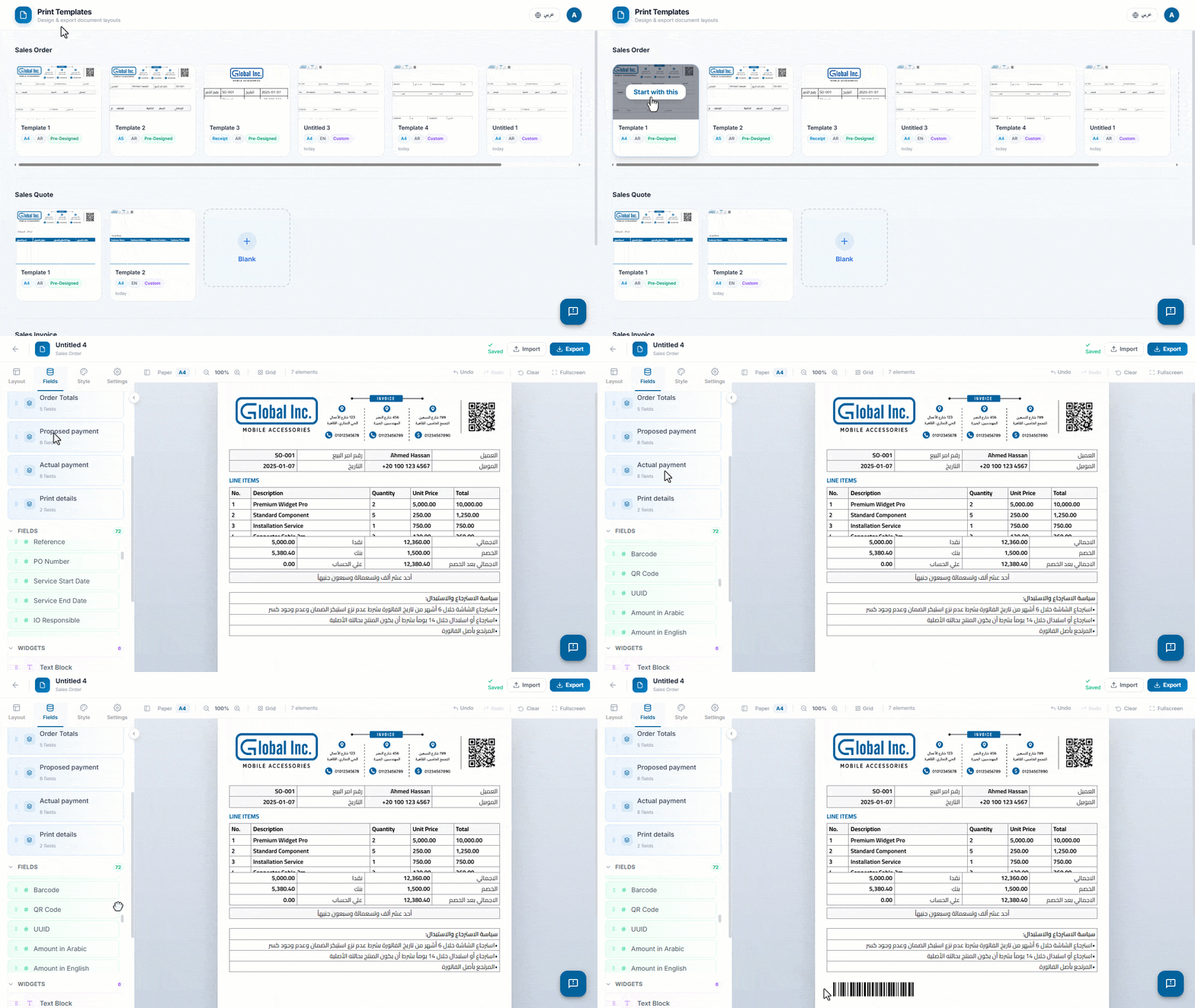
In some businesses, a single print layout is not enough. Teams may need to show specific customer details, organize invoice line items more clearly, or use a format that better reflects their brand and document requirements.
With the “Print Designer” in “Edara”, you can create custom templates for Sales Orders, Sales Quotes, and Sales Invoices, with more flexibility in organizing data, tables, and formatting, helping you generate clearer documents that match your workflow.
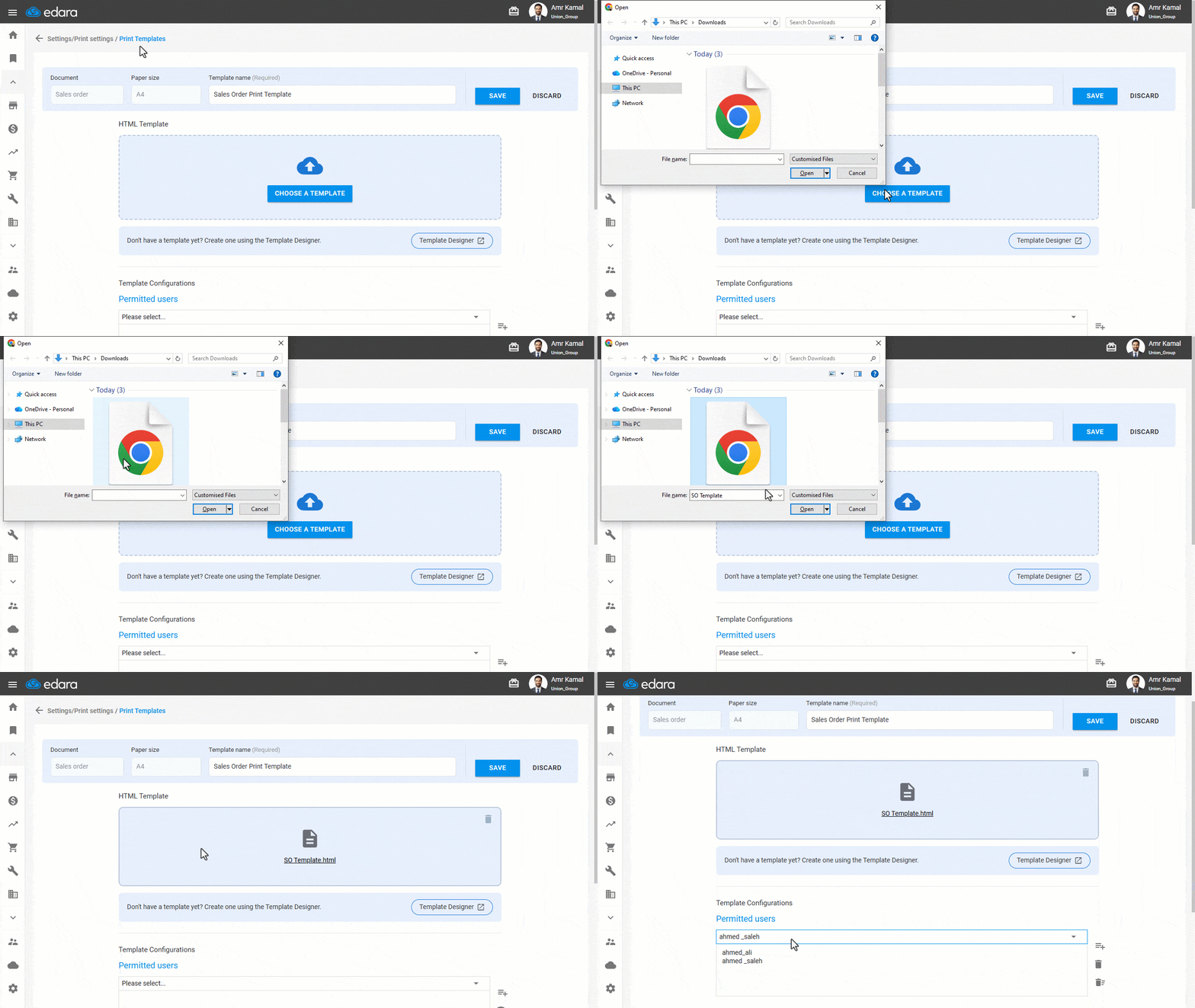
Importing Print Templates in Advanced Mode
After designing a print template that matches your needs, you can import and use it in “Edara” through the Advanced Mode.
This mode allows you to apply pre-designed templates to sales documents, such as Sales Orders, Sales Invoices, and Sales Quotes, while defining which users can access each template and adjusting the print settings to match your workflow.
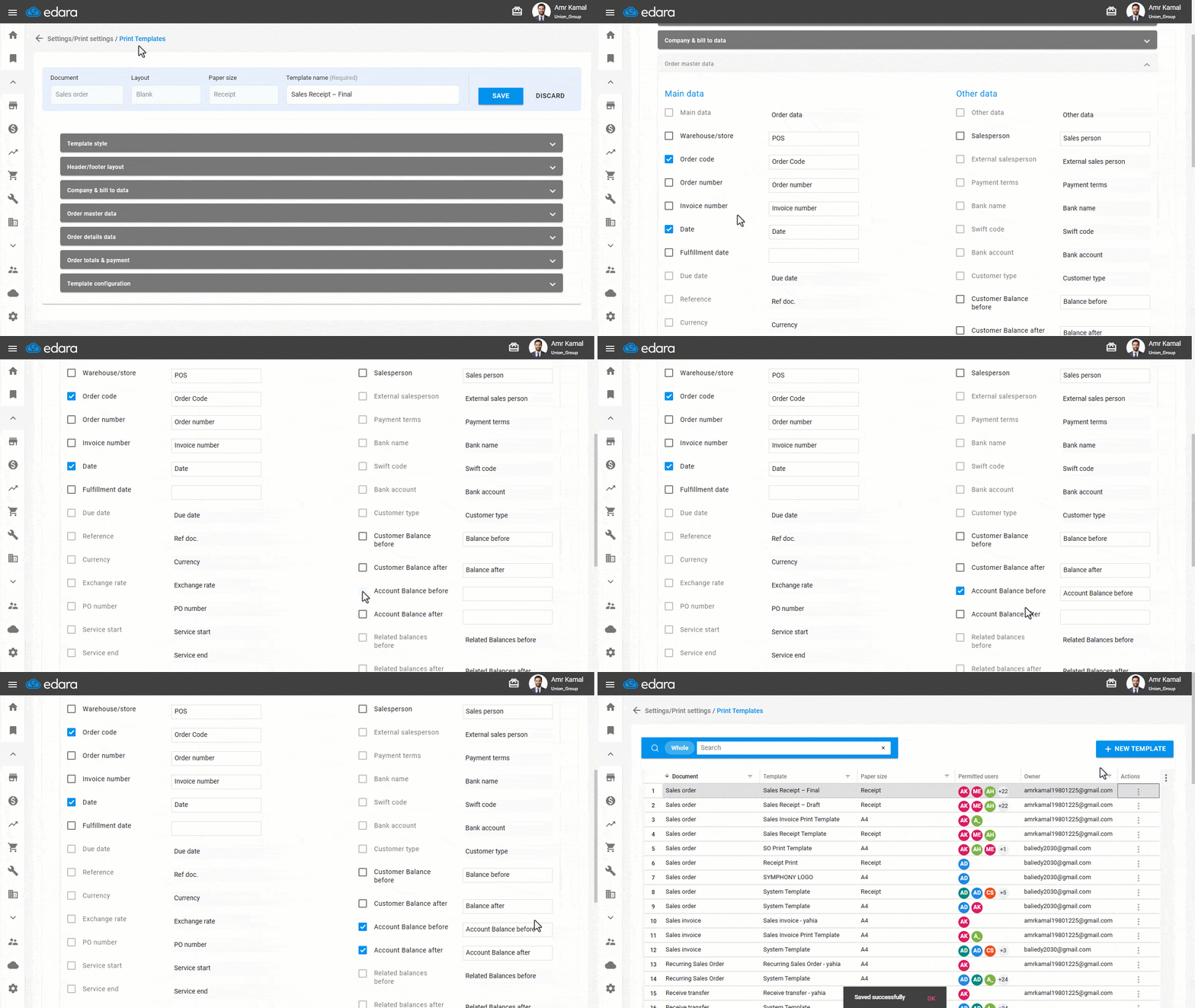
Displaying Account Balances Before and After Sales Document in Print Templates
When an account is linked to both a customer and a supplier, showing only the customer balance in printed documents may not give the full picture, as the account may also include supplier-related transactions.
“Edara” now allows you to display the account balance before and after the sales document within print templates, showing the total balance across all account transactions and ensuring more accurate printed data.
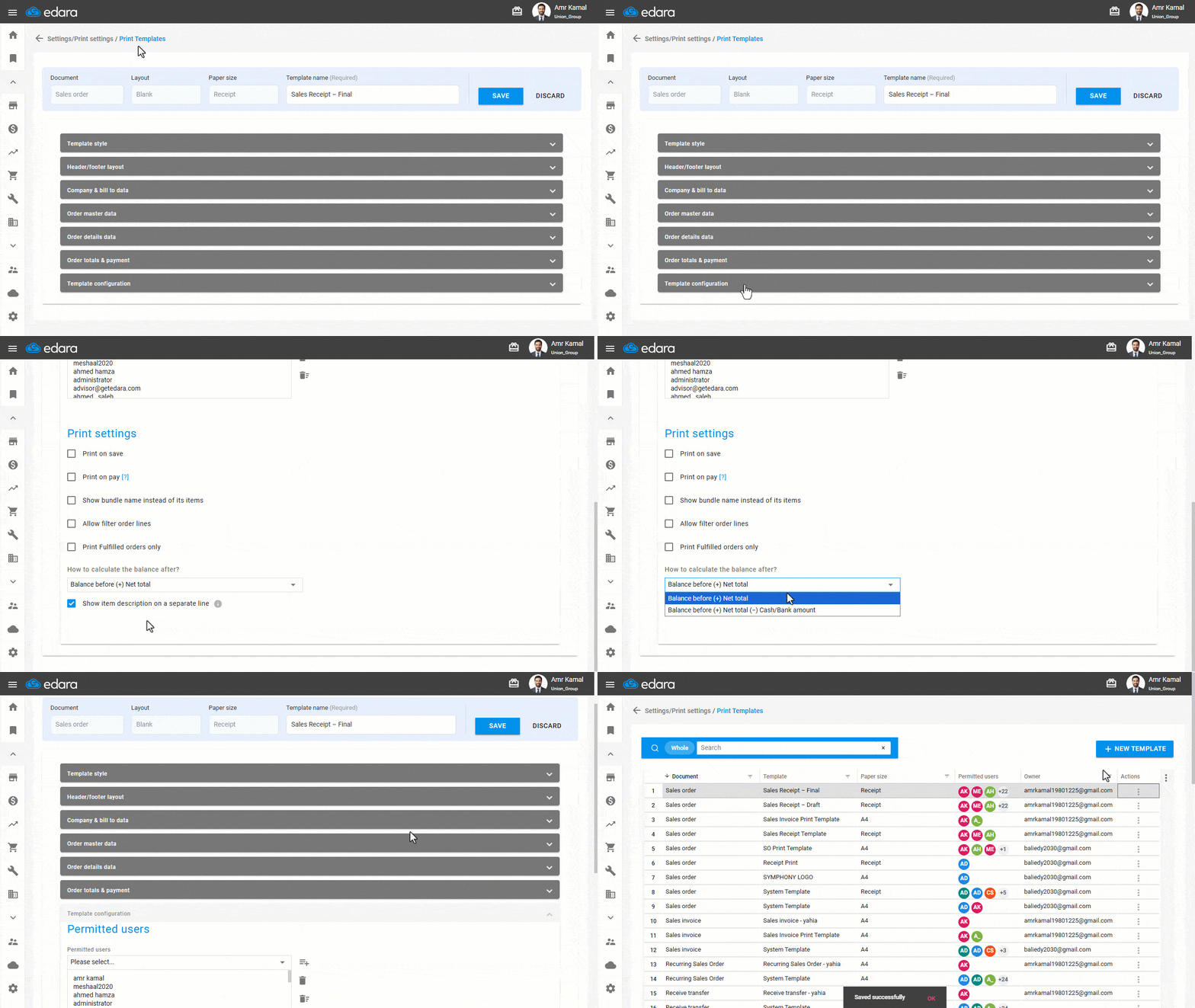
Selecting the Balance Calculation Method After a Sales Order in Print Templates
When a Sales Order is created with a full or partial cash or bank payment, the balance after the order may appear inaccurate in print if the collected amount is not reflected in the calculation.
“Edara” now allows you to choose how the balance after a Sales Order is calculated in print templates, either after adding the order value only, or after deducting the cash or bank amounts collected upon creation, ensuring that the correct balance appears in printed documents.
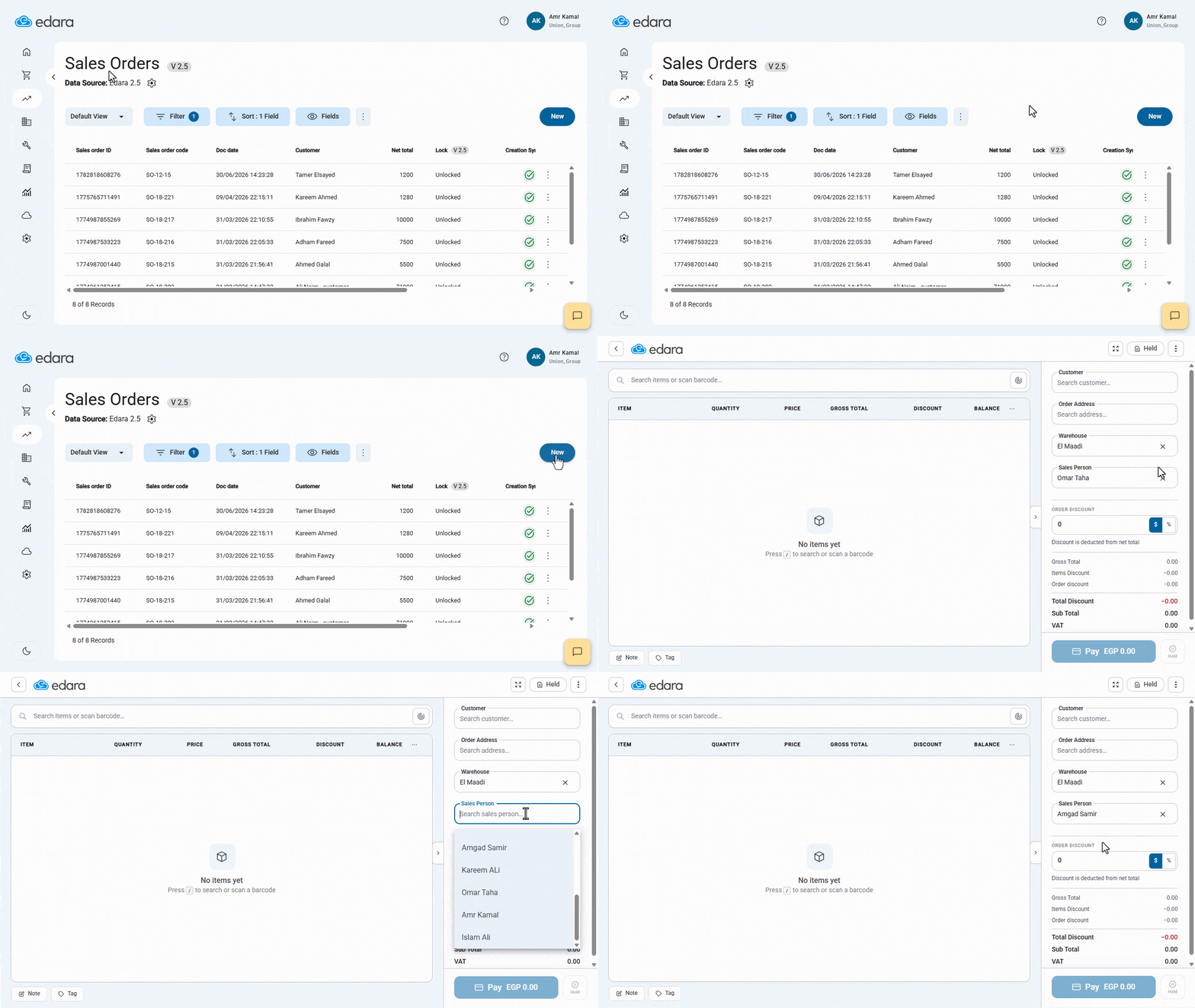
Selecting a Salesperson in Sales Order 2.5
In some cases, a user may need to assign a Sales Order to a sales representative other than the default one.
“Edara” now allows you to select the Salesperson directly within Sales Order 2.5, while the default salesperson appears automatically and can be changed based on the user’s permissions. This gives you more flexibility while maintaining accurate reporting and follow-up.
That’s it for the July 2026 updates, and our updates are still ongoing.
Related articles

March 2026 Updates: Stronger Control, Smarter Operations, Faster Communication
The March 2026 updates introduce a new layer of operational control and financial accuracy, while making client communication more seamless within your daily workflow. In this article, we take a…
August 2022 Updates: Edara Boosts Work Efficiency
In August 2022, Edara rolled out a series of updates aimed at enhancing the user experience and streamlining various processes. These updates encompass a range of features designed to simplify…

September 2026 Updates: Better Management of Sales, Customers, and Data
September 2026 brings new Extensions to Edara that help you strengthen customer relationships and better organize your sales team’s work, along with improvements that give you more flexibility when importing…