August 2026 Updates: New Tools for Data Management and Report Sharing
4 Reading minutes
Edara’s August 2026 updates introduce new Extensions, including “External Share” and “Data Manager”, along with enhancements that give you greater flexibility when managing data, processing payments, and working with Shopify.
Here is a closer look at the key updates.
External Share: Greater Flexibility in Sharing Your Data
The “External Share” extension gives you the ability to share specific data with people outside Edara without creating user accounts for them or giving them access to information that does not concern them.
-
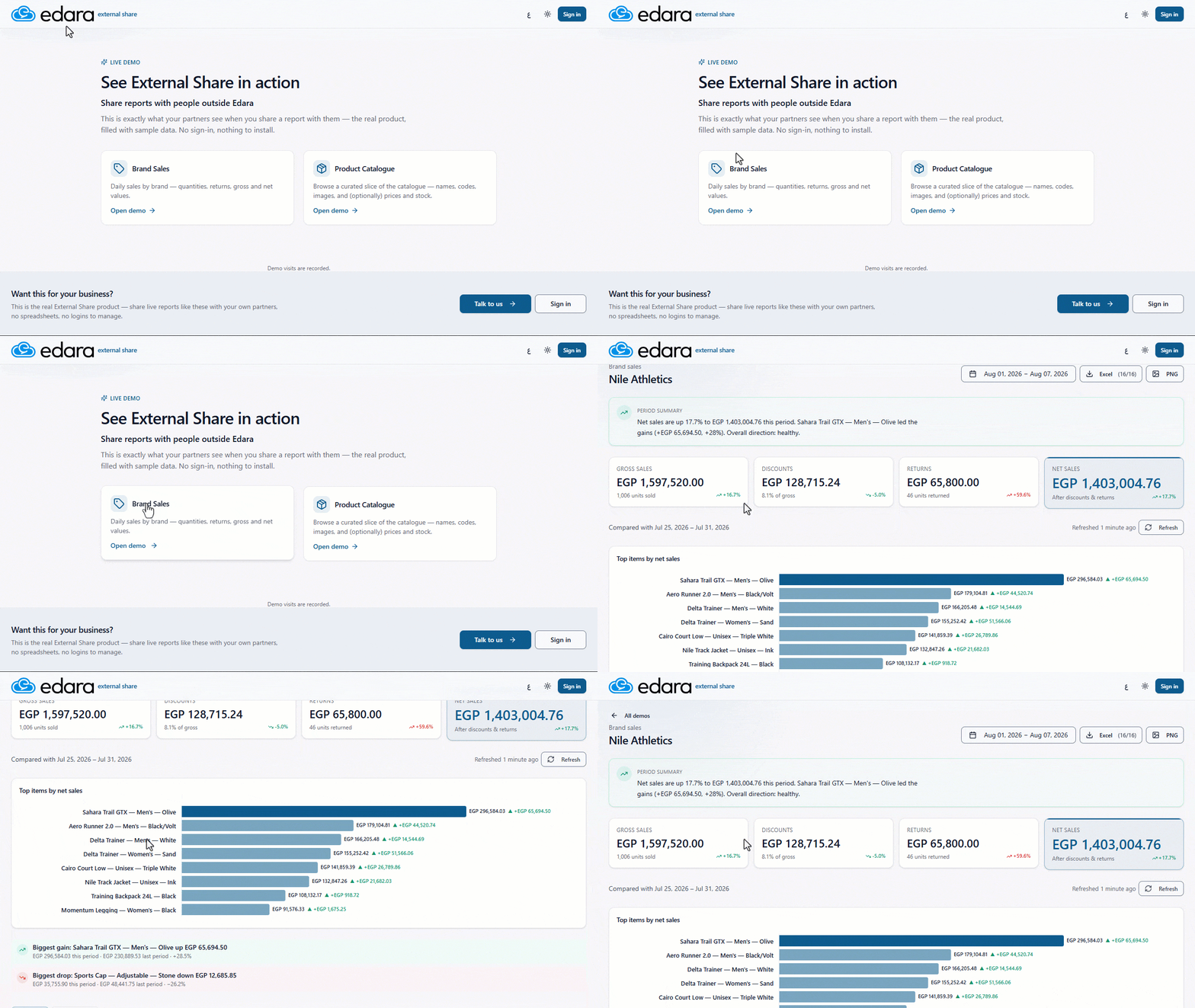
Sharing Reports with People Outside Edara
For stores that carry products from multiple brands, or businesses that operate on a consignment model, you may need to share each brand’s or supplier’s data with the relevant party without giving them an Edara account or access to data that does not concern them.
With “External Share”, you can share selected reports with people outside Edara while controlling what each recipient can view and how they access it, making it easier to share relevant information with each party while keeping the rest of your business data private.
-
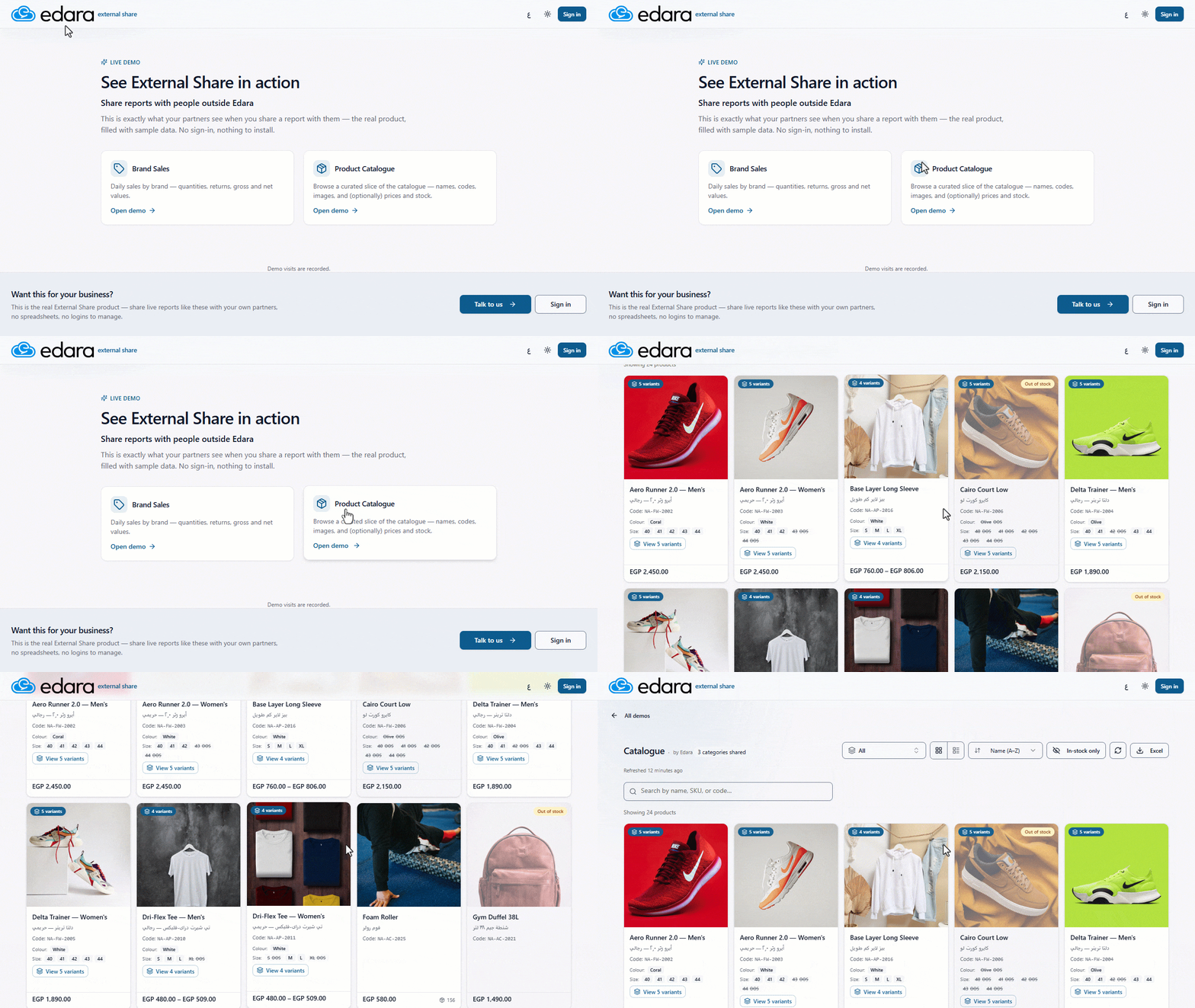
Sharing Product Catalogues
For wholesale and distribution businesses, you may need to share selected products with customers or retailers, along with details such as product names, codes, images, prices, and stock levels.
With “External Share”, you can create and share a product catalogue through a public link without requiring recipients to log in. You can control which products and information are displayed, making it easier to provide customers and retailers with an up-to-date product catalogue.
Data Manager: More Ways to Import and Organize Data
The Data Manager extension gives you more flexibility when importing data, with tighter control over user permissions and broader support for item data.
Below are the latest updates now available in “Data Manager”:
-
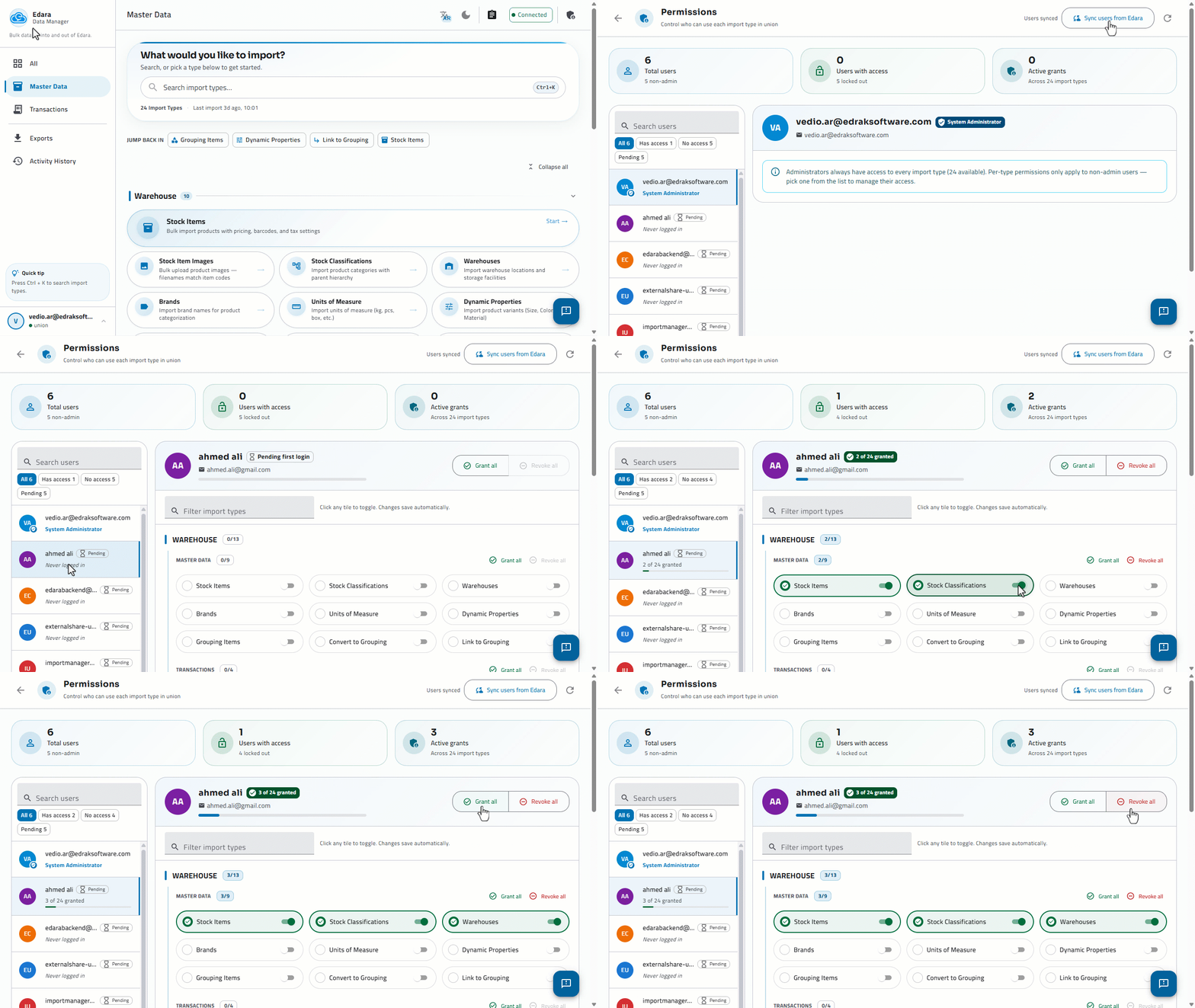
Controlling User Permissions in “Data Manager”
With multiple users, you may need to grant each user the permissions corresponding to their responsibilities.
You can now manage permissions in “Data Manager” and decide which features are available to each user, helping you organize import operations and keep access under control.
-
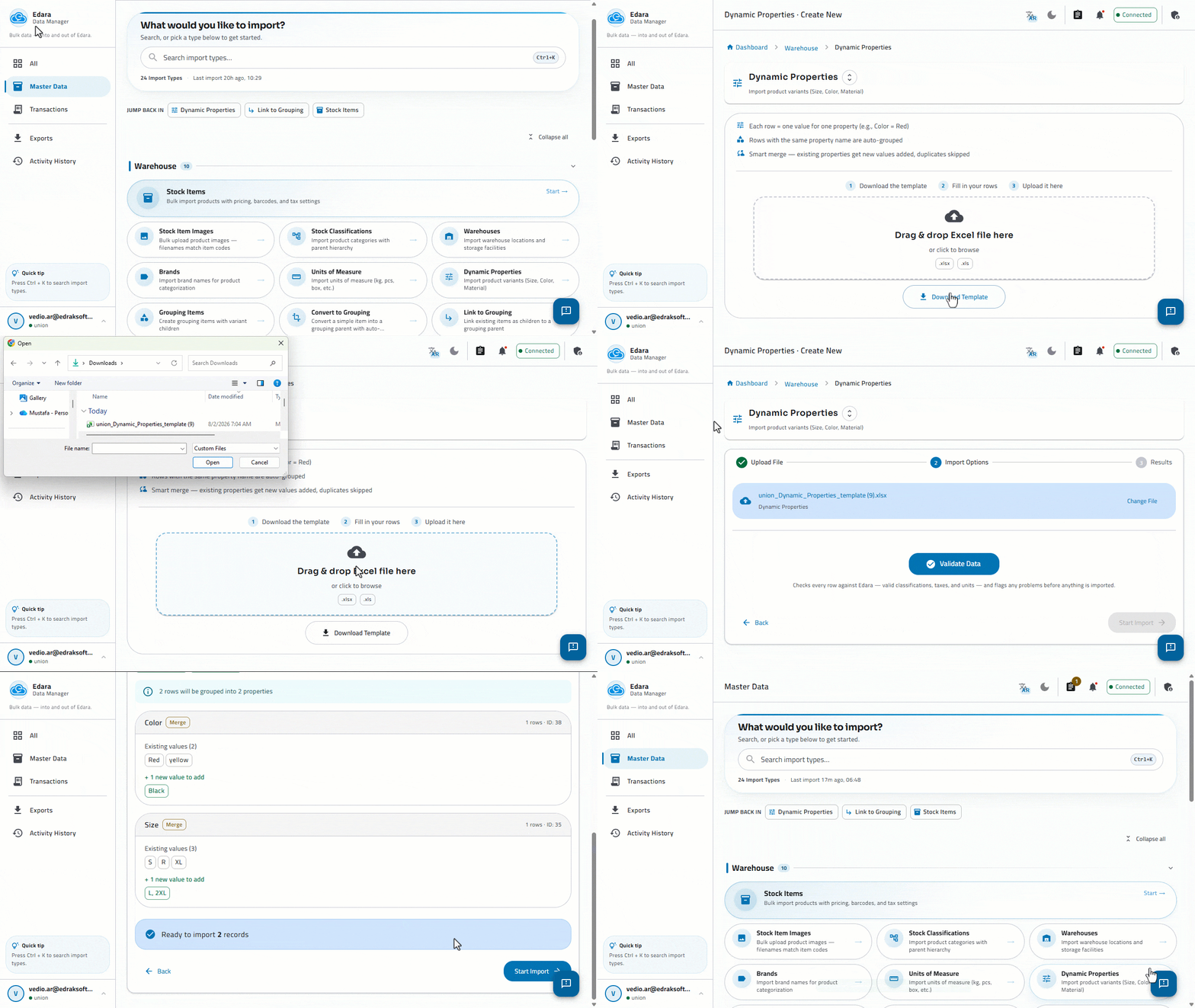
Importing Grouping Items Properties
Before creating grouping items, you may need to add a large number of properties—such as colors and sizes—which can take time to enter manually.
Data Manager now lets you import these variants and their values in bulk. You can add new properties or complete the values of existing ones in bulk, making it faster to prepare grouping items data.
-
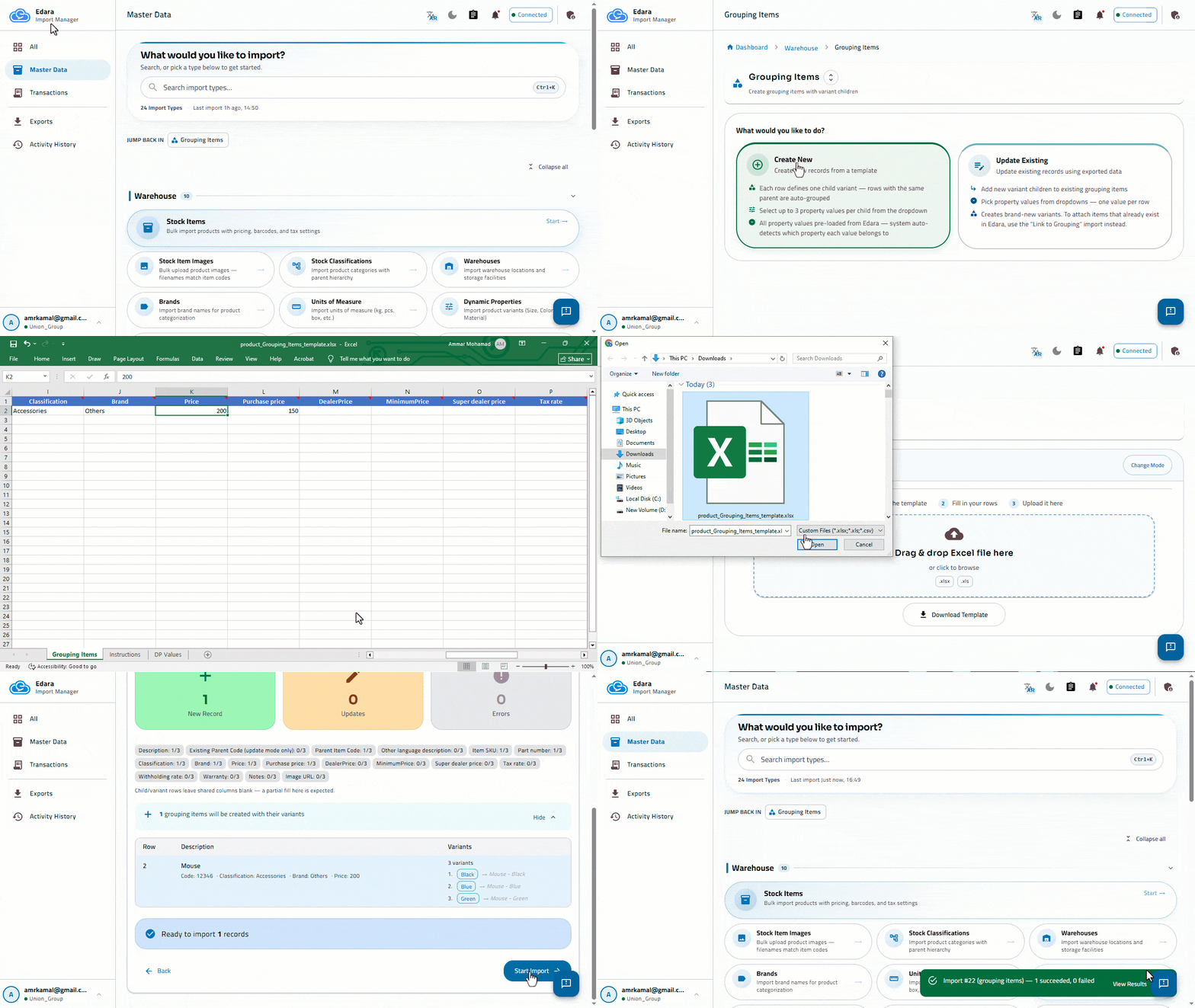
Creating Grouping Items
When creating a large number of items with variants, such as different sizes or colors, manually creating each grouping item and its child items can be time-consuming.
Edara allows you to create grouping items using the “Data Manager”, enabling you to create the parent item, child items, and their associated values in a single operation, making it easier to create grouping items and all their related child items.
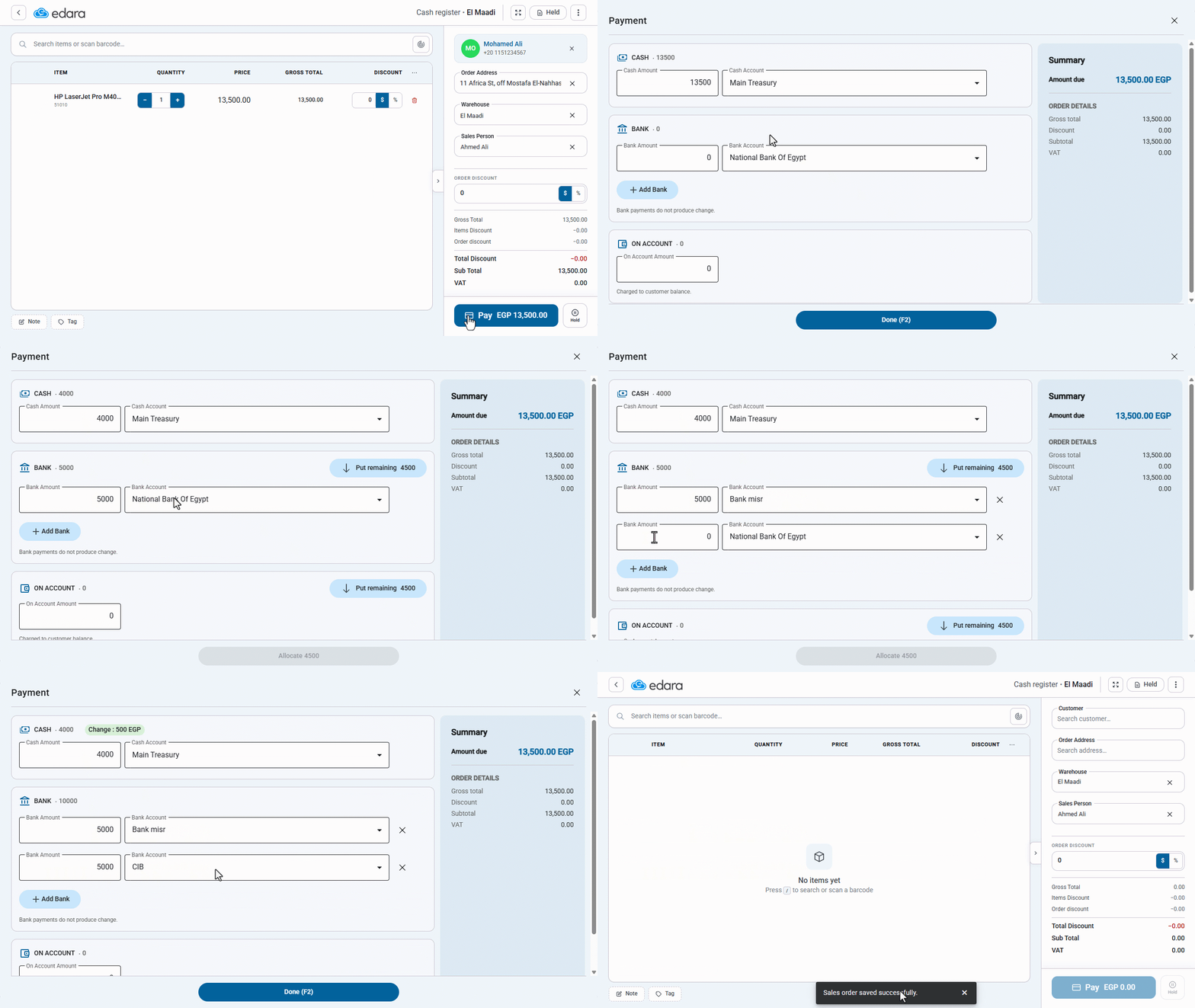
Using Multiple Payment Accounts at the POS
A customer may pay for the same order using more than one method—for example, partially in cash, partially by bank card, and partly through an e-wallet or another bank account.
You can distribute the order amount across multiple payment accounts within the same POS transaction, with each amount recorded against the correct account. You can also pin your most frequently used payment account as the default, so it is automatically selected for future transactions.
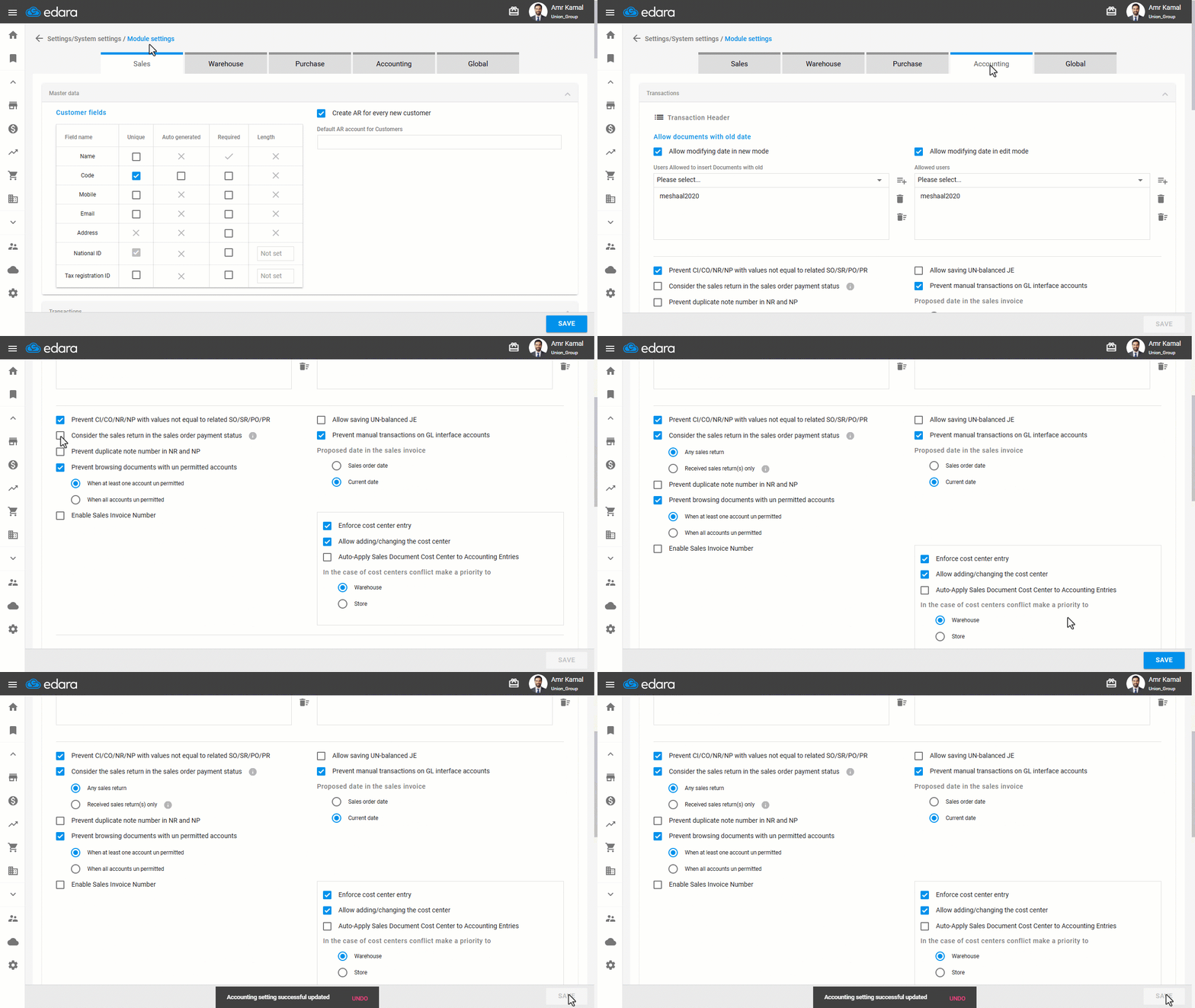
Including Sales Returns in Sales Order Payment Status
When a sales return is linked to a sales order, its value may cover part or all of the unpaid amount, but the payment status may not automatically reflect that return.
Edara can now include the value of a linked sales return when calculating the sales order’s payment status. Based on your workflow, this can happen as soon as the return is created or after the returned items are received into stock.
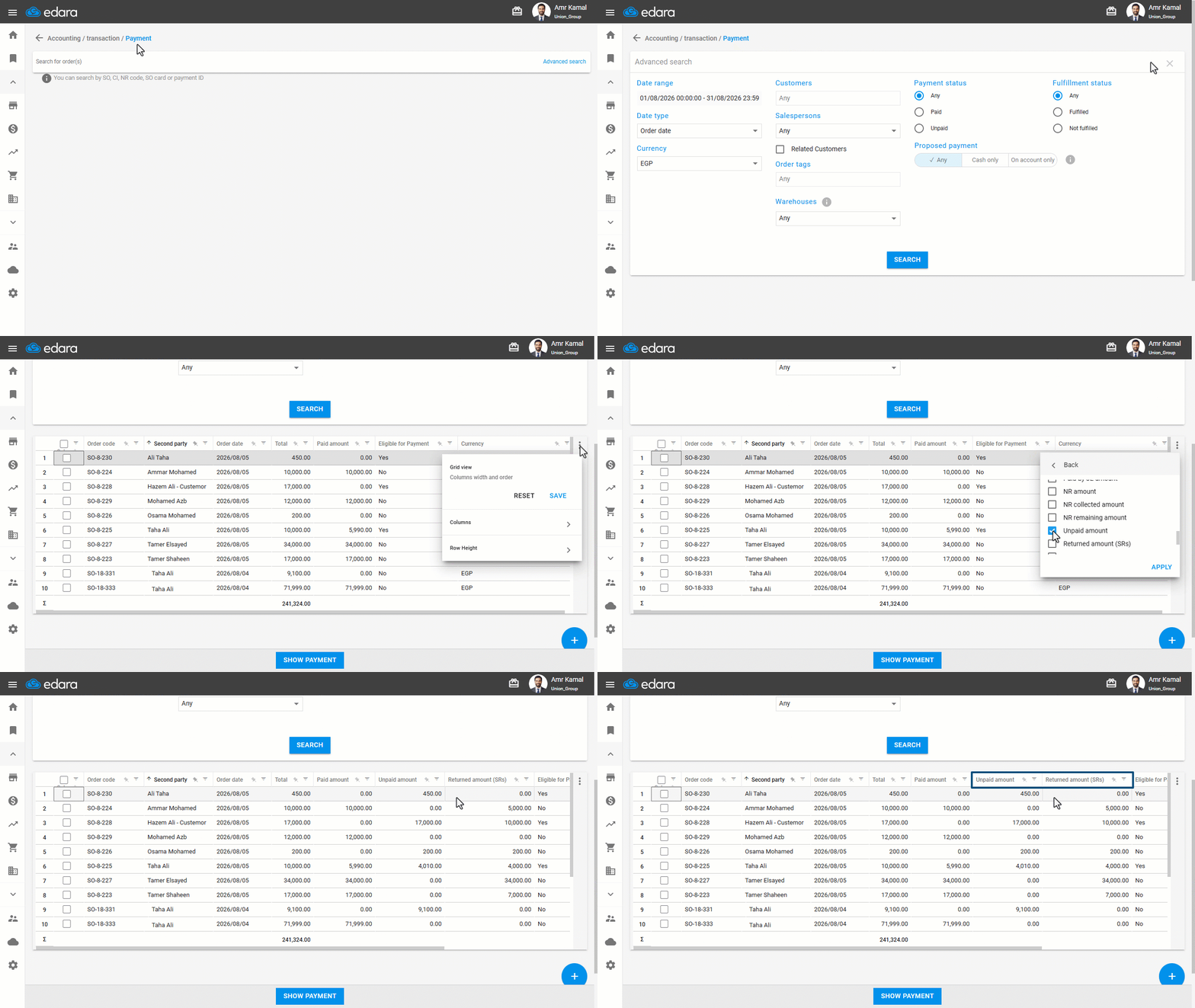
Displaying Unpaid and Returned Amounts on the Payment Page
For businesses that rely on shipping companies, reviewing the unpaid amount and the amount of linked returns before updating payment status is essential—especially when handling a high volume of daily orders and returns.
The Payment page now displays the unpaid amount and return amount for each sales order, making it easier to verify the amounts before updating its payment status.
That’s why “Management” lets you view the outstanding amount and the value of returns for each sales order on the payment page, helping you review the amounts and verify their accuracy before updating the payment status.
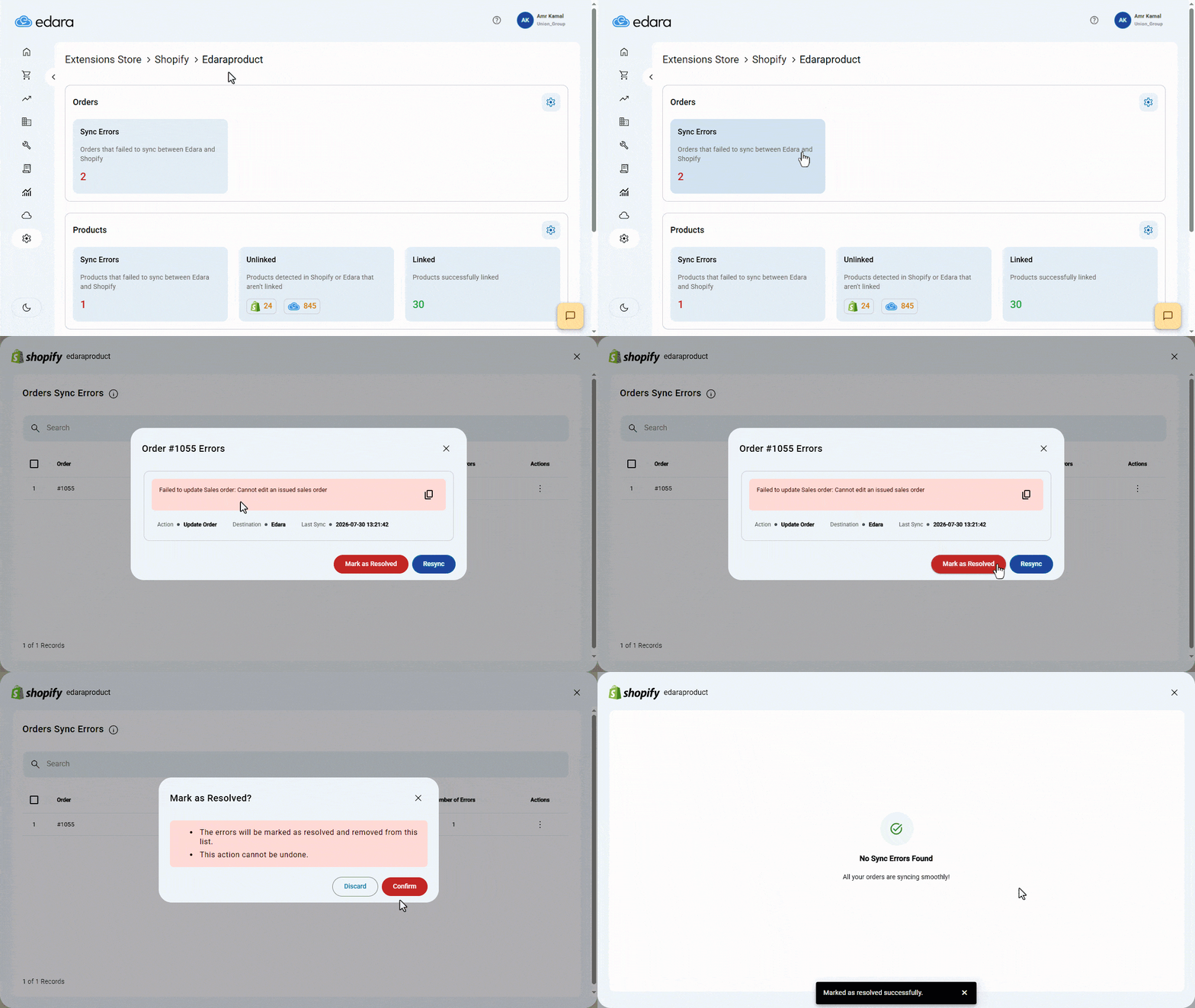
Managing Synchronization Errors When Integrating with “Shopify”
When multiple errors occur while synchronizing orders, customers, or products with Shopify, tracking error messages and handling each one separately can become difficult, especially as the number of synchronization operations increases.
Edara now lets you view synchronization errors listed by order, customer, or product, review all errors associated with each record, then retry the synchronization for all related errors at once or mark errors that require no action as Resolved, making synchronization management more organized and efficient.
That covers the August 2026 updates—and there is more to come.
Related articles

September 2021 Updates: Streamlining Business Operations with Edara
This month's release brings an array of exciting features and improvements aimed at optimizing your business processes. From refining the point of sale (POS) experience with enhanced search functionalities to…

July 2025 Updates: 6 Powerful Enhancements for Smarter, More Agile Operations
In the July 2025 updates, we introduced a set of features focused on improving integrations, customizing user interfaces, and enhancing reporting accuracy — all designed to deliver a smoother, more…

March 2026 Updates: Stronger Control, Smarter Operations, Faster Communication
The March 2026 updates introduce a new layer of operational control and financial accuracy, while making client communication more seamless within your daily workflow. In this article, we take a…