


In this article
This month, “Edara” connects with Amazon and Dahua, and gives you new ways to pick, pack, and ship orders, and to handle returns and exchanges.
There’s also a new VAT report, and more control over your customers’ credit limits.
Here’s what’s new.
Shipping Manager
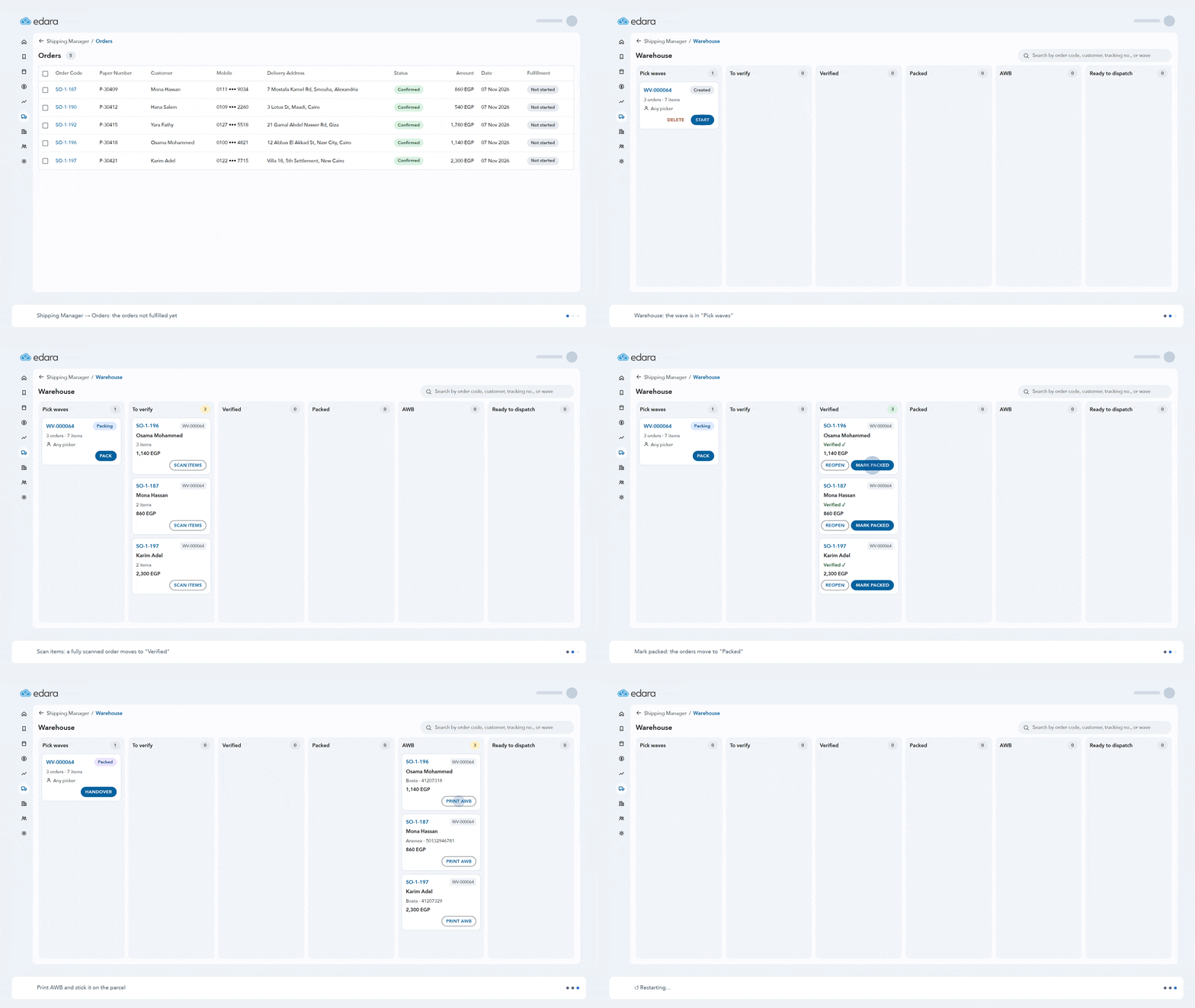
Getting orders ready, checking them, and handing them to couriers takes time every day, and it’s easy to make mistakes.
With “Shipping Manager” in “Edara”, you put several orders in one pick wave and pick their items together. Then you scan each order’s items and mark it packed. Create the shipments, print all the AWBs at once, and hand them over to the couriers. “Edara” updates your stock for you.
Exchanges work in one shipment too. “Edara” creates the sales return and the new order, adds the price difference and shipping fees, and sends it all to the courier, so they pick up and deliver in one visit.
Amazon Integration
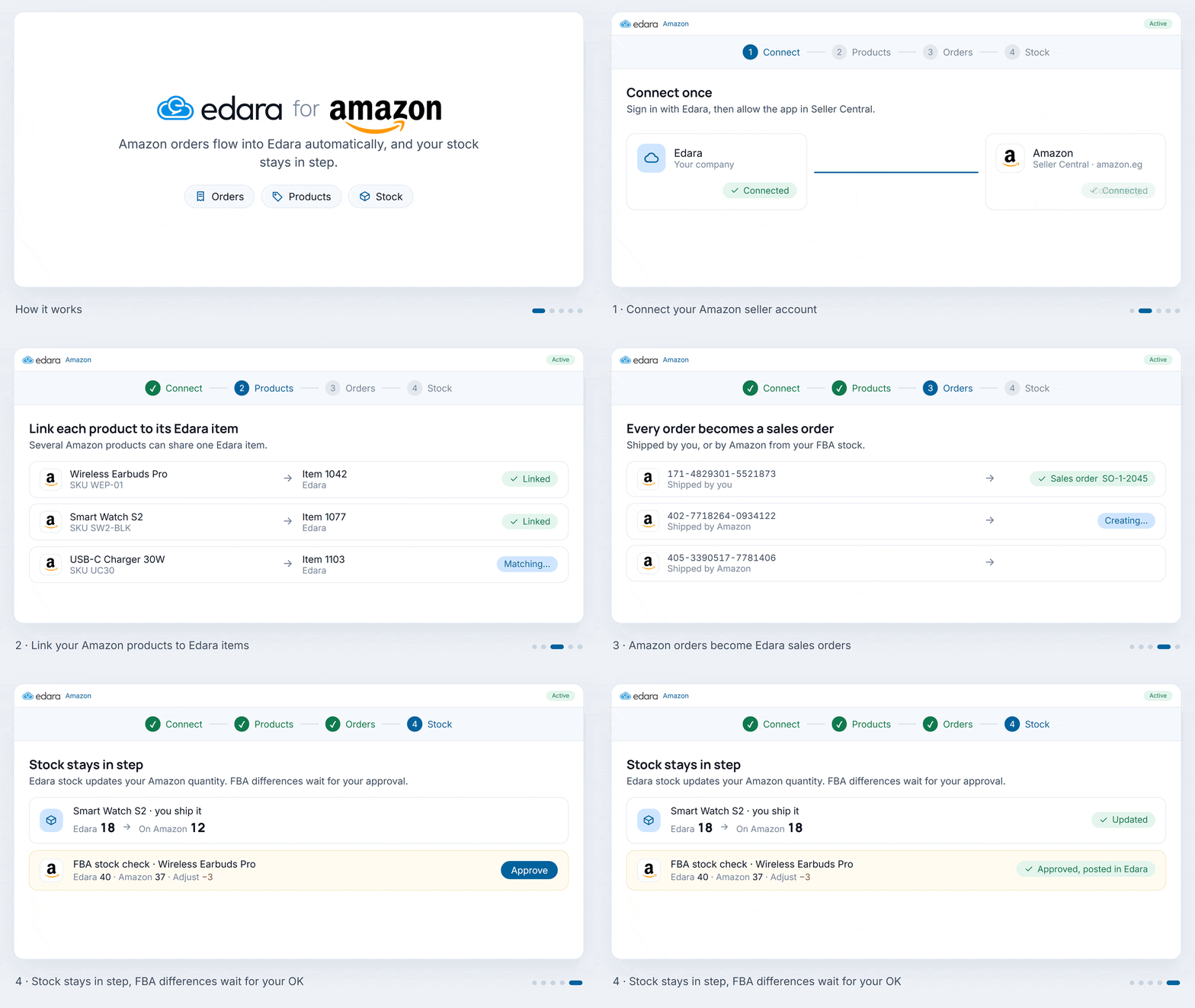
Connect your Amazon account to “Edara” once, and every Amazon order becomes a sales order. No more copying orders by hand.
Stock stays in step for the items you ship yourself. For items shipped by Amazon, FBA differences wait for your approval before “Edara” changes your stock.
You can also review Amazon returns and create sales returns for them, so your sales and stock numbers are always right.
Returns and Exchanges in Point of Sale
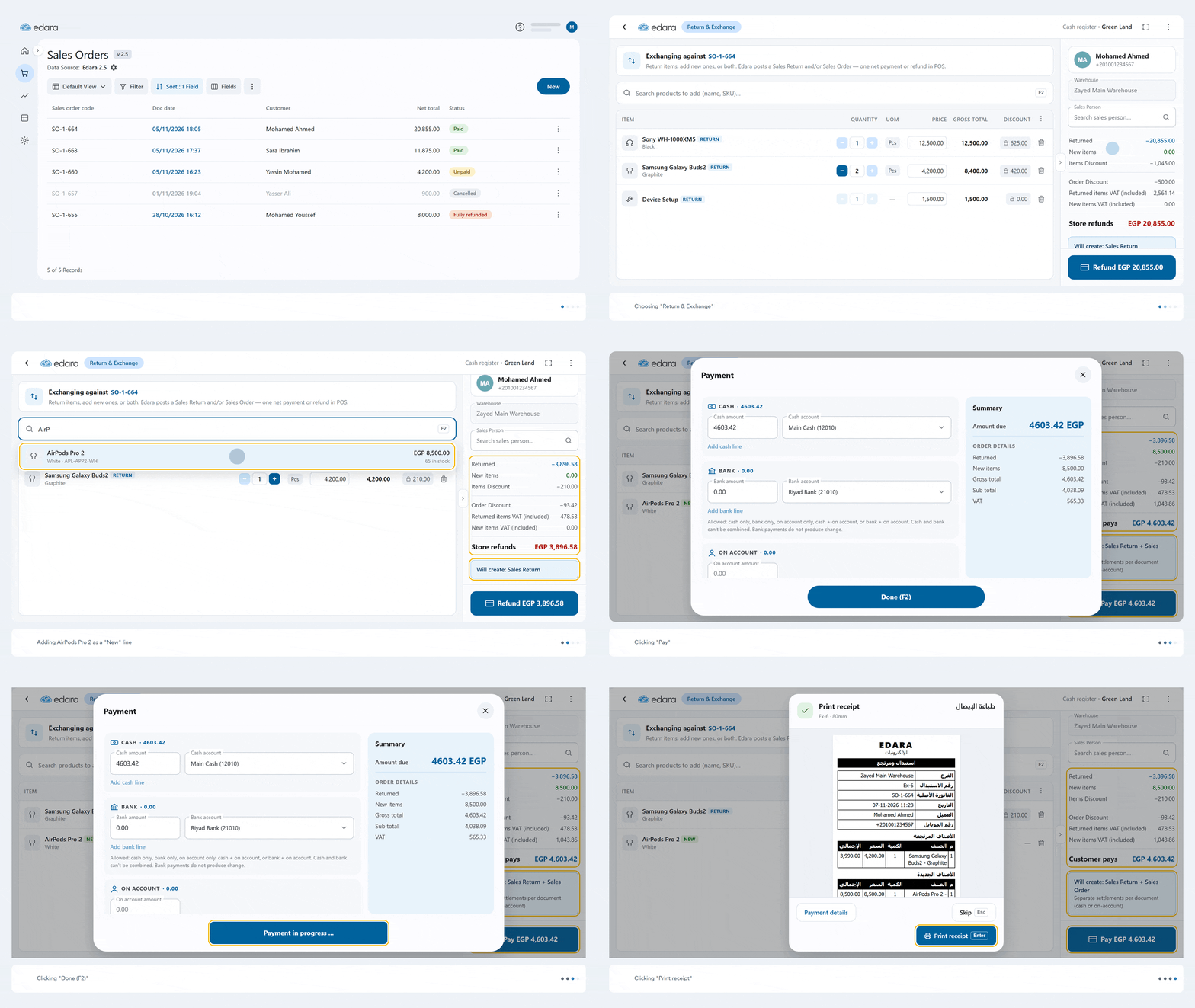
A customer wants to return something, or swap it for something else? Now you can do it right from Point of Sale in “Edara”.
Return the whole order or just some items, or exchange them for new ones in the same step. “Edara” creates the sales return and the new sales order, and works out the difference, whether the customer pays or the store refunds.
VAT Report
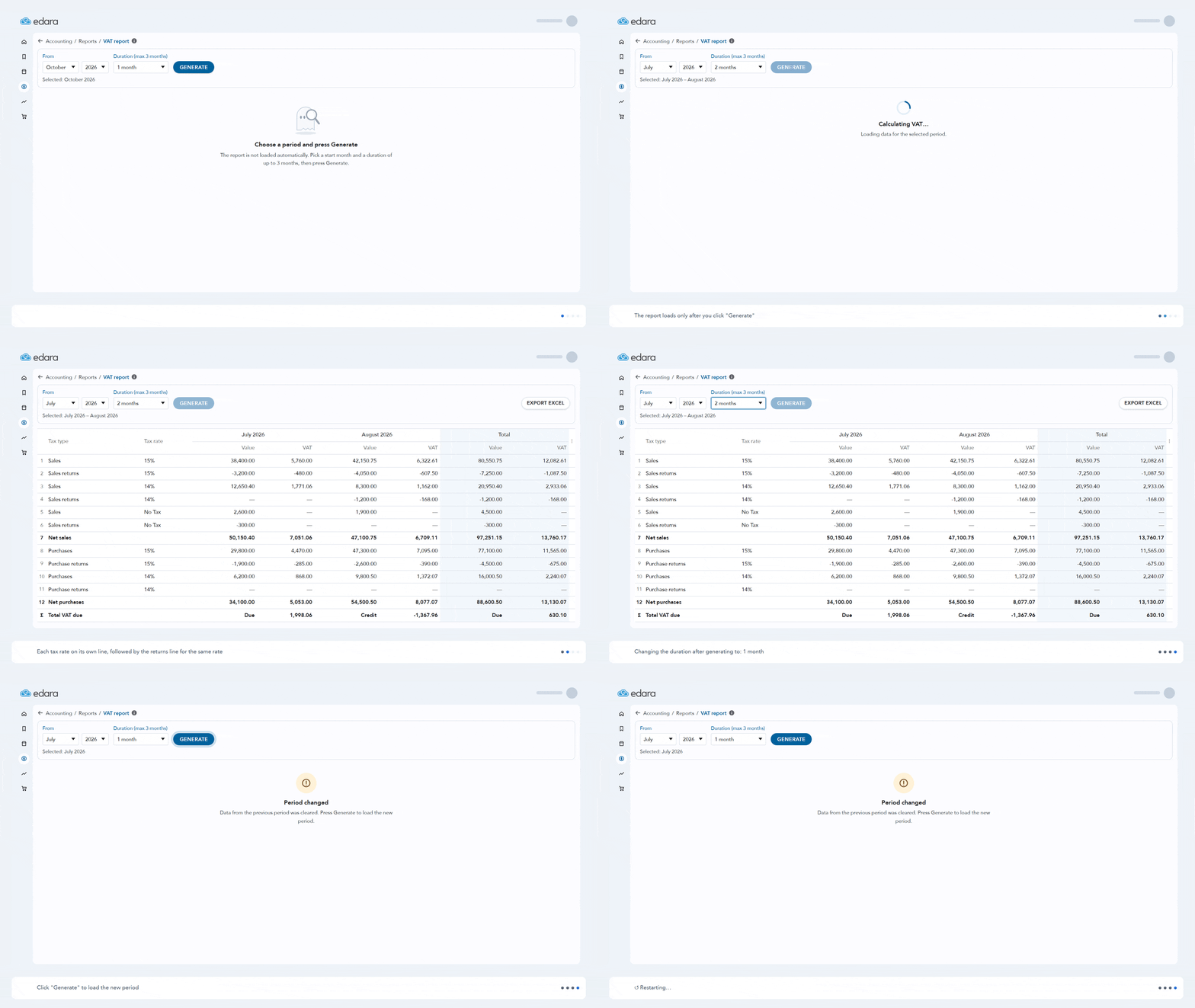
Getting ready for your VAT return usually means collecting your sales, purchases, and returns, then doing the math yourself.
The new VAT report does it for you. Pick a start month and a duration, click Generate, and see your sales, purchases, and returns by tax rate, with net sales, net purchases, and total VAT due. You can export it to Excel too.
Prevent Sales Orders Over the Credit Limit
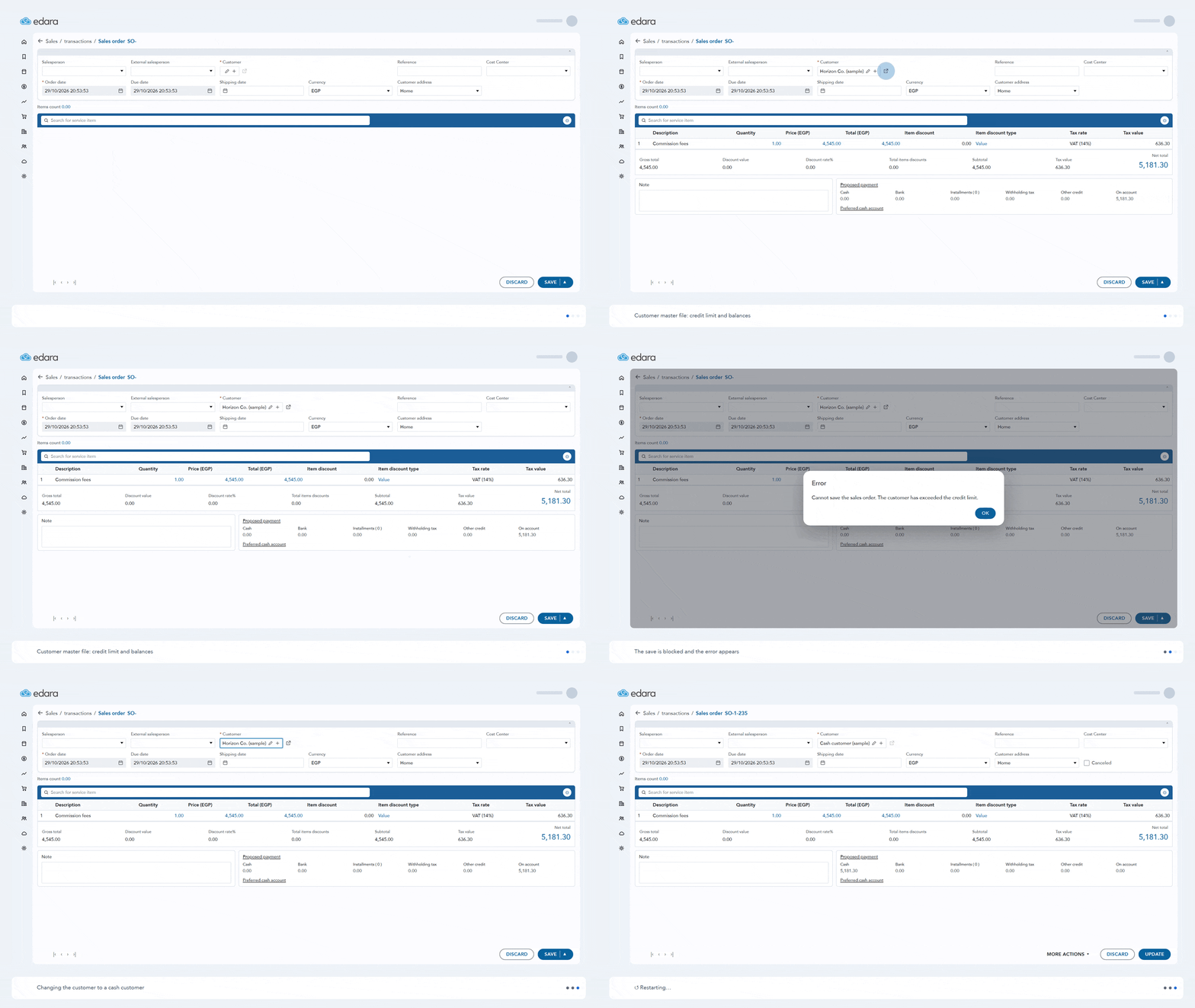
When you sell on credit, new orders can push a customer over the credit limit you set for them.
Turn on “Prevent saving sales order if customer exceeds credit limit” in the sales order settings, and “Edara” won’t save any sales order, new or edited, that takes the customer over their limit.
Credit Limit Based on Customer and Supplier Balances
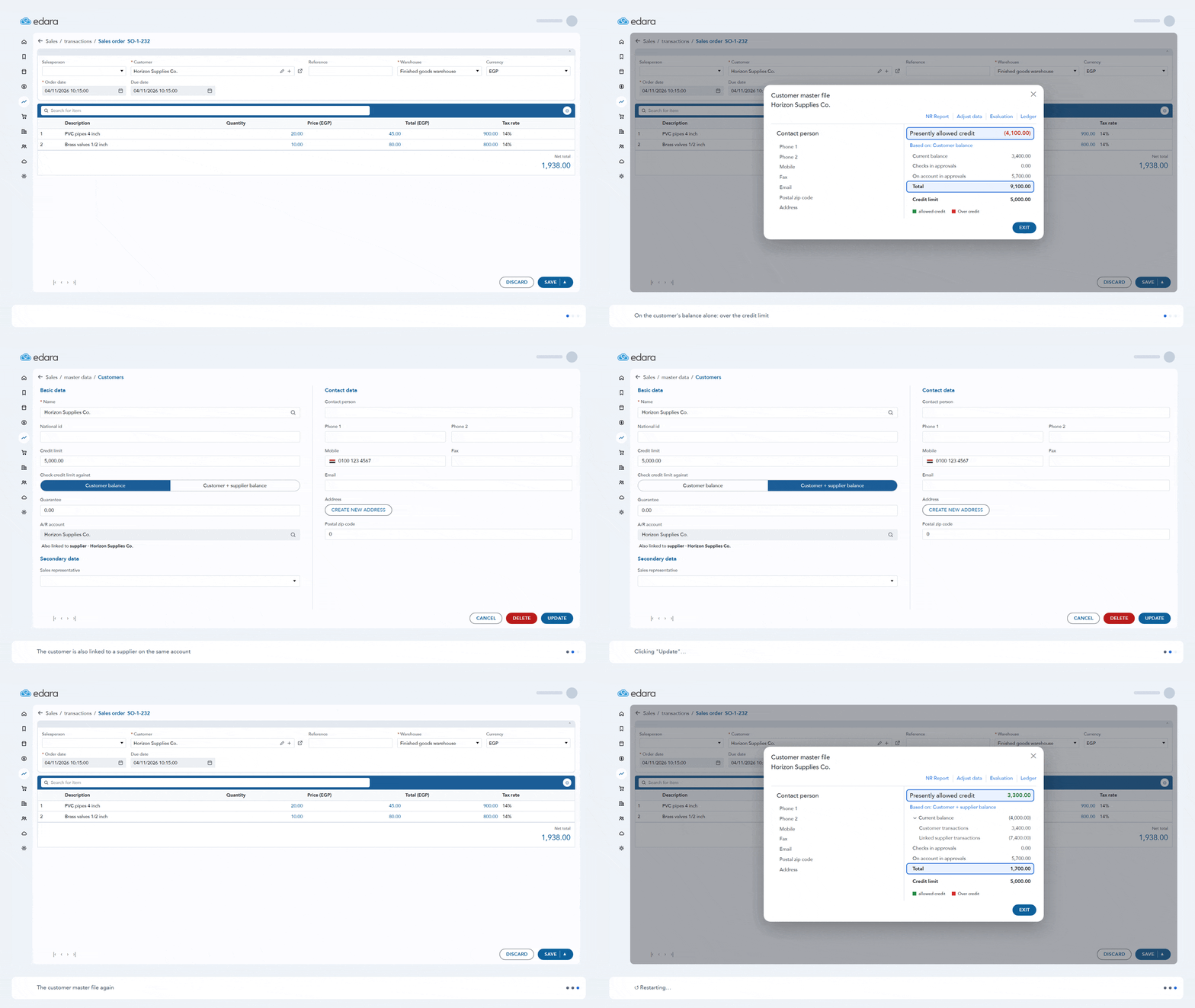
If a company is both your customer and your supplier, its customer balance alone doesn’t tell the whole story.
Set “Check credit limit against” to “Customer + supplier balance”, and “Edara” checks the limit against the net balance of the customer and its linked supplier. You see what they really owe before you sell on credit.
Manage Credit Limit Settings for Many Customers
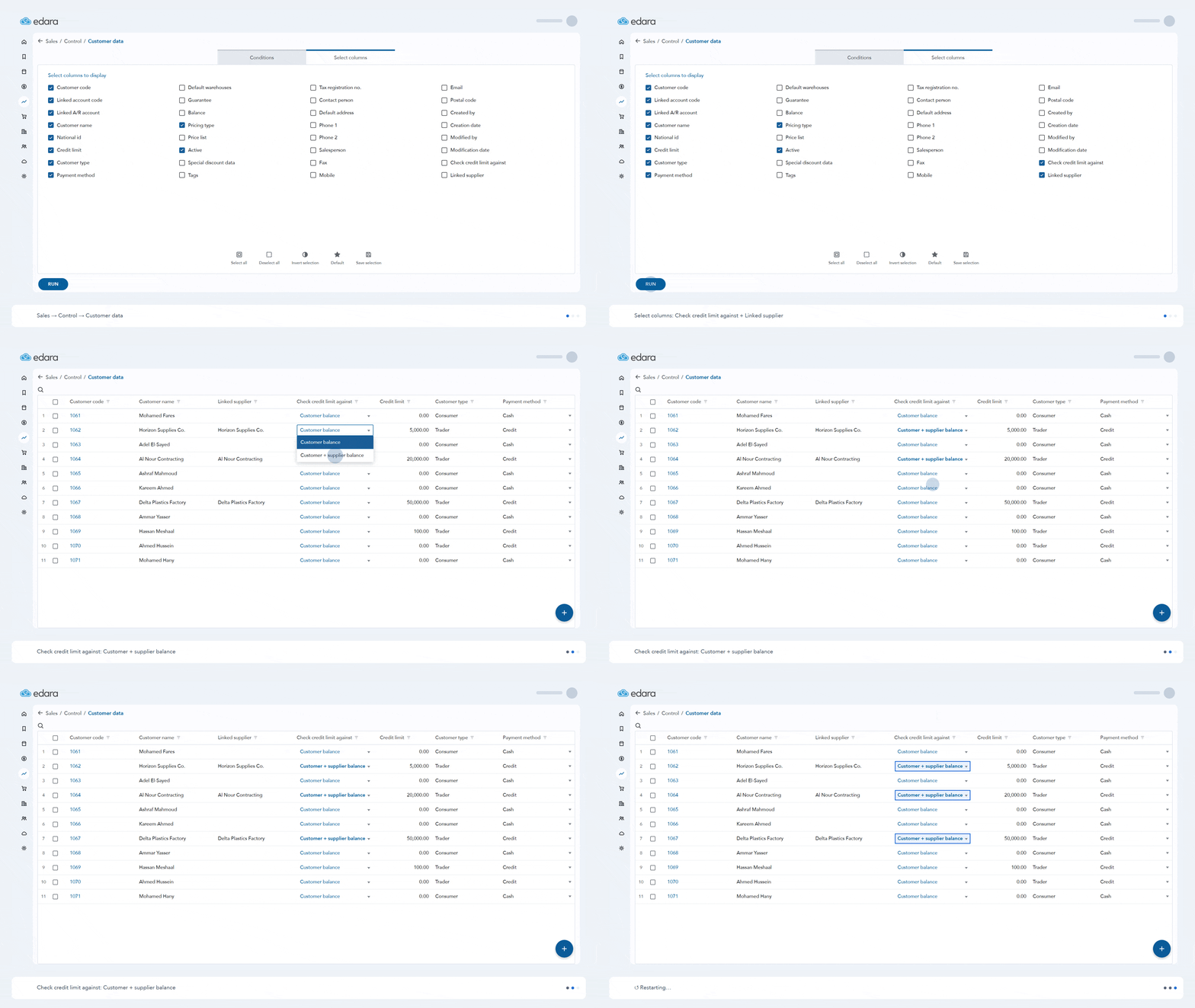
Changing the credit limit check for a lot of customers used to mean opening each customer one by one.
Now you can set “Check credit limit against” and the linked supplier for many customers from one screen, and save them all at once.
Dahua Integration
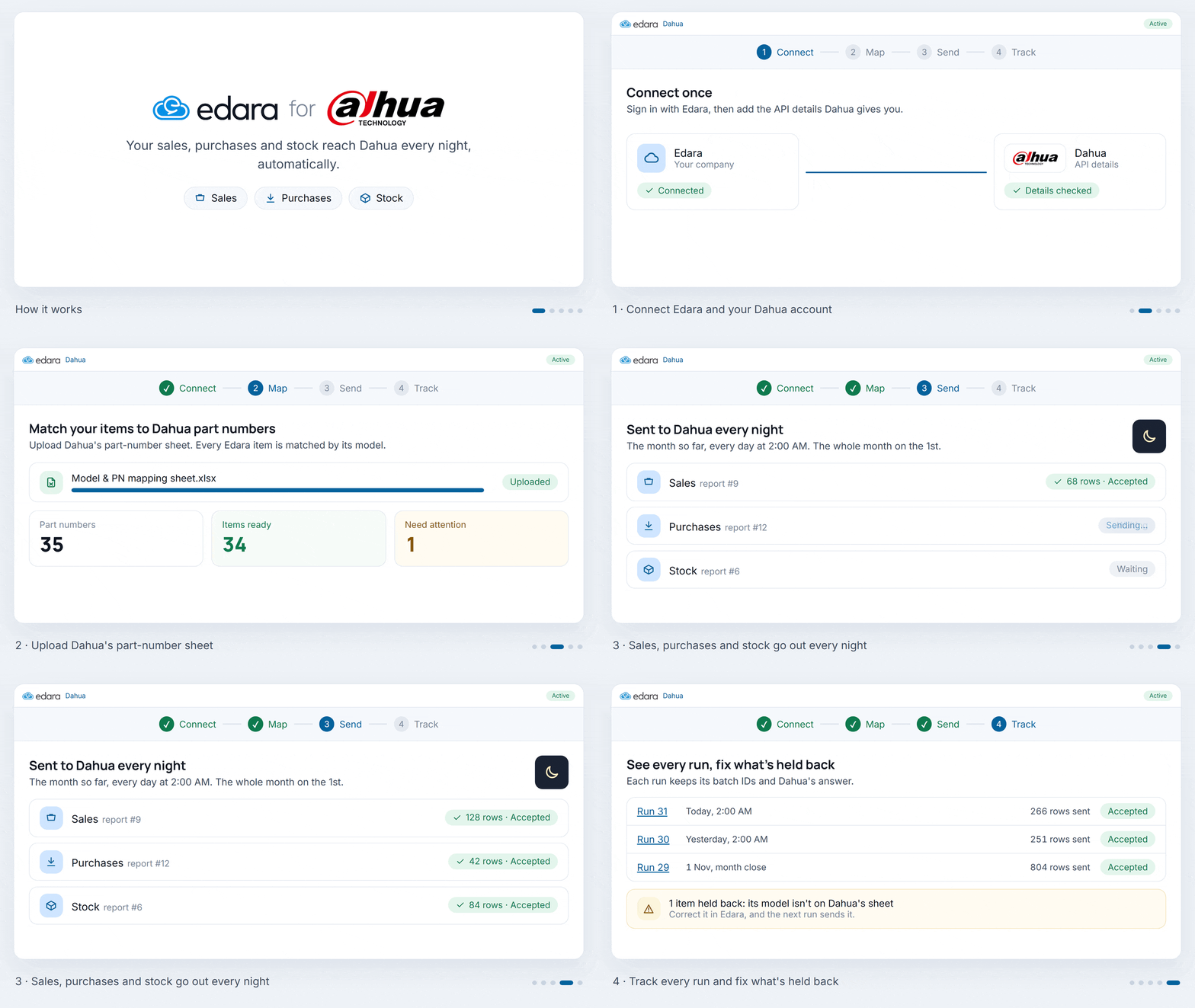
Dahua asks its distributors for regular reports on their sales, purchases, and stock. Putting these reports together by hand takes time, again and again.
Now you can connect “Edara” to Dahua once and match your items to their Dahua part numbers. The reports are then sent to Dahua every night, using the data already in “Edara”.
You can see every run and its result. If something is wrong, correct it in “Edara”, and the next run sends it.
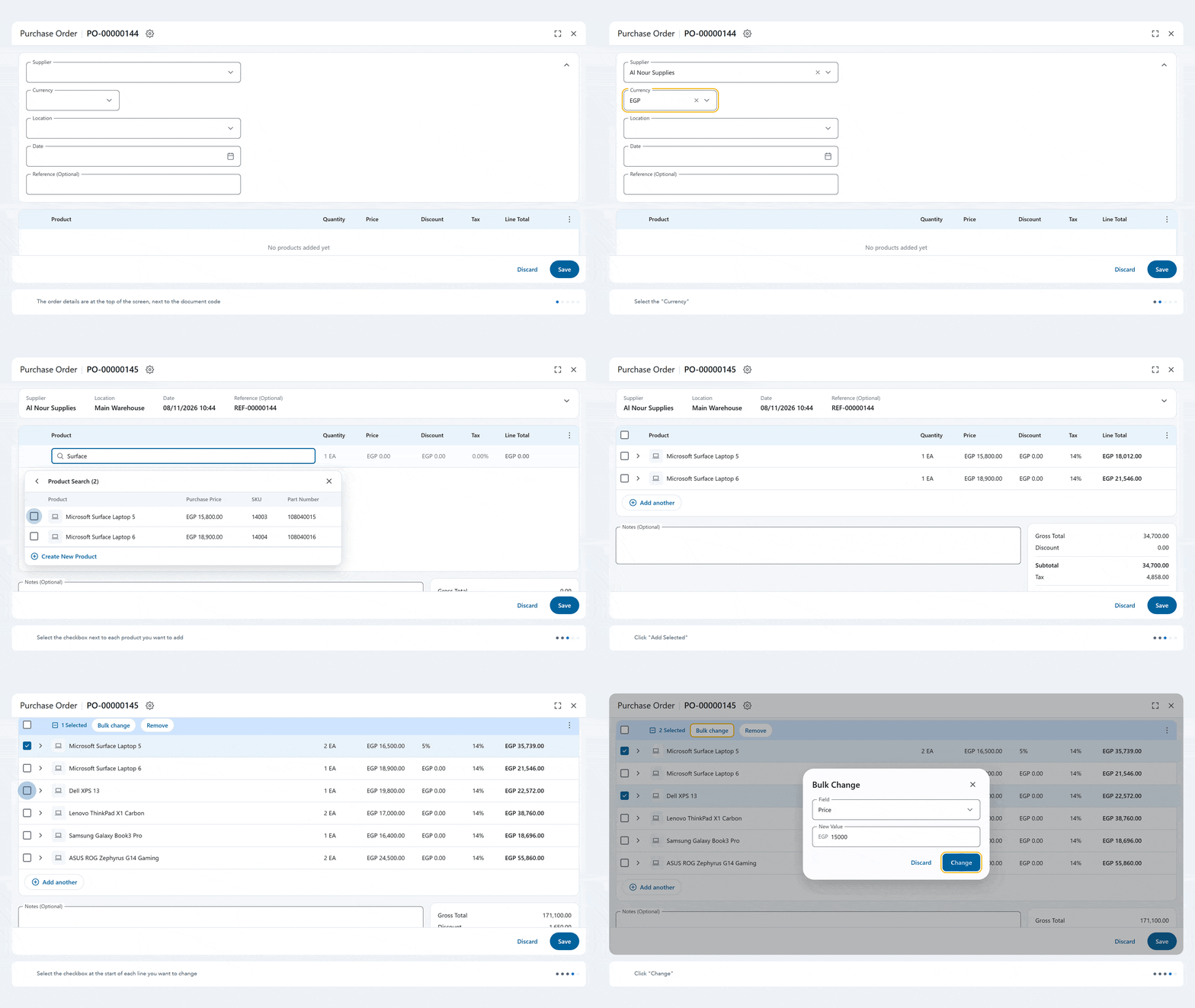
New Layout for Purchase and Billing Documents
When working with documents containing a large number of products, adding and editing product details can be time-consuming, especially when you need to apply the same changes to multiple lines.
The new document layout in Edara lets you add products through Search Product, Scan Barcodes, or Import, edit their details individually or using Bulk change, and customize the table layout to suit your needs—helping you complete your documents with less time and effort.
That’s it for November 2026. More updates are coming soon.


